
View a student's comments
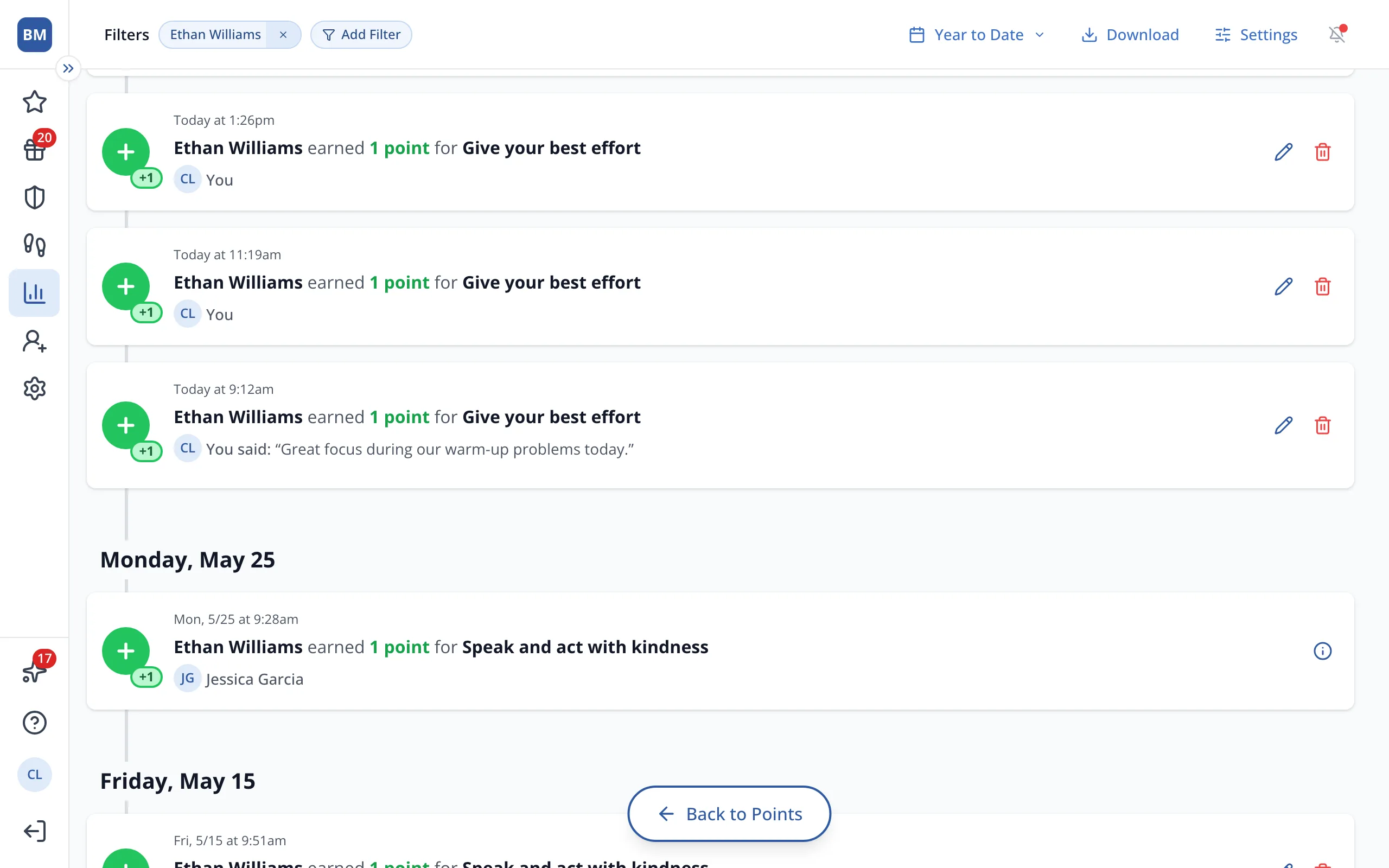
You'll see comments every teacher left on the student's points, not just yours.
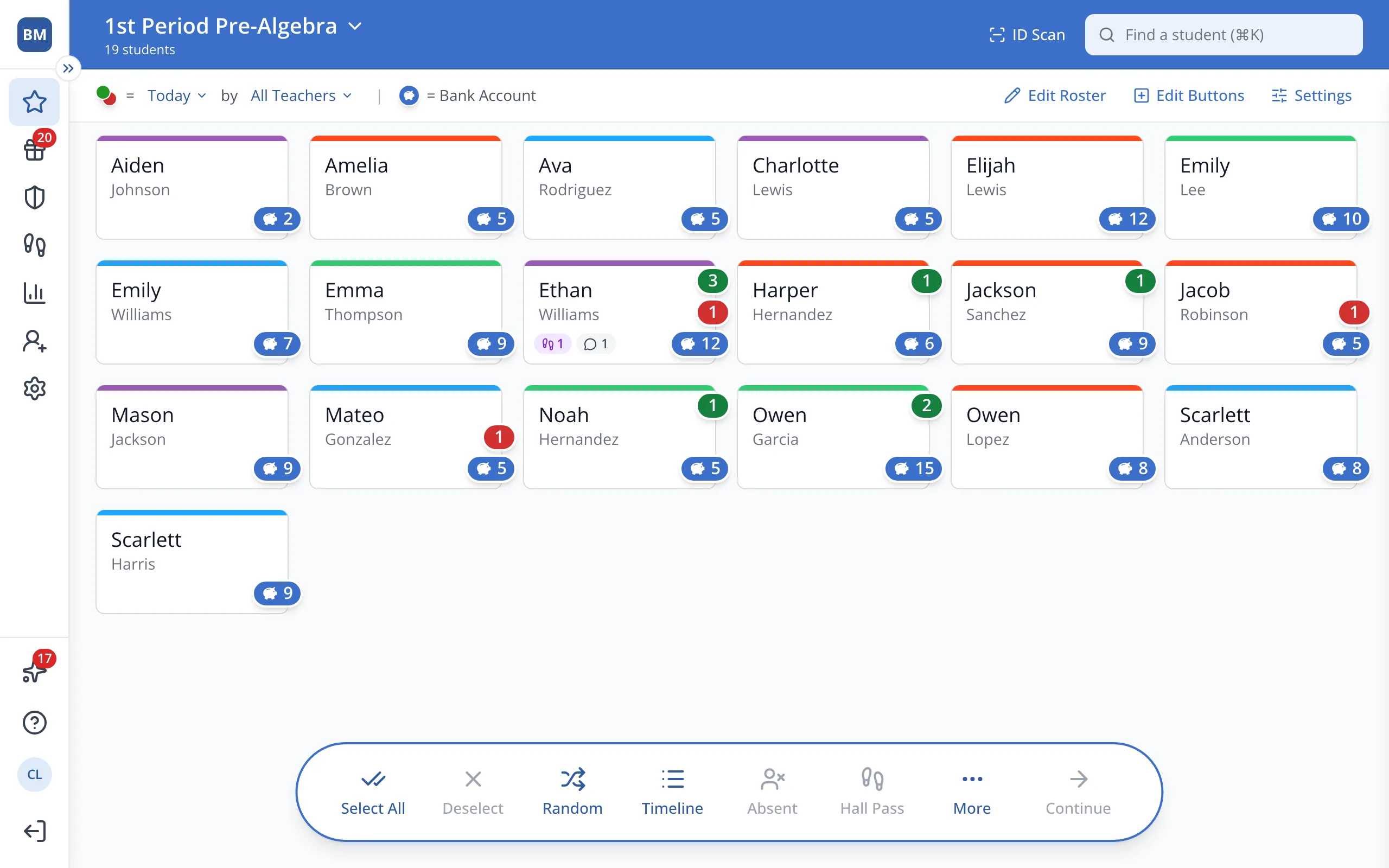
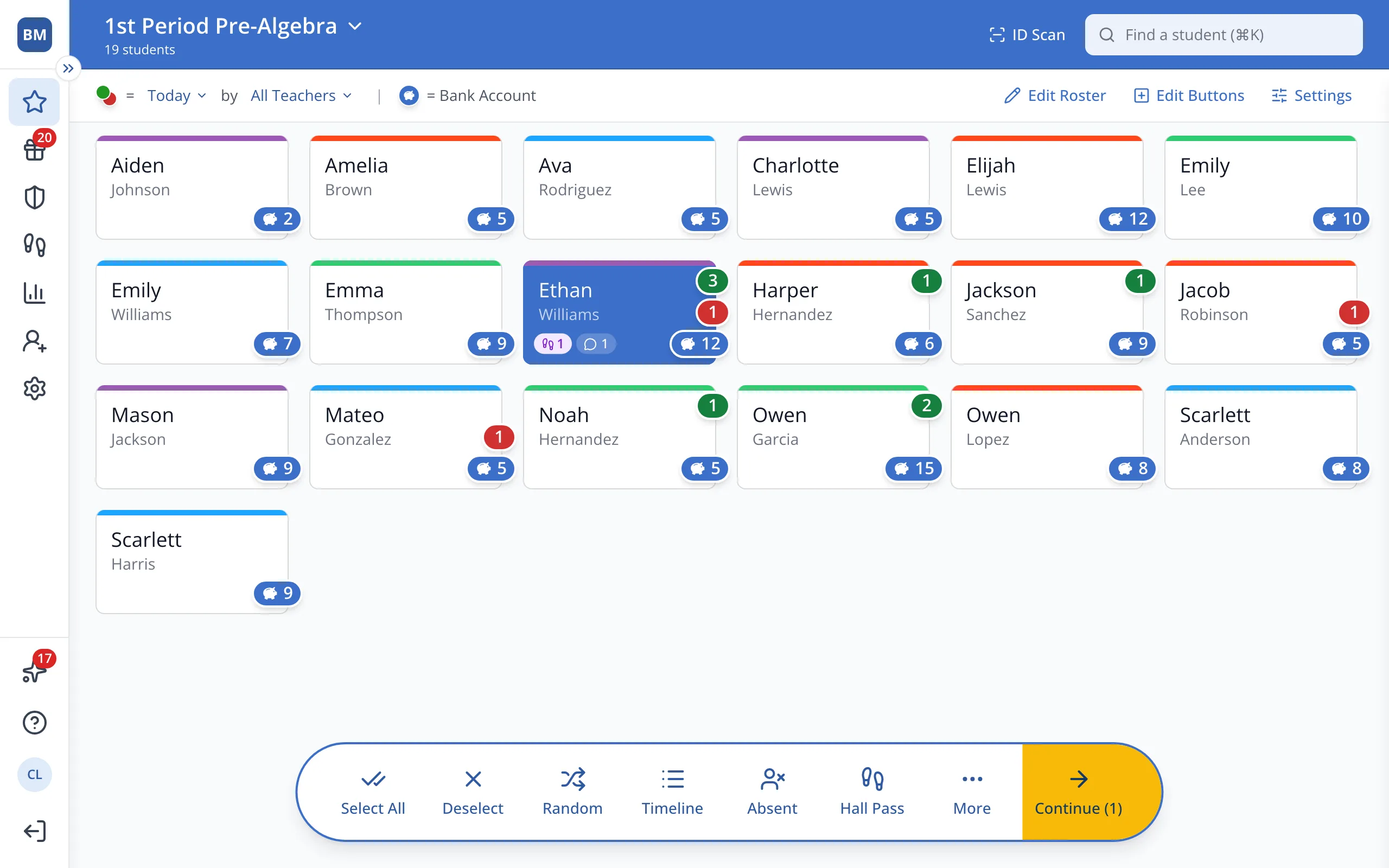
1 / 3On the Points page, click the student.
1.On the Points page, click the student's button.
2.In the bar at the bottom, click Timeline.
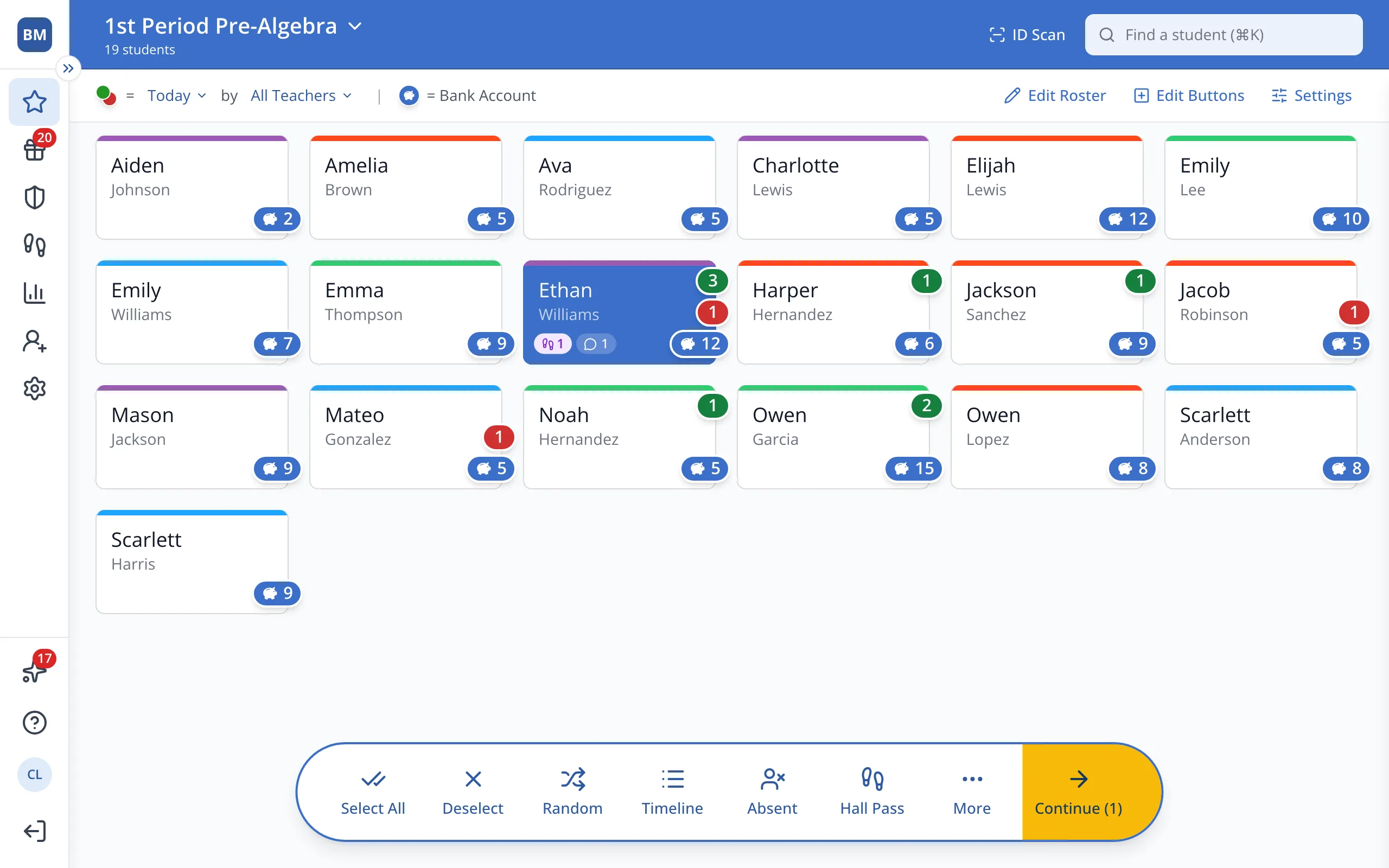
3.Each comment shows under the point it was written on.
Was this helpful?