
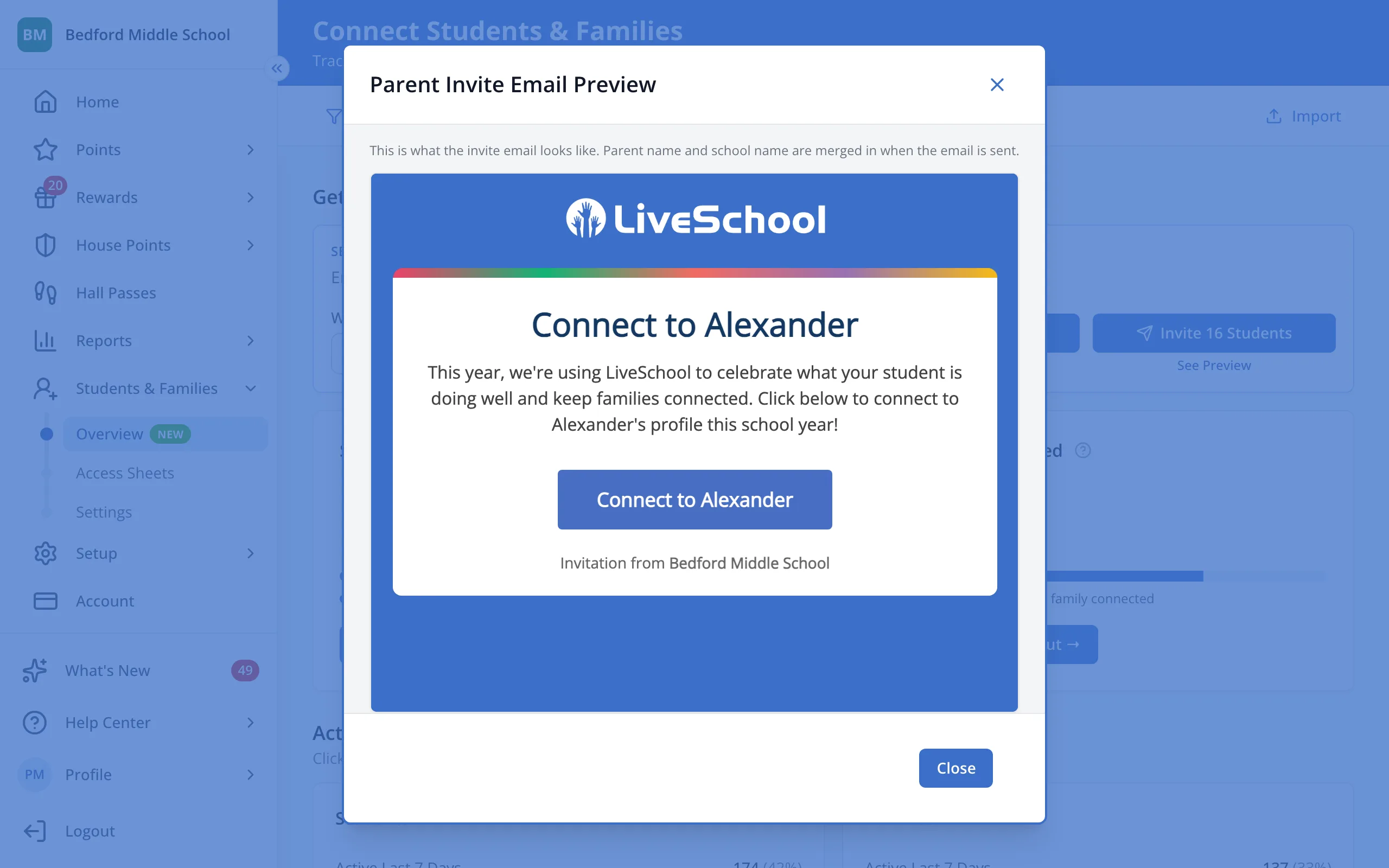
Preview the invitation email
See exactly what families or students will get before you send it. Each email carries your school's name and the student's first name.
AdminSite Leader
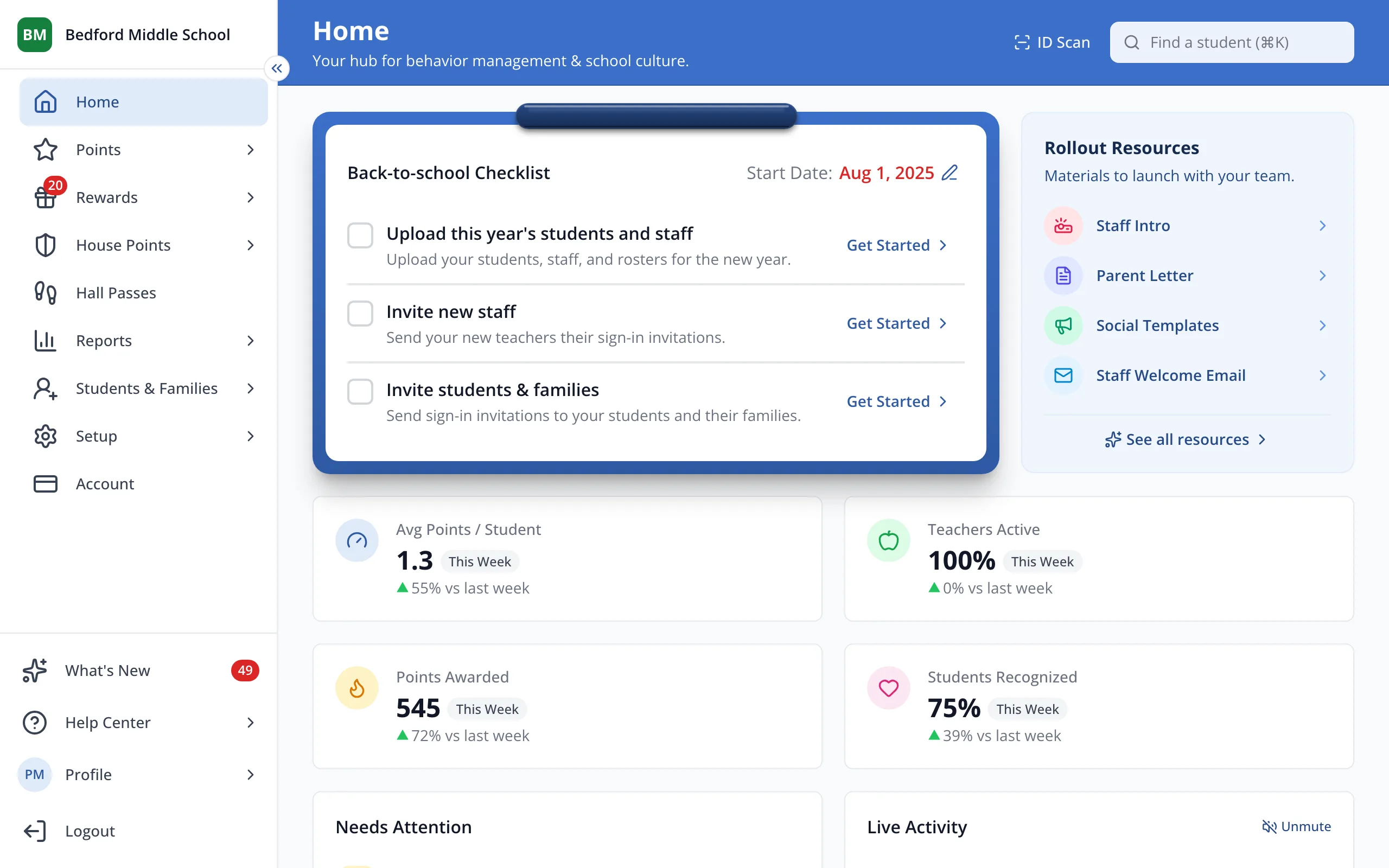
1 / 3In the sidebar, click Students & Families.
1.In the sidebar, click Students & Families.
2.Under Get Connected, click See Preview under the families button.
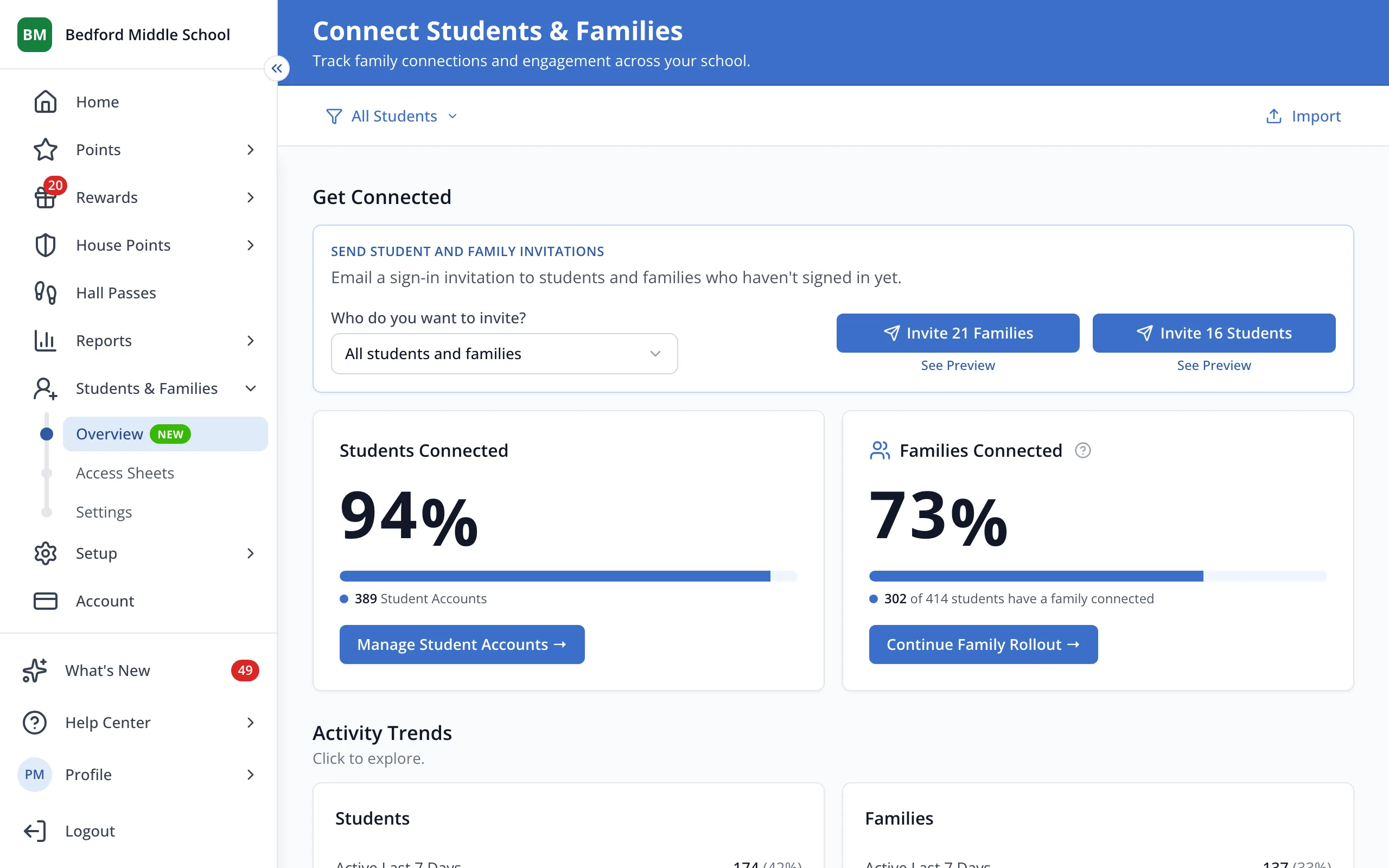
Tip: The See Preview under the students button shows the student email.
3.Click Close when you're done.
Was this helpful?