Add another student to your account
Use the access code from your other student's school. All your students then share one family account.
Open in LiveSchool
Already signed in? Open this guide inside LiveSchool.
Use the Left and Right arrow keys to move between steps, and Space to play or pause.
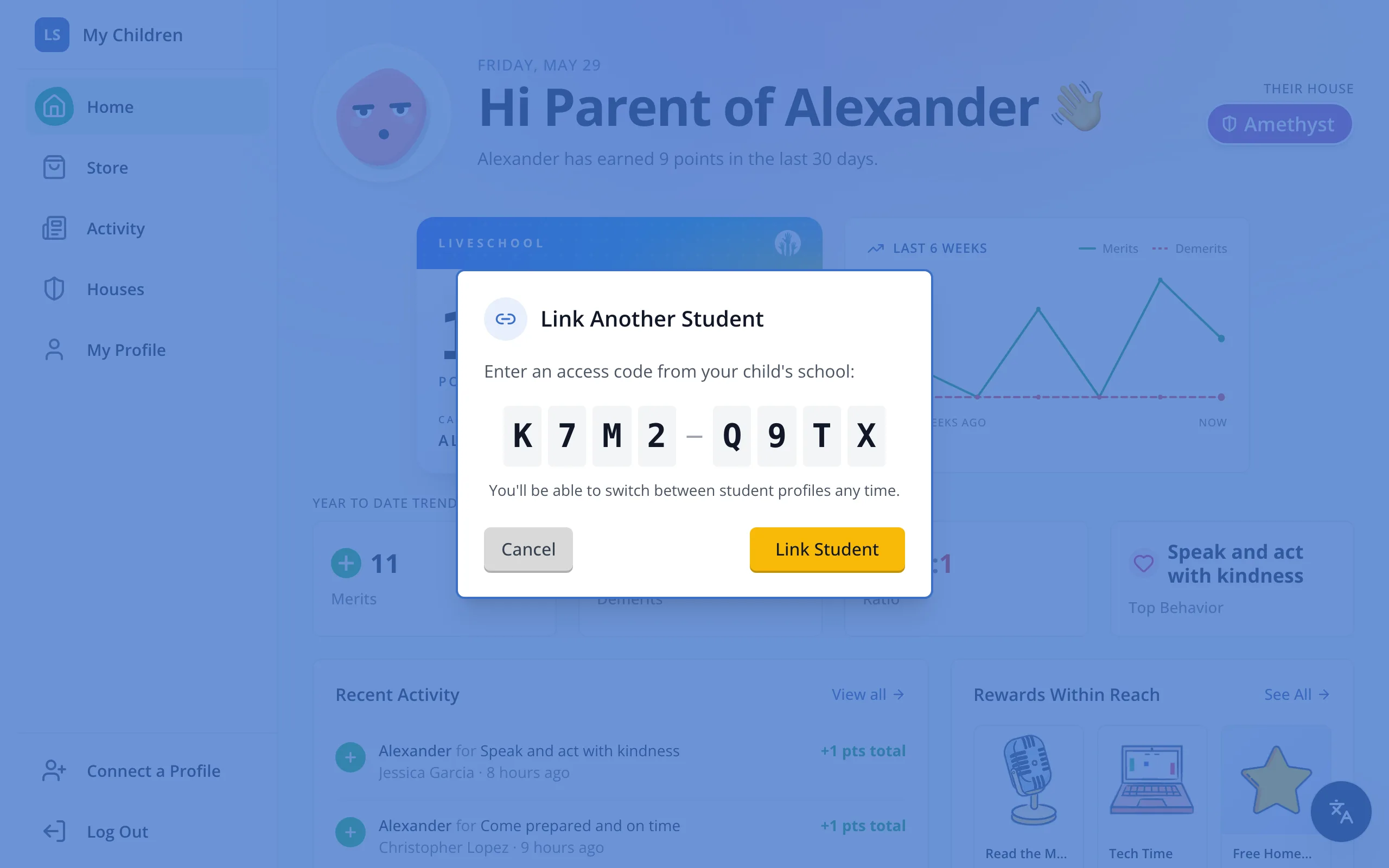
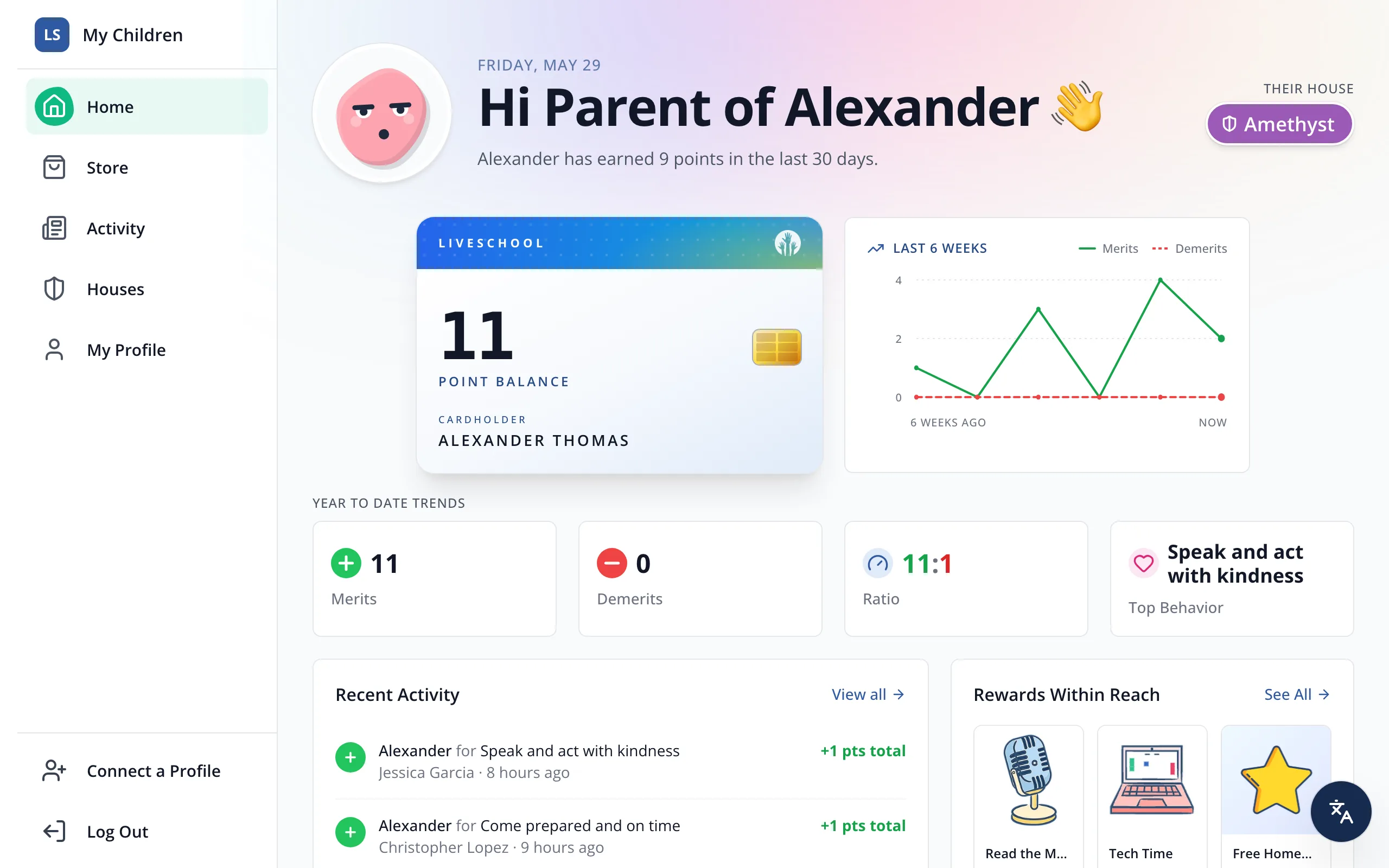
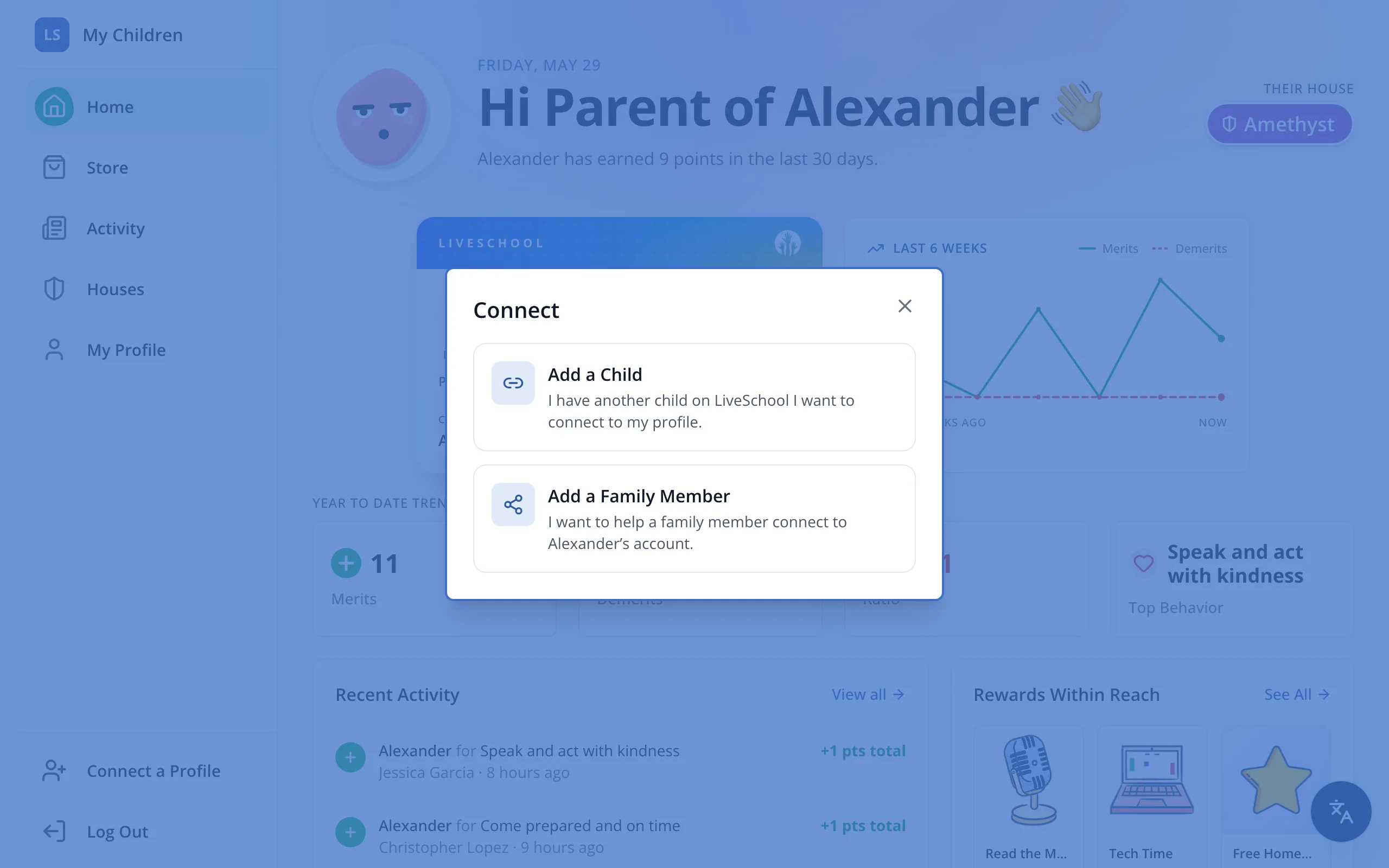
1.In the sidebar, click Connect a Profile.
2.Click Add a Child.
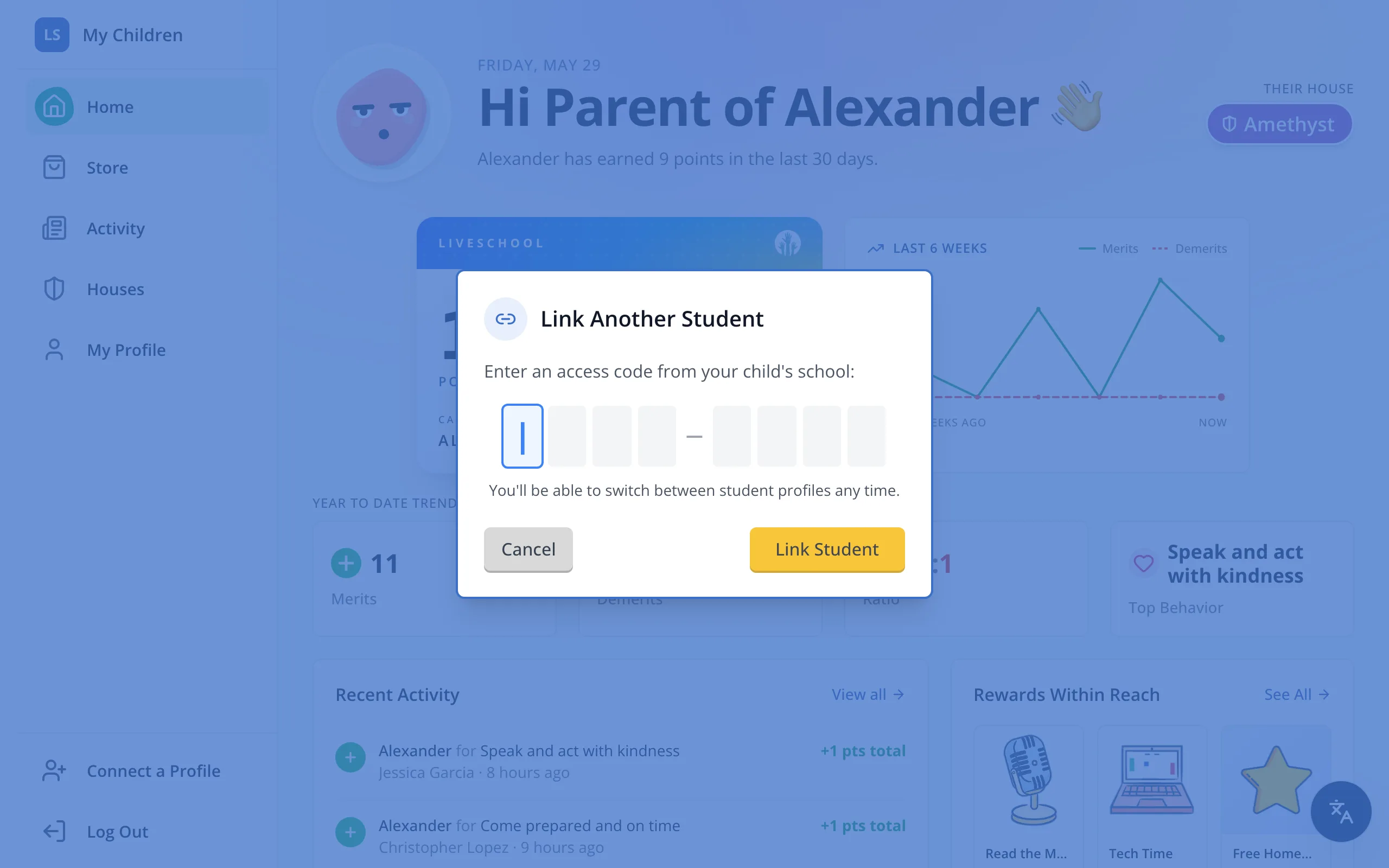
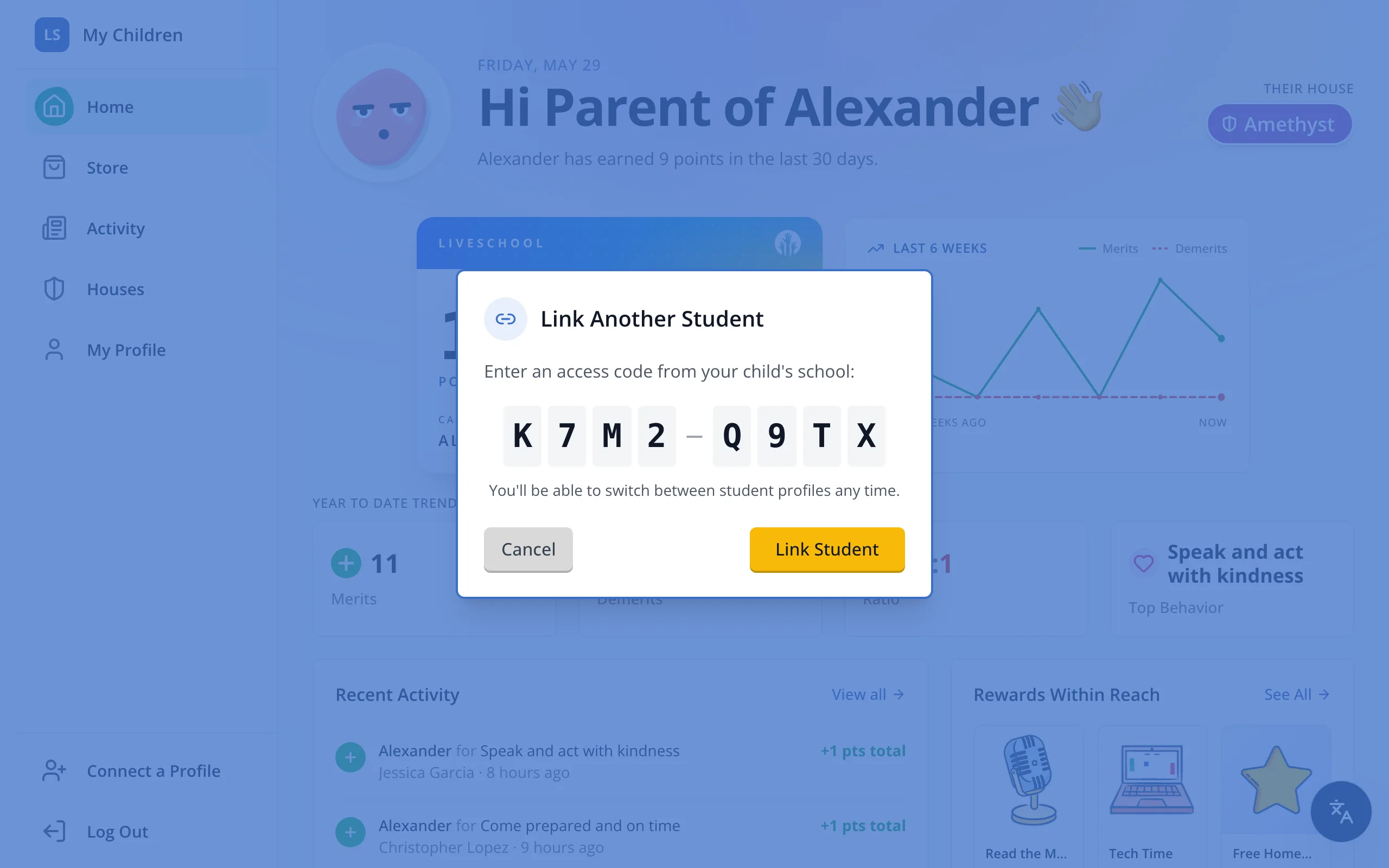
3.Type the access code from your other student's school.
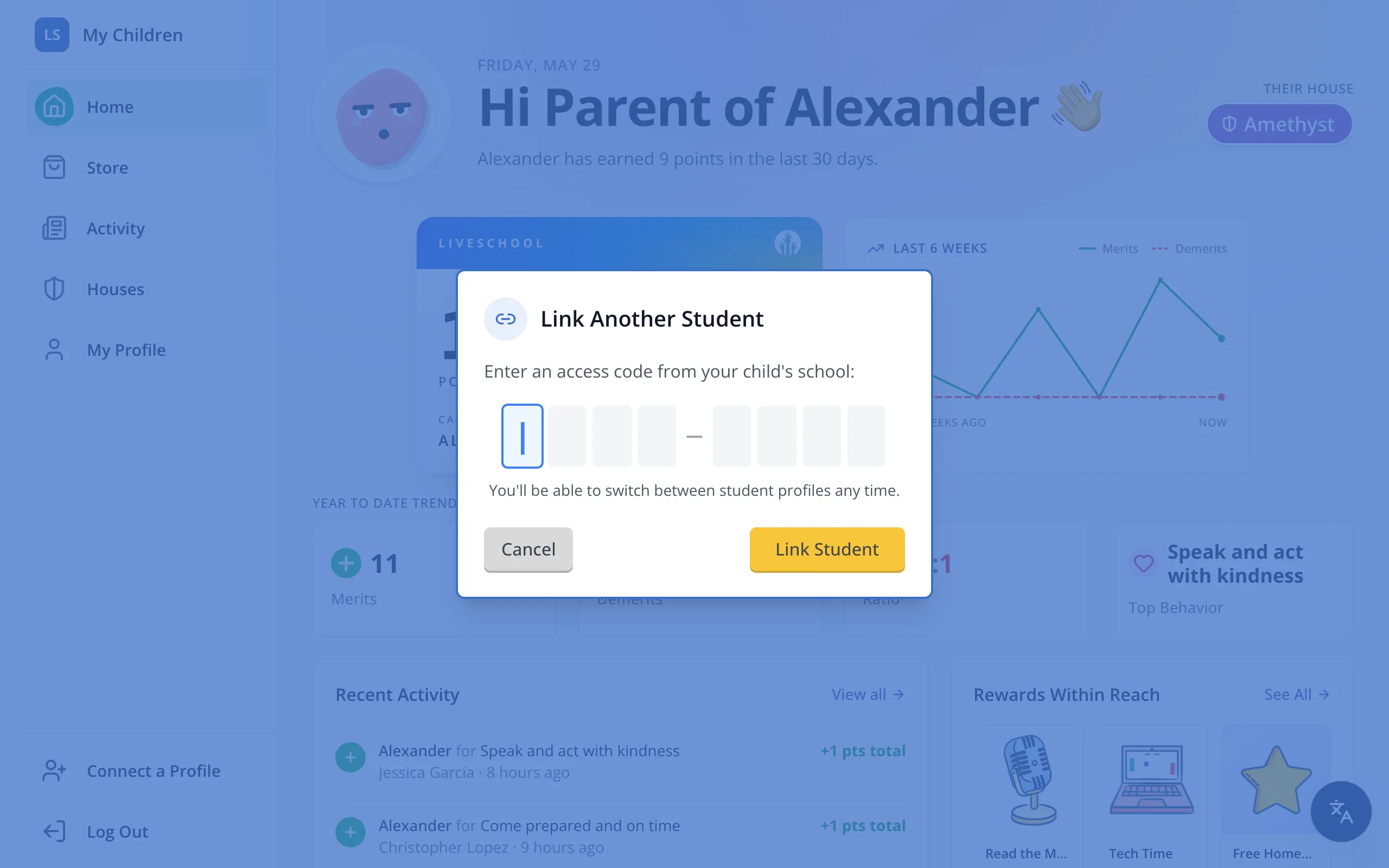
4.Click Link Student. You can then switch between your students at the top of the sidebar.