
Reset a student's access code
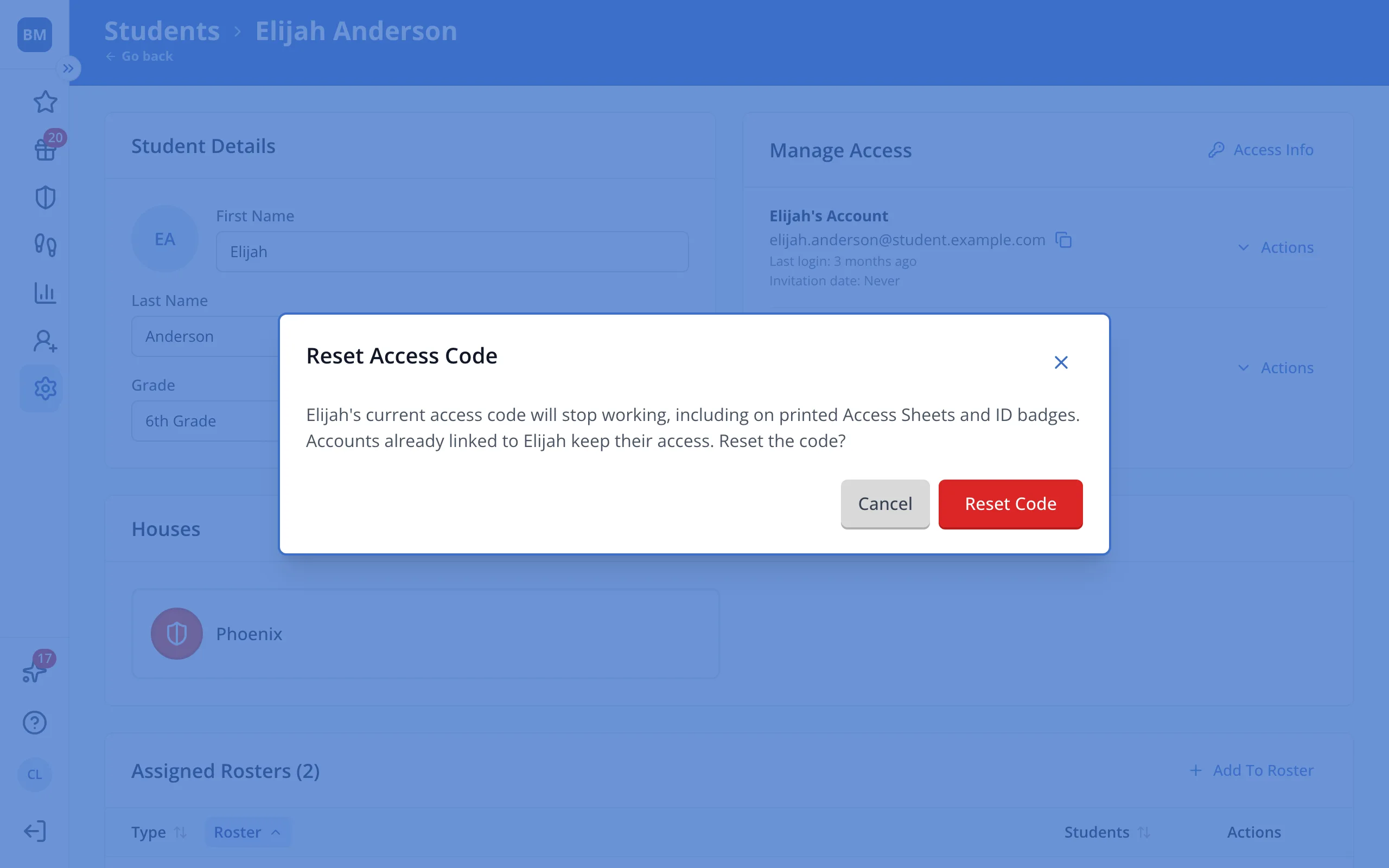
Use this when a code got into the wrong hands. The old code stops working, even on printed sheets and badges, and accounts already linked stay linked.
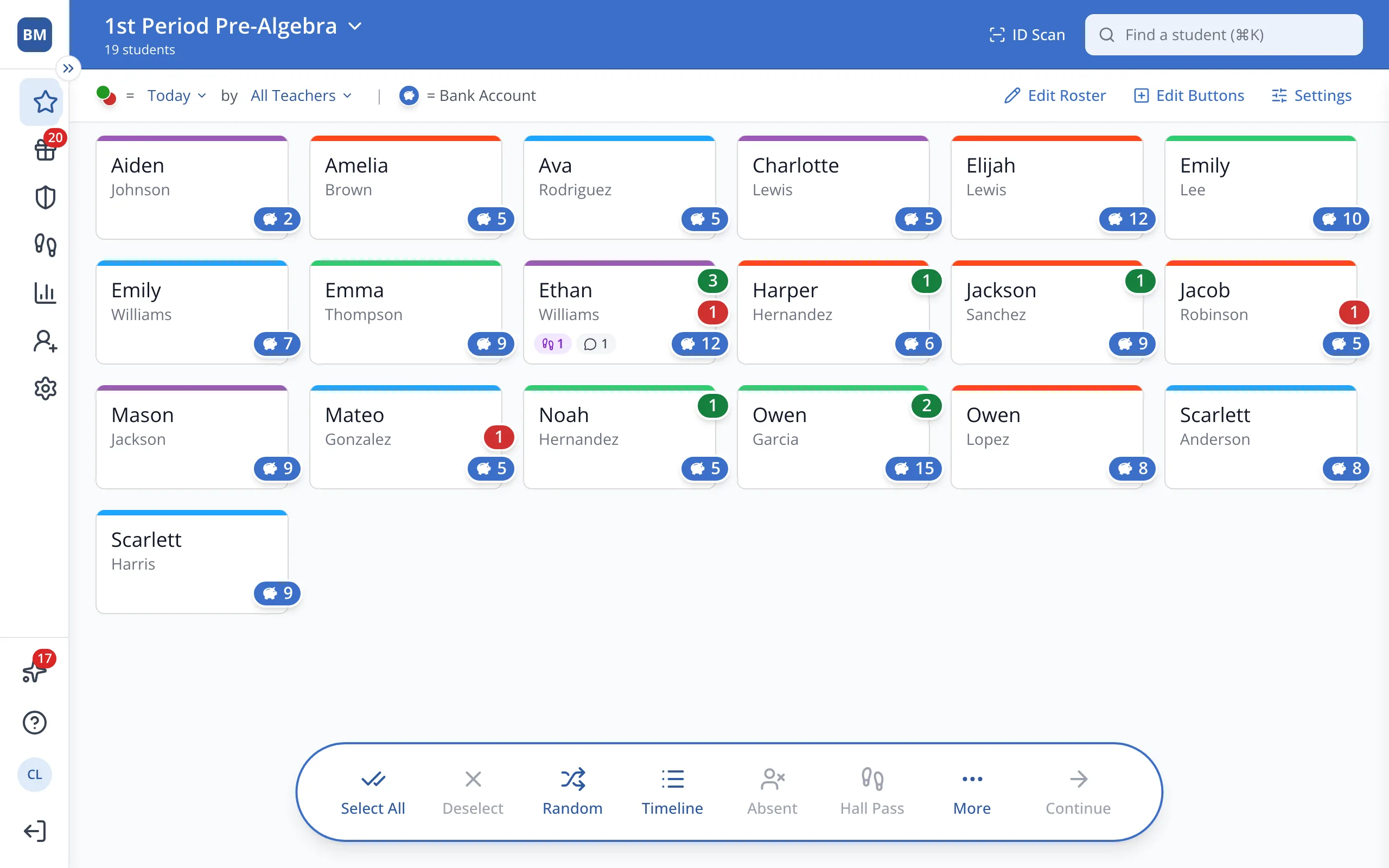
1 / 7In the sidebar, click Setup.
1.In the sidebar, click Setup.
2.Click Students.
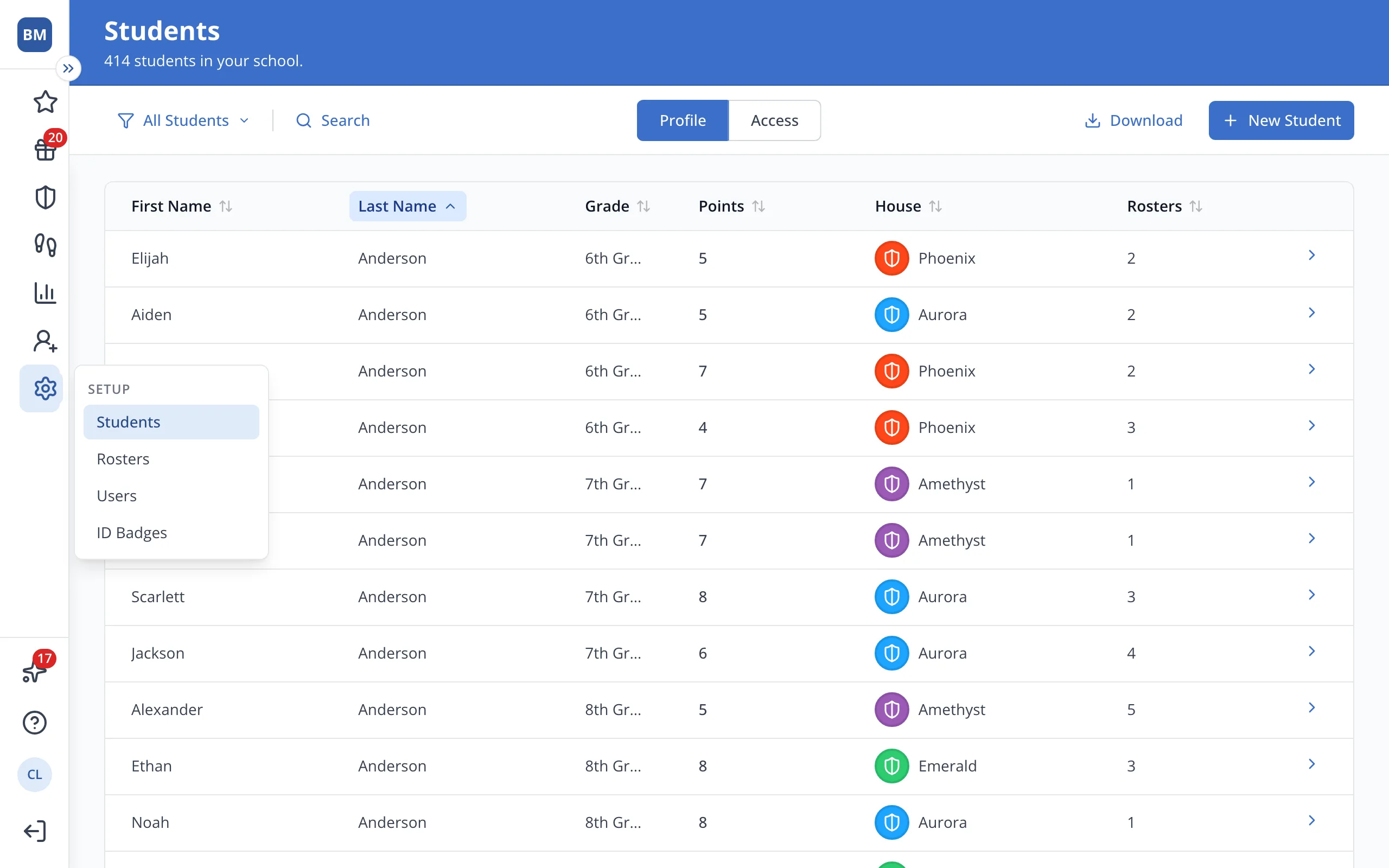
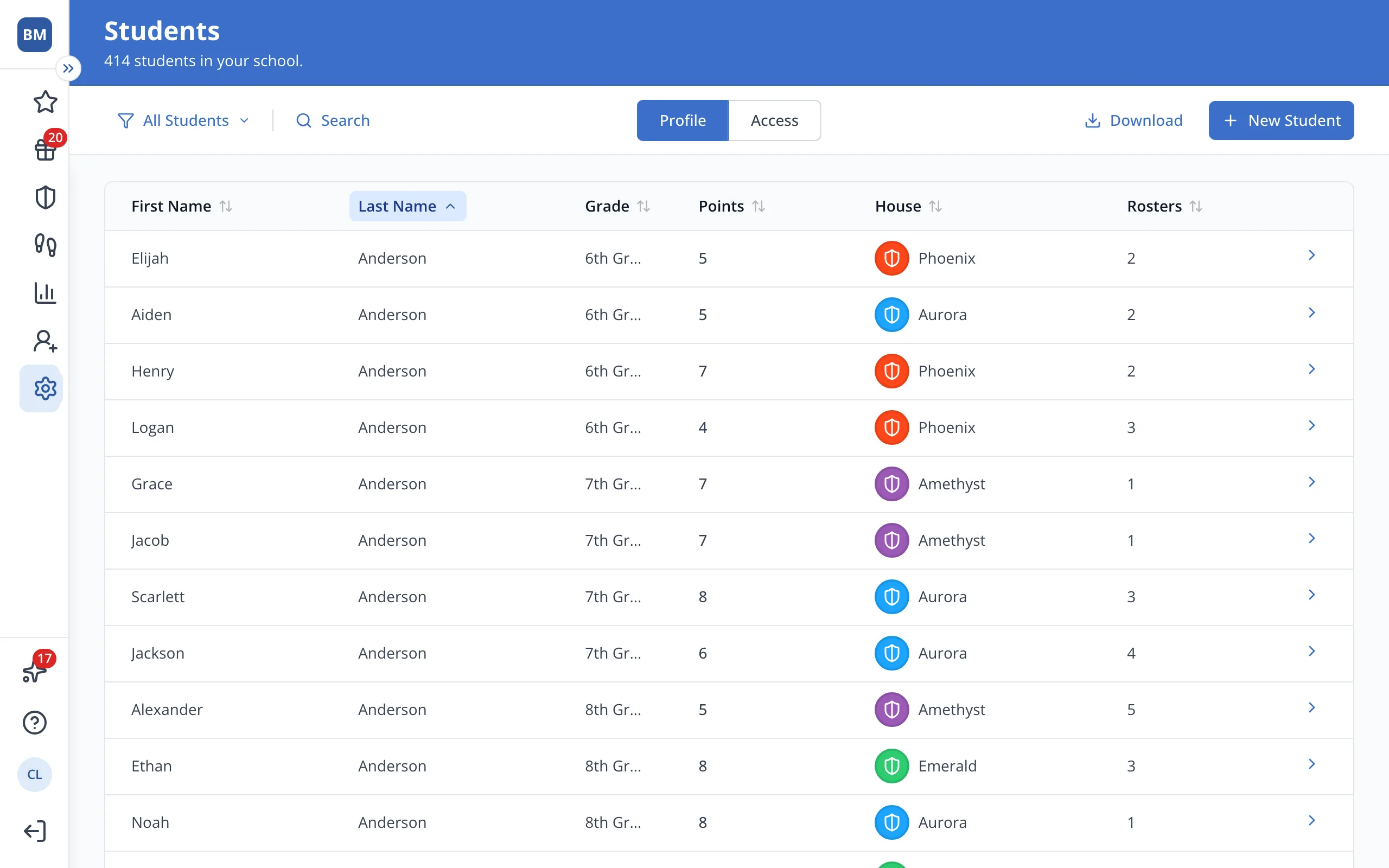
3.Click the student's name.
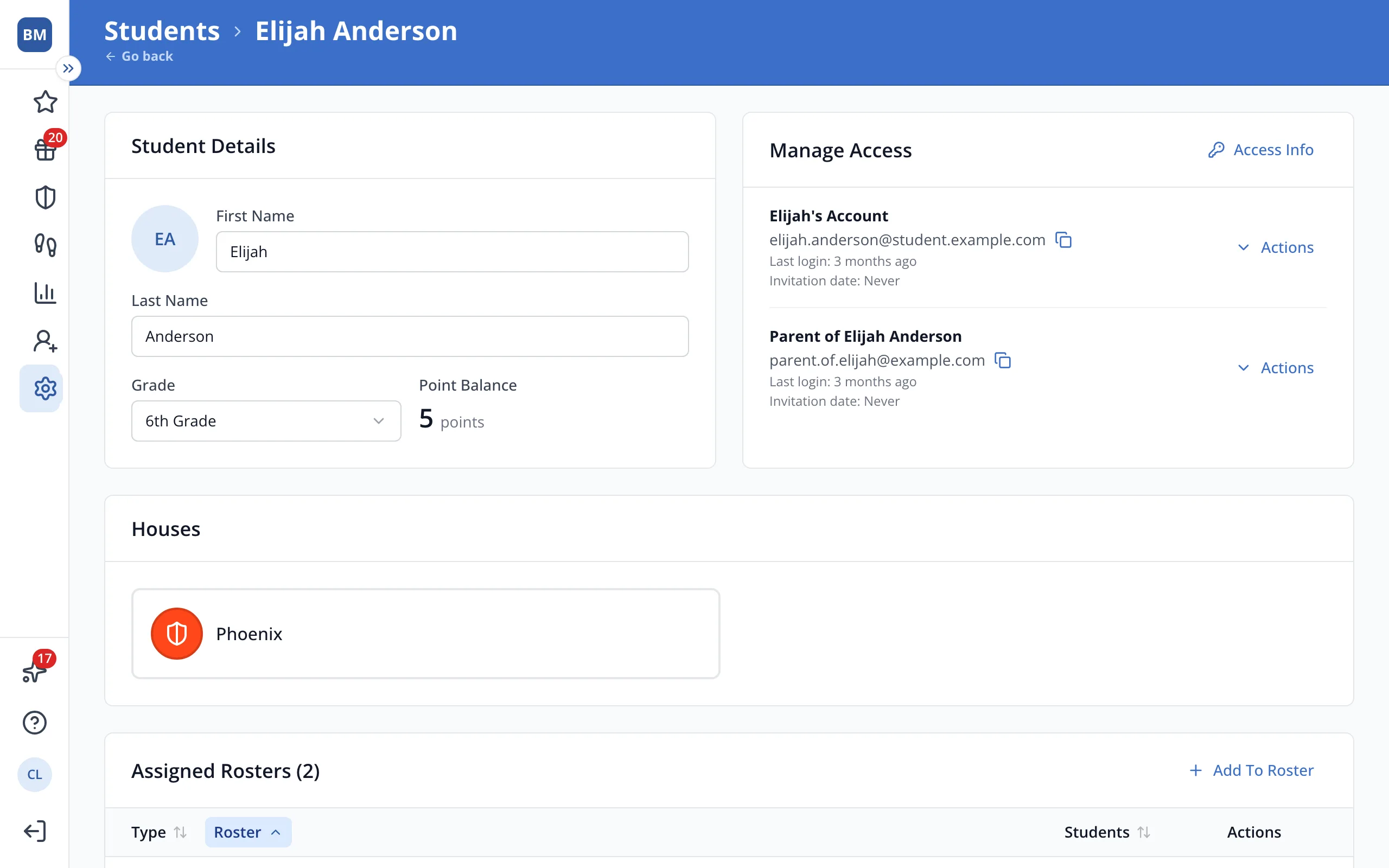
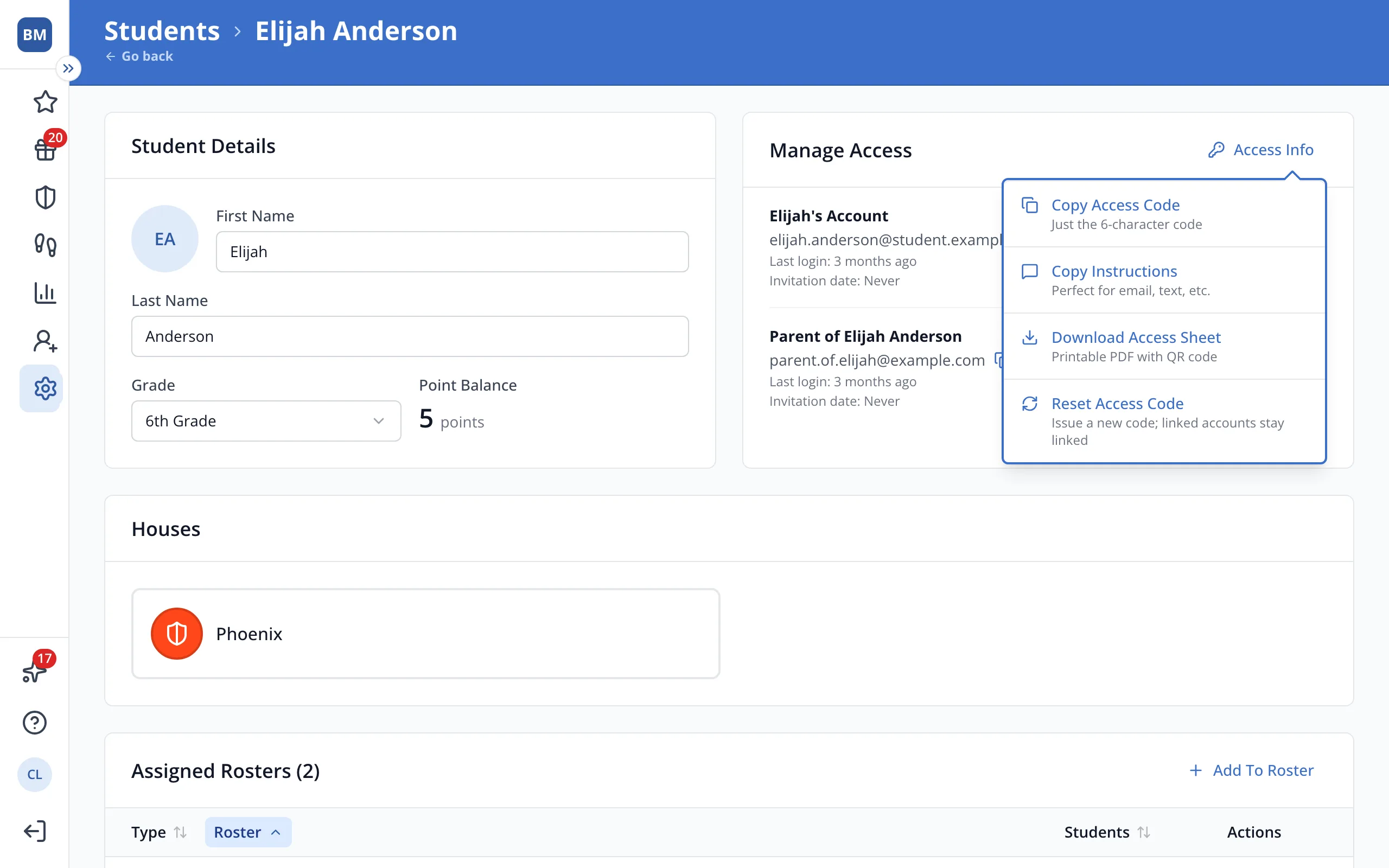
4.In Manage Access, click Access Info.
5.Click Reset Access Code.
6.Click Reset Code.
7.Share the new code with anyone who still needs to sign up.
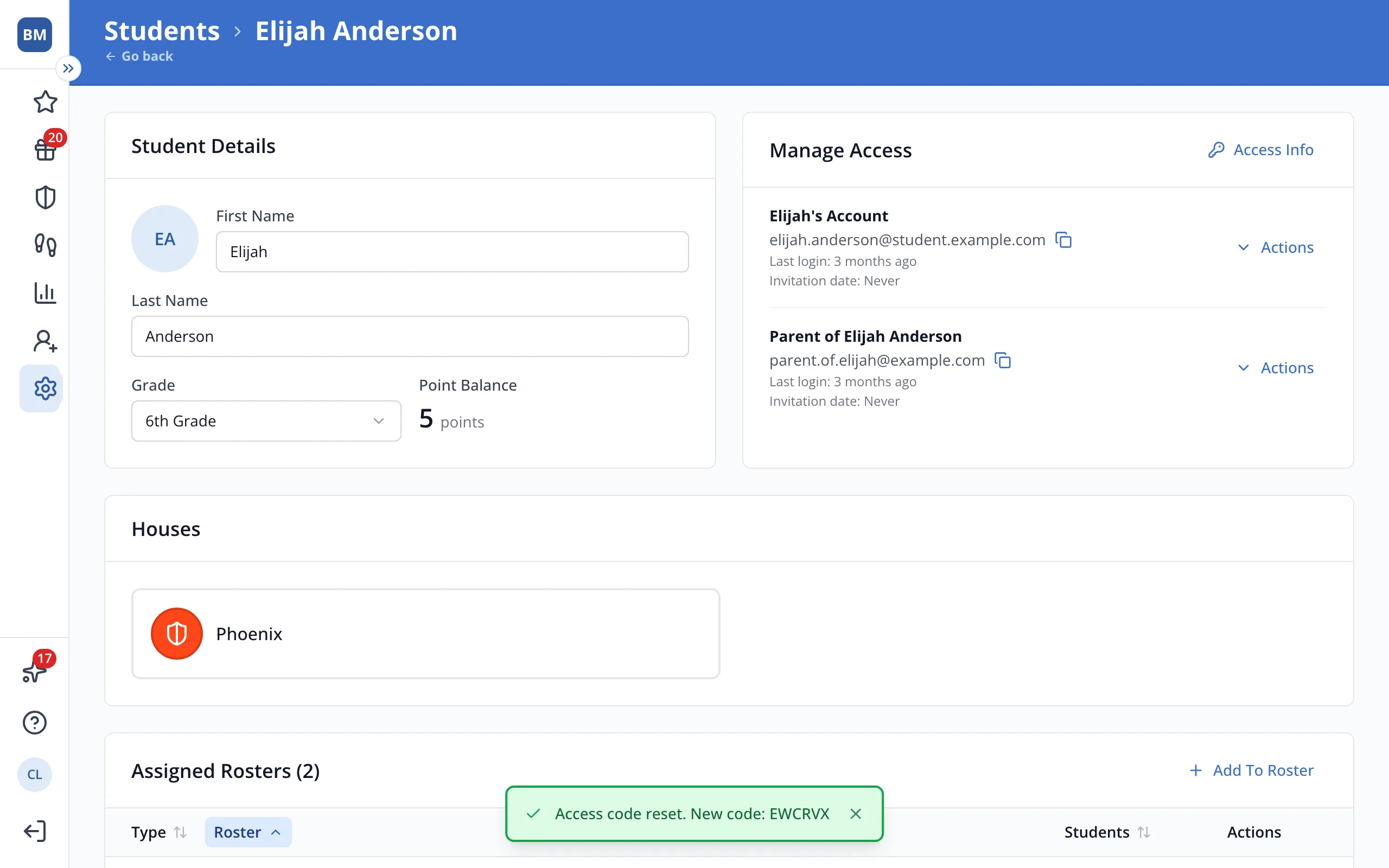
Tip: The new code stays on screen until you close it. You can also copy it from Access Info anytime.
Was this helpful?