
Set a student's or family's language
The portal opens in that language the next time they sign in, so families who don't read English never have to find the switcher.
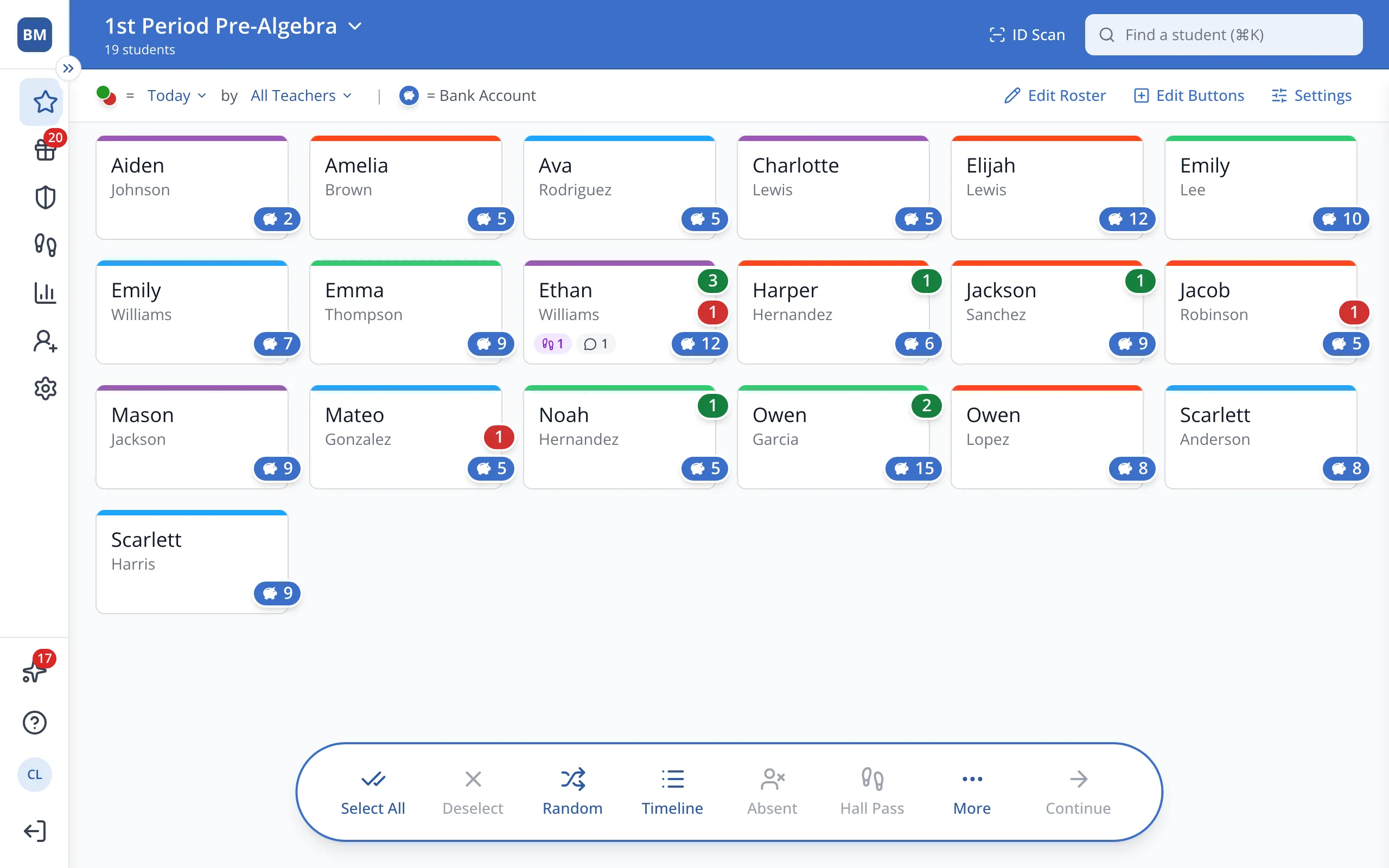
1 / 8In the sidebar, click Setup.
1.In the sidebar, click Setup.
2.Click Students.
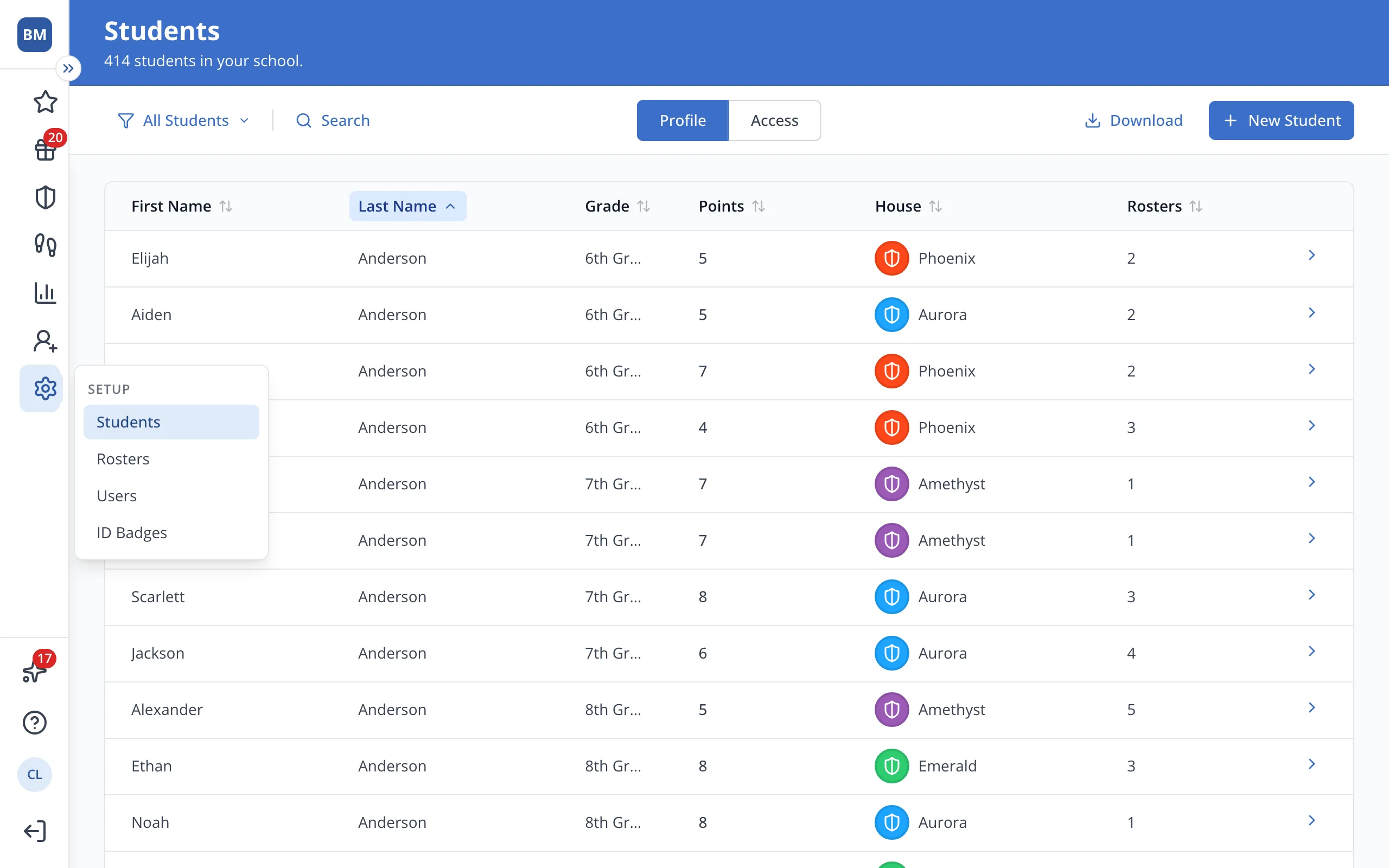
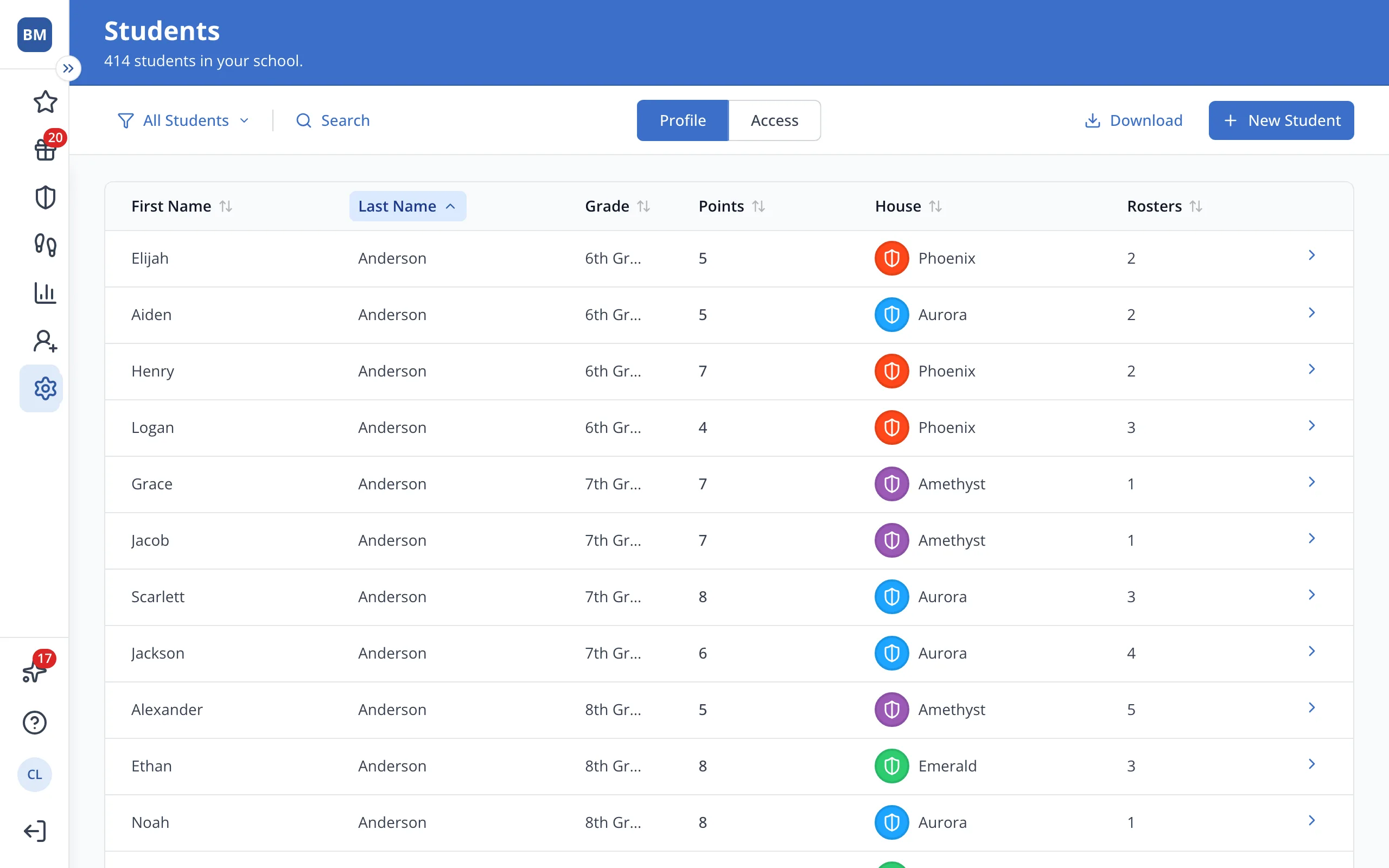
3.Click the student's name.
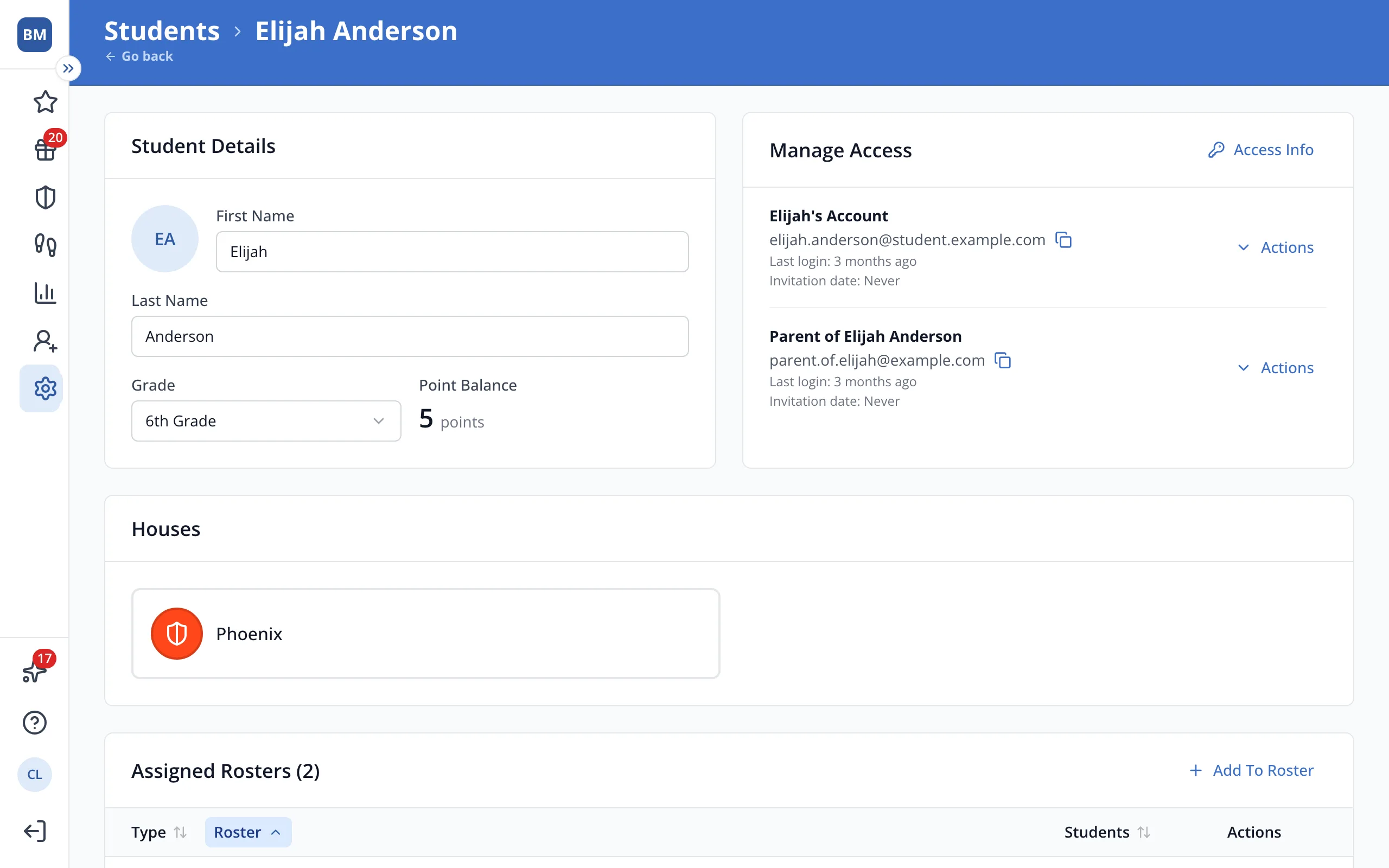
4.In Manage Access, click Actions next to the student or family member.
5.Click Edit Language.
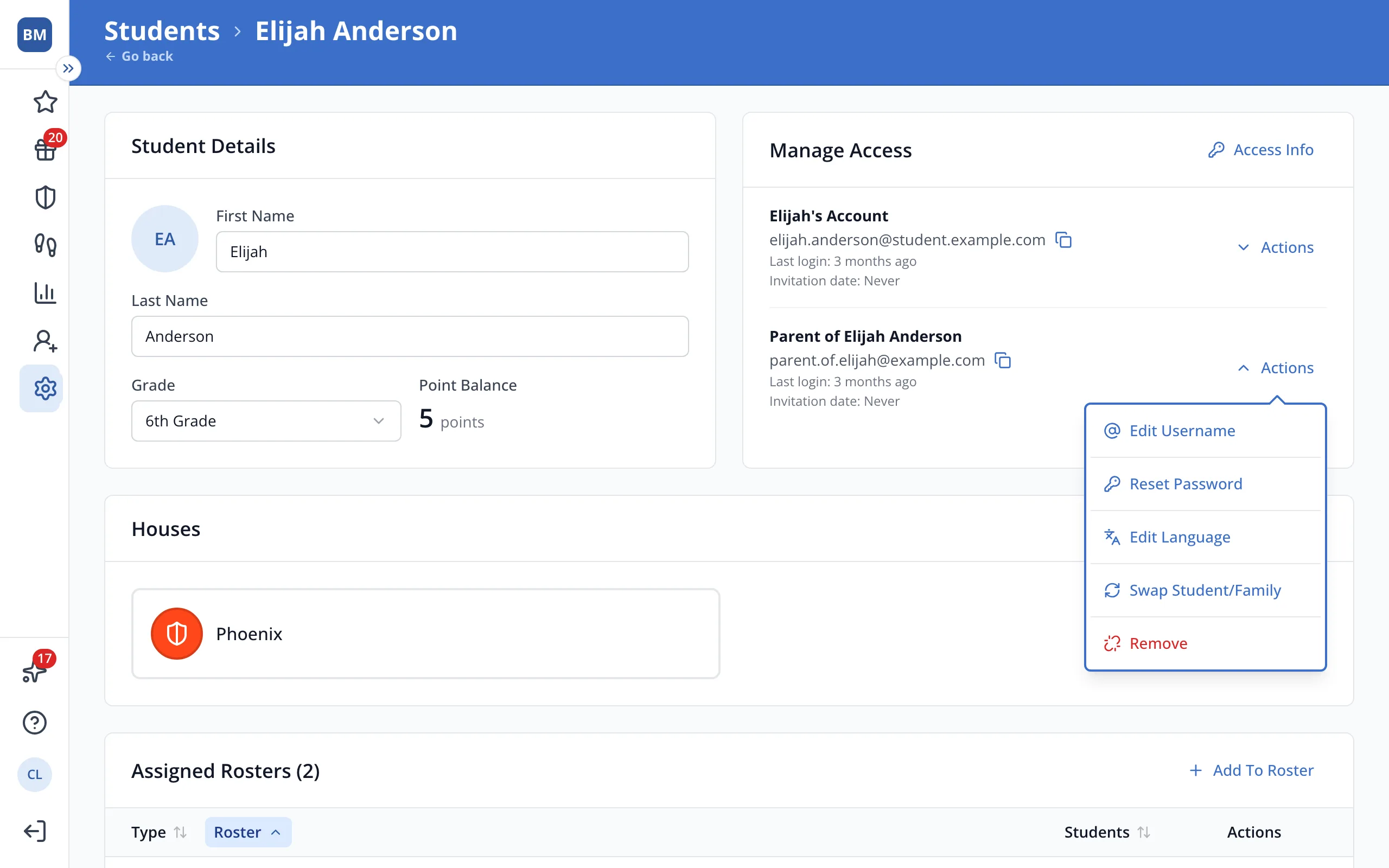
Tip: It says Set Language when no language has been chosen yet.
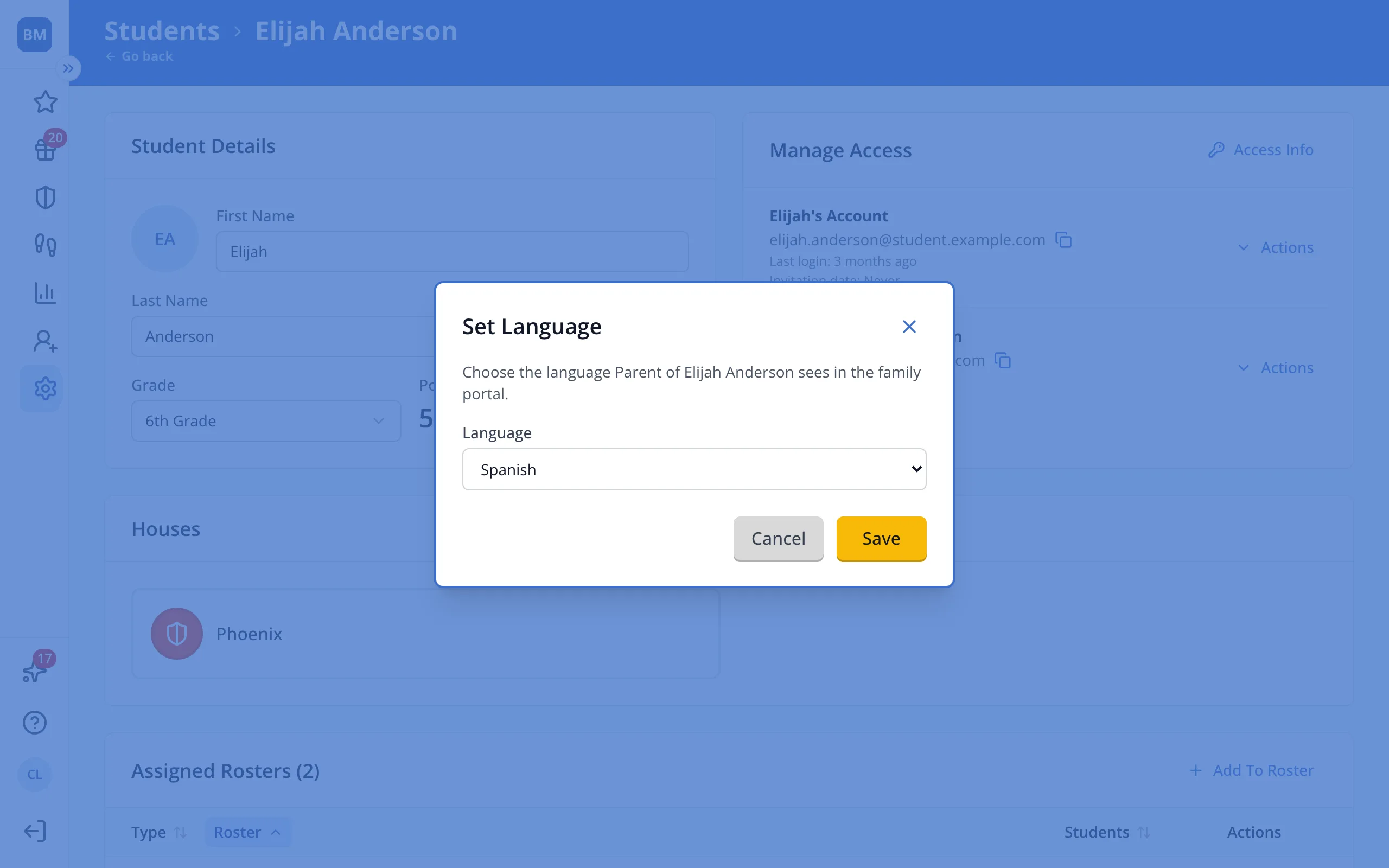
6.Choose their language from the list.
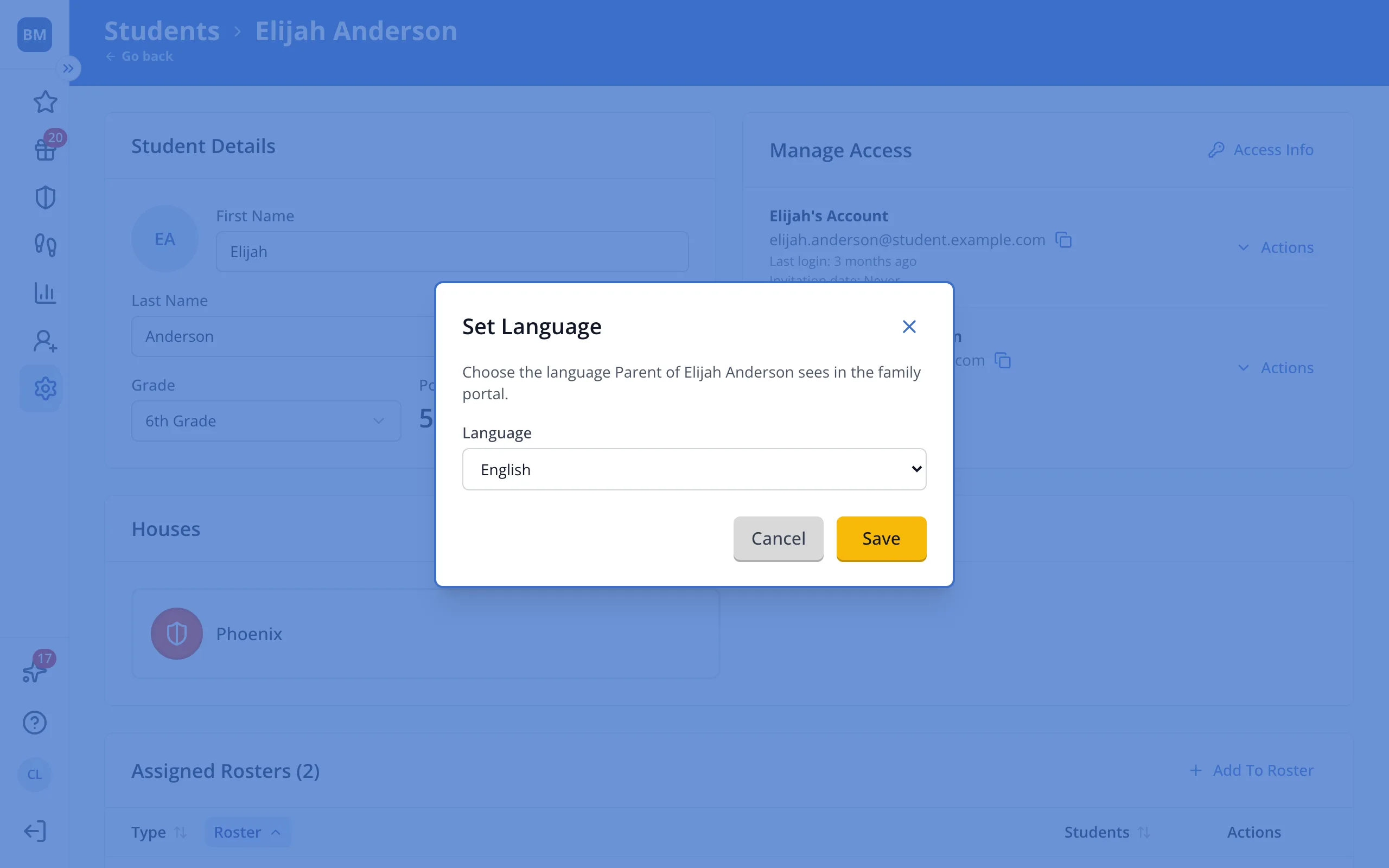
7.Click Save.
Was this helpful?