
Delete a non-syncing Roster
Deleting a roster removes the roster from the entire system and it cannot be undone, but it does not remove any students.
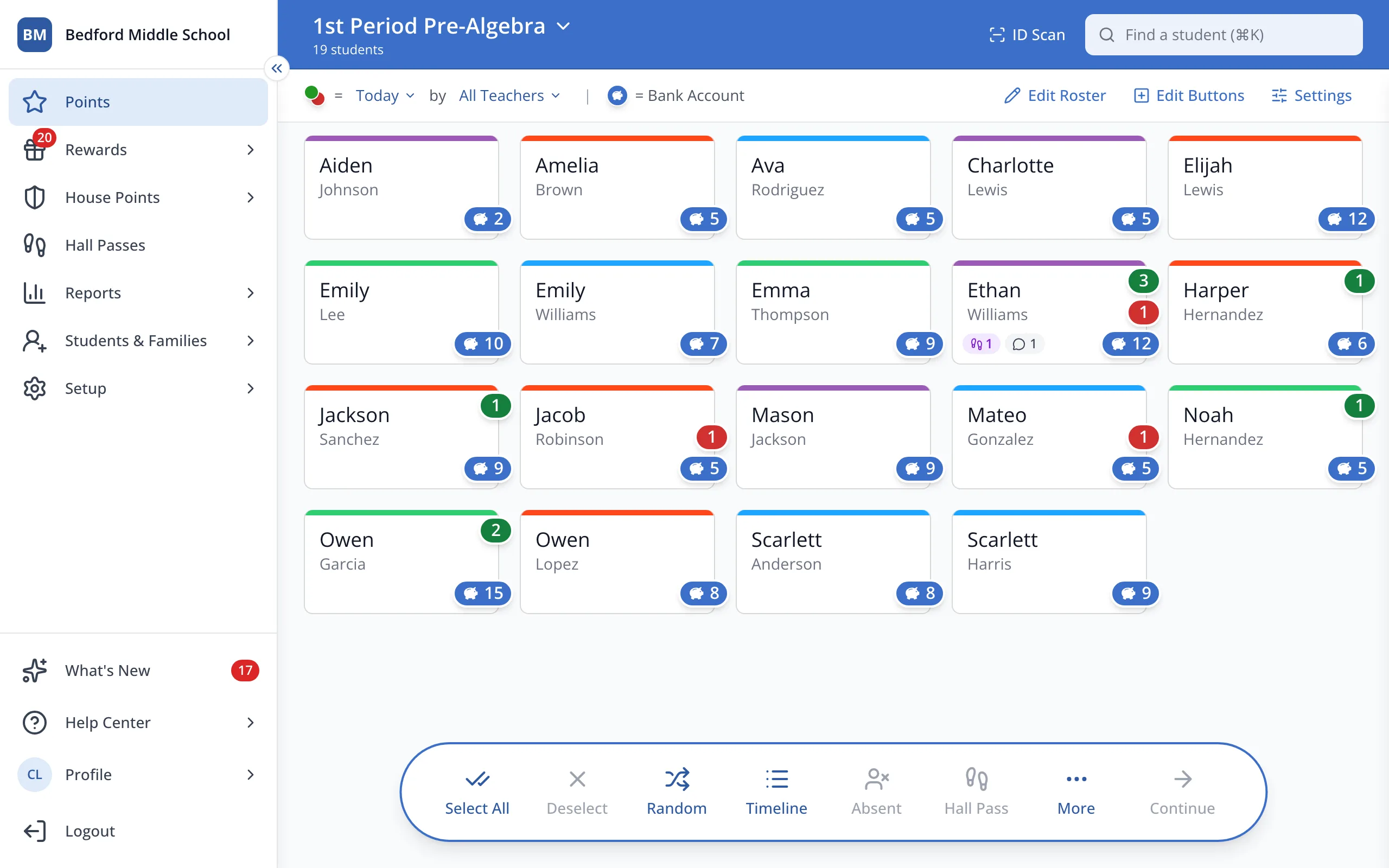
1 / 5In the sidebar, click Setup.
1.In the sidebar, click Setup.
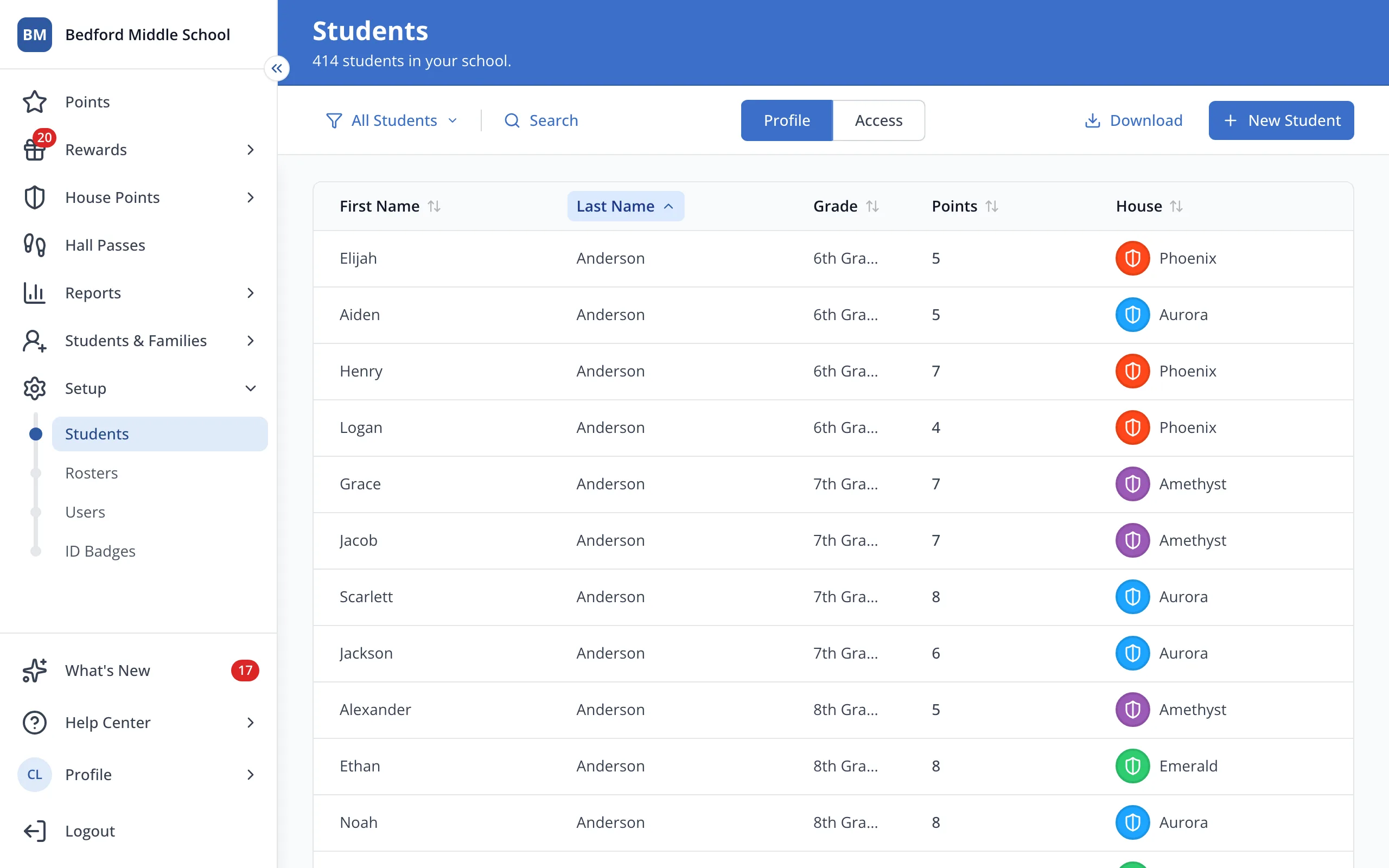
2.Click Rosters.
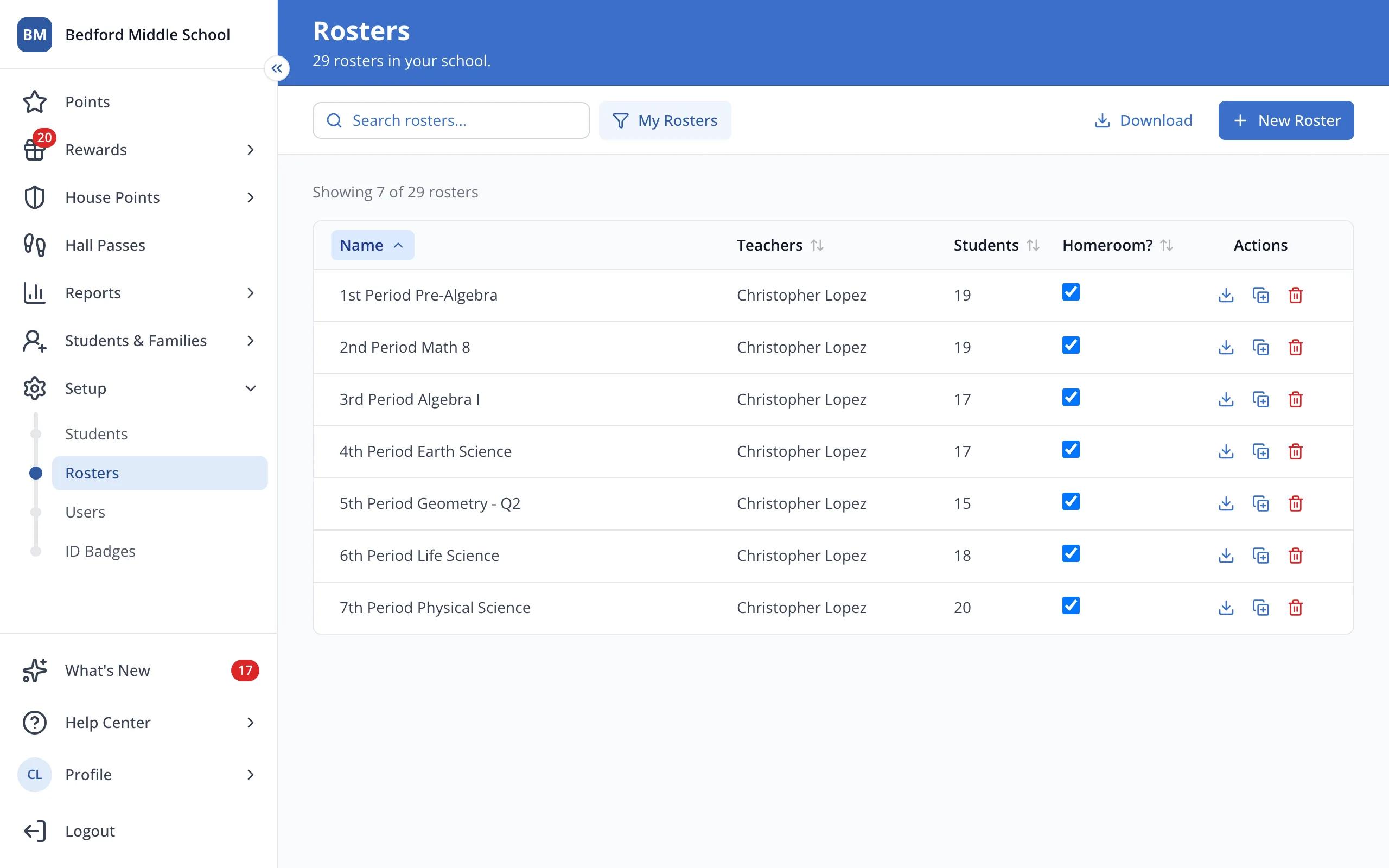
3.Next to the roster you'd like to delete, click the trash can.
Tip: Only want it out of your list? Click Hide Roster in the roster picker instead.
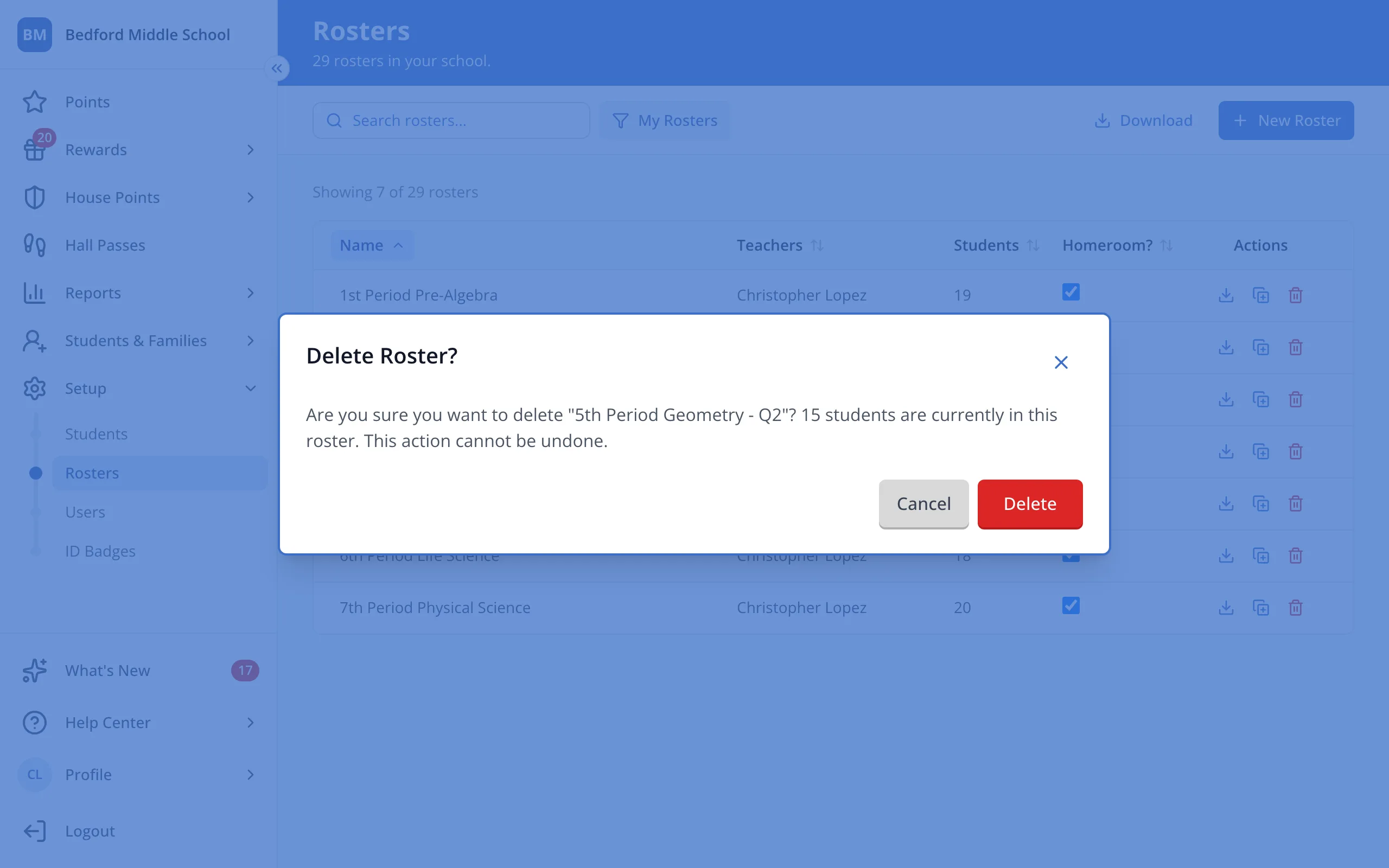
4.Click Delete.
Was this helpful?