
Delete or hide a roster at a Clever or ClassLink school
A roster that syncs from Clever or ClassLink can only be deleted there. Hide it to keep it out of your list.
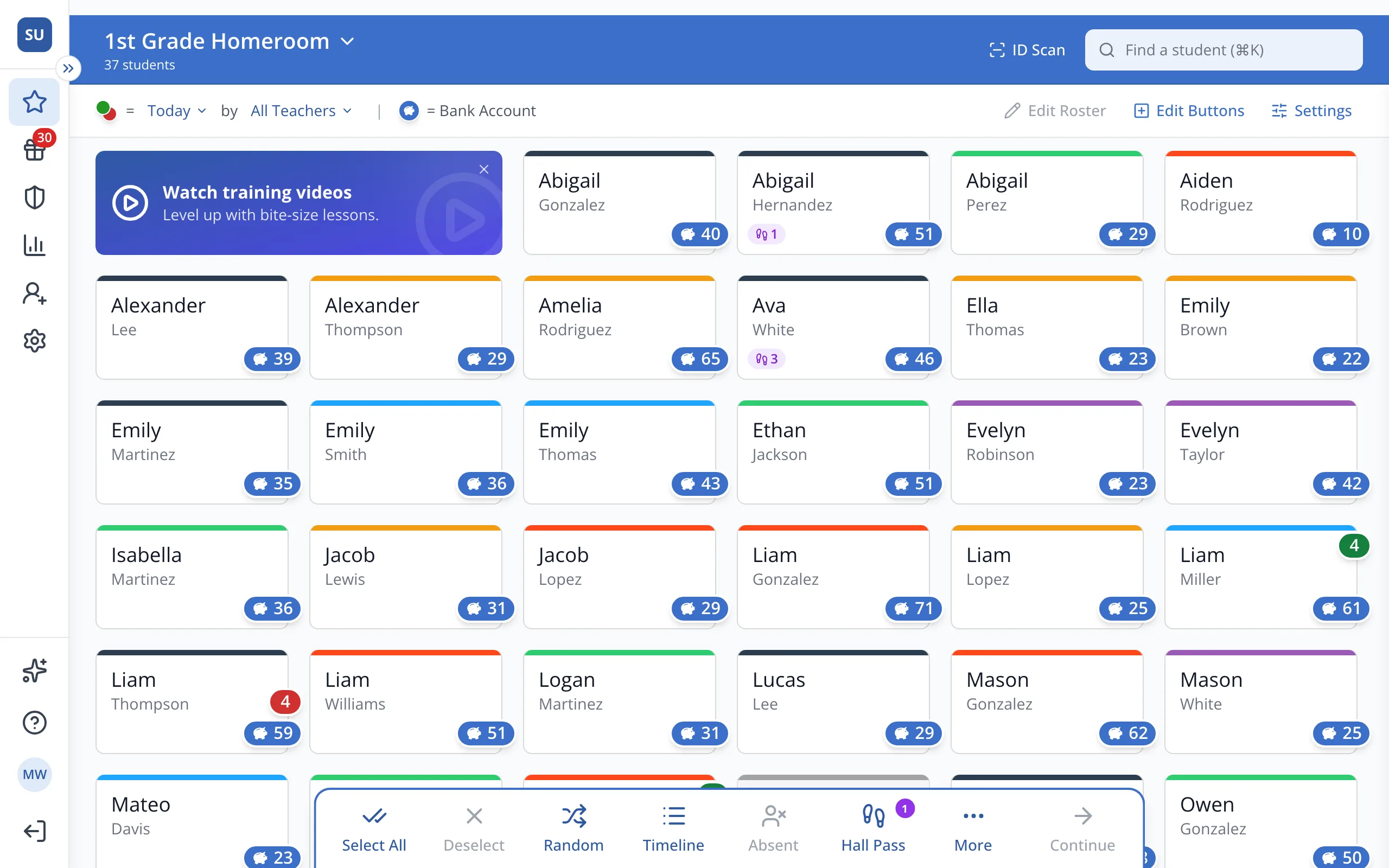
1 / 4At the top of the Points page, click your roster's name.
1.At the top of the Points page, click your roster's name.
Tip: A roster you created yourself can be deleted with the trash can on the Rosters page.
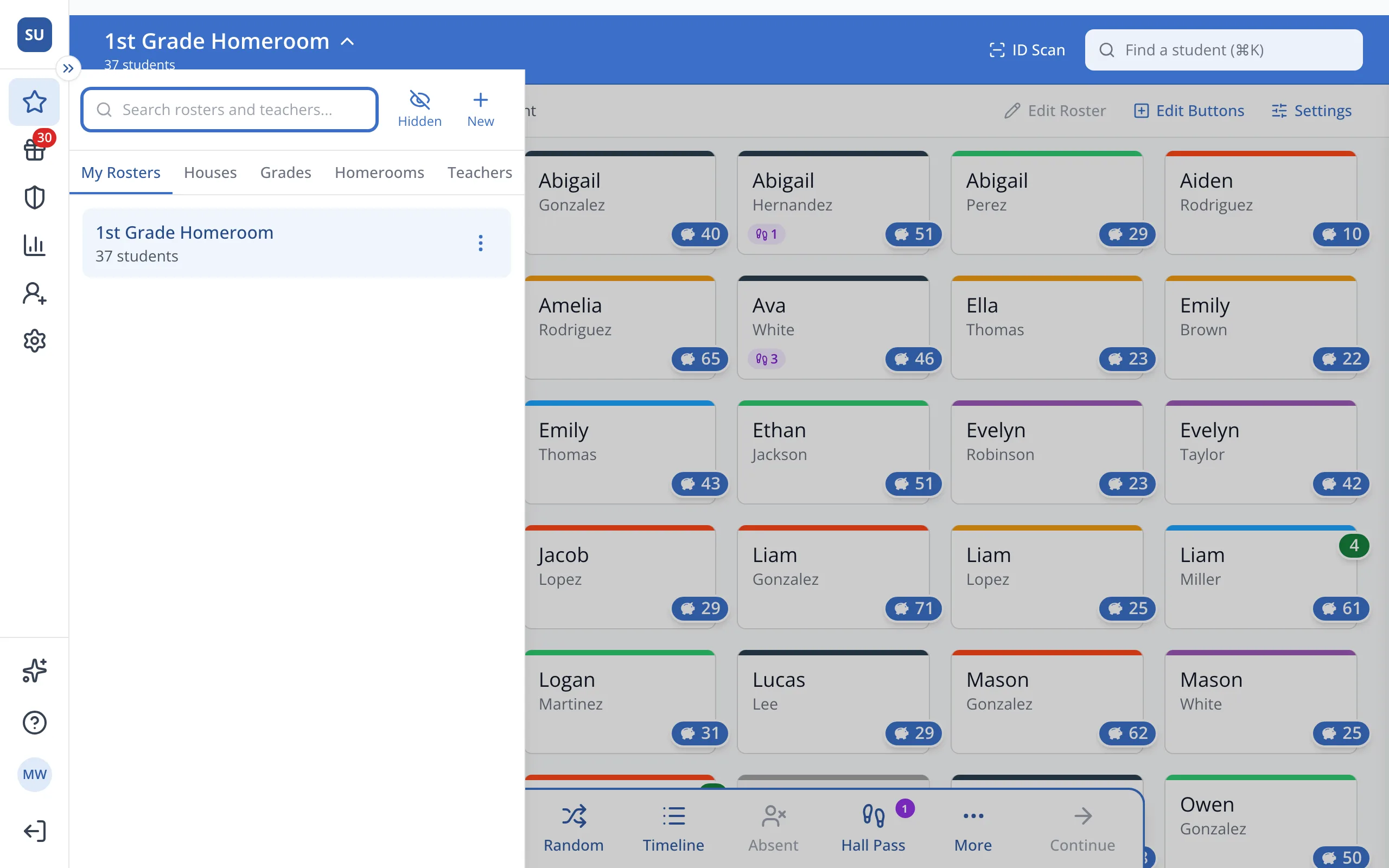
2.Next to the roster you'd like to remove, click the three dots.
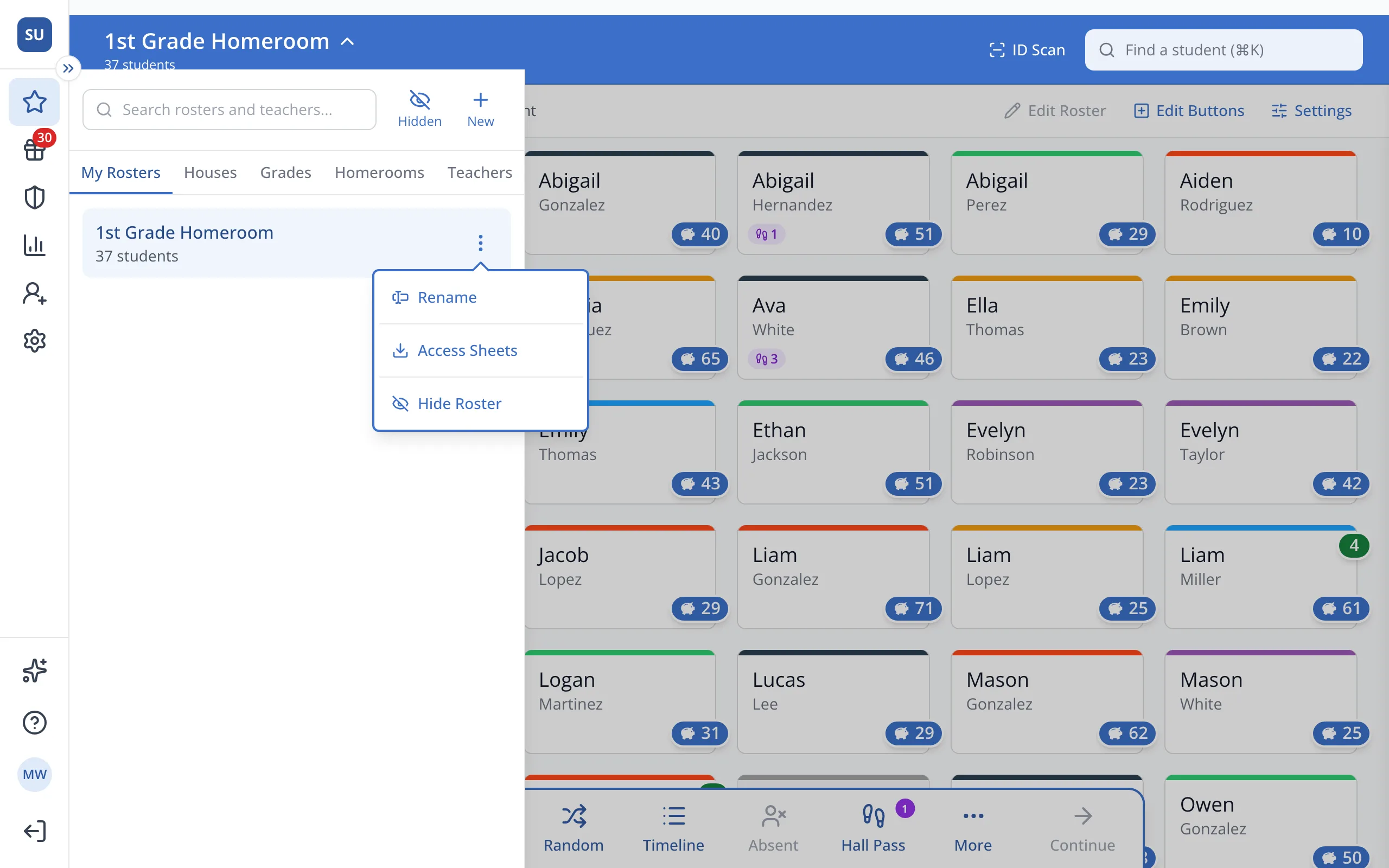
3.Click Hide Roster. The roster will disappear from My Rosters.
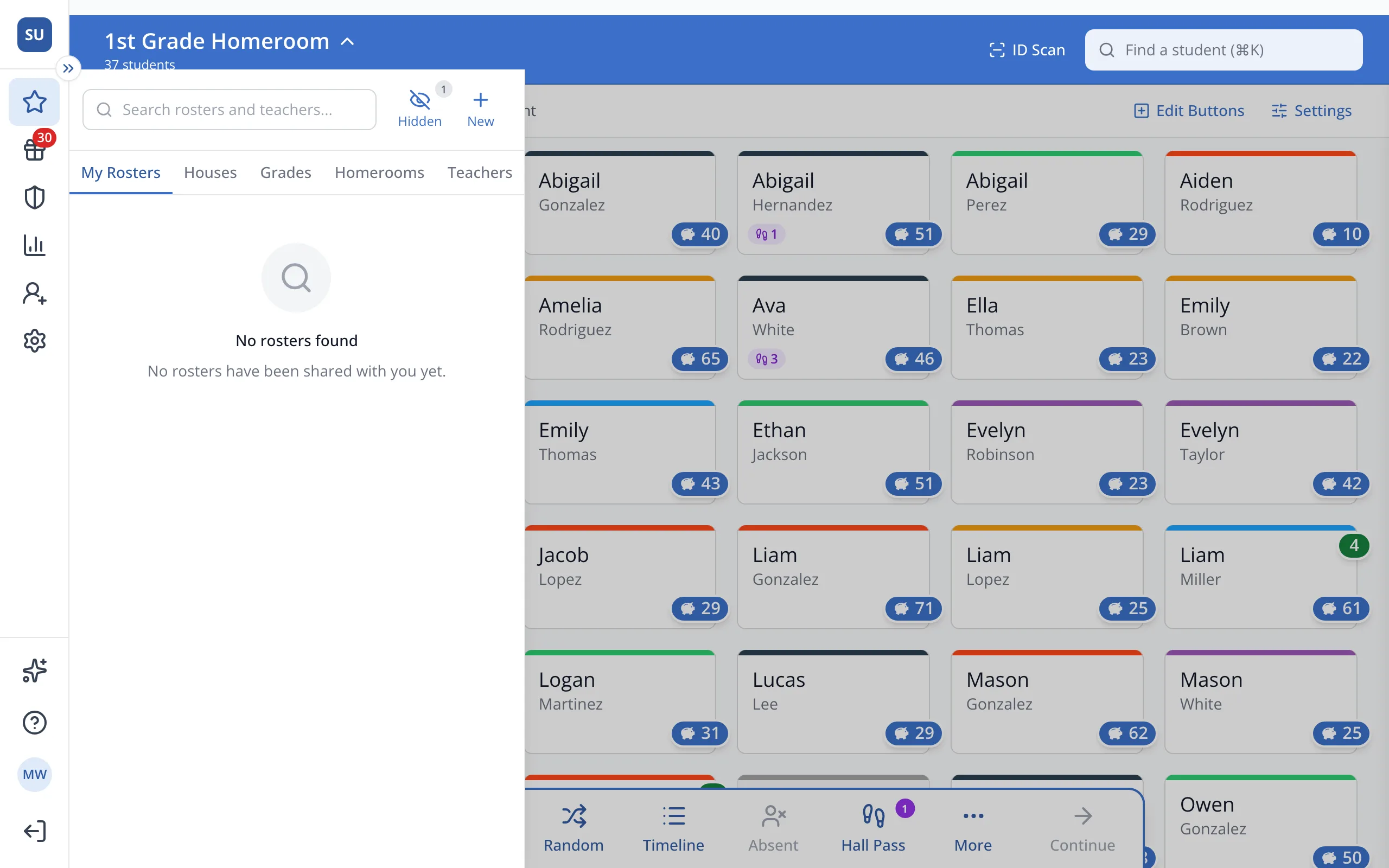
4.Click Hidden to see your hidden rosters and unhide one.
Was this helpful?