
Find a roster that disappeared from your list
A roster usually leaves your list because it was hidden or you were taken off it. Searching finds it either way.
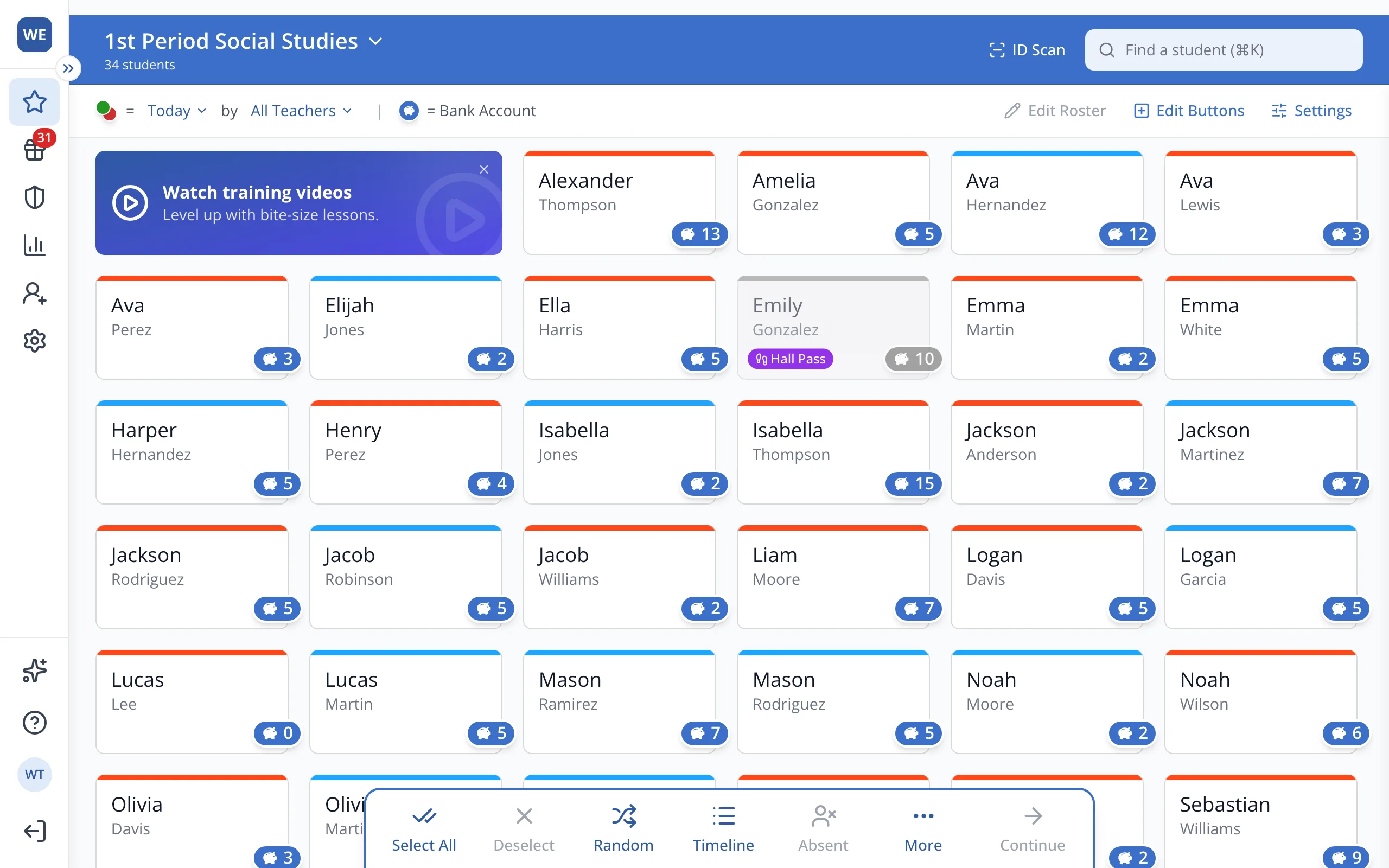
1 / 3At the top of the Points page, click your roster's name.
1.At the top of the Points page, click your roster's name.
2.Type part of the roster's name in the search box.
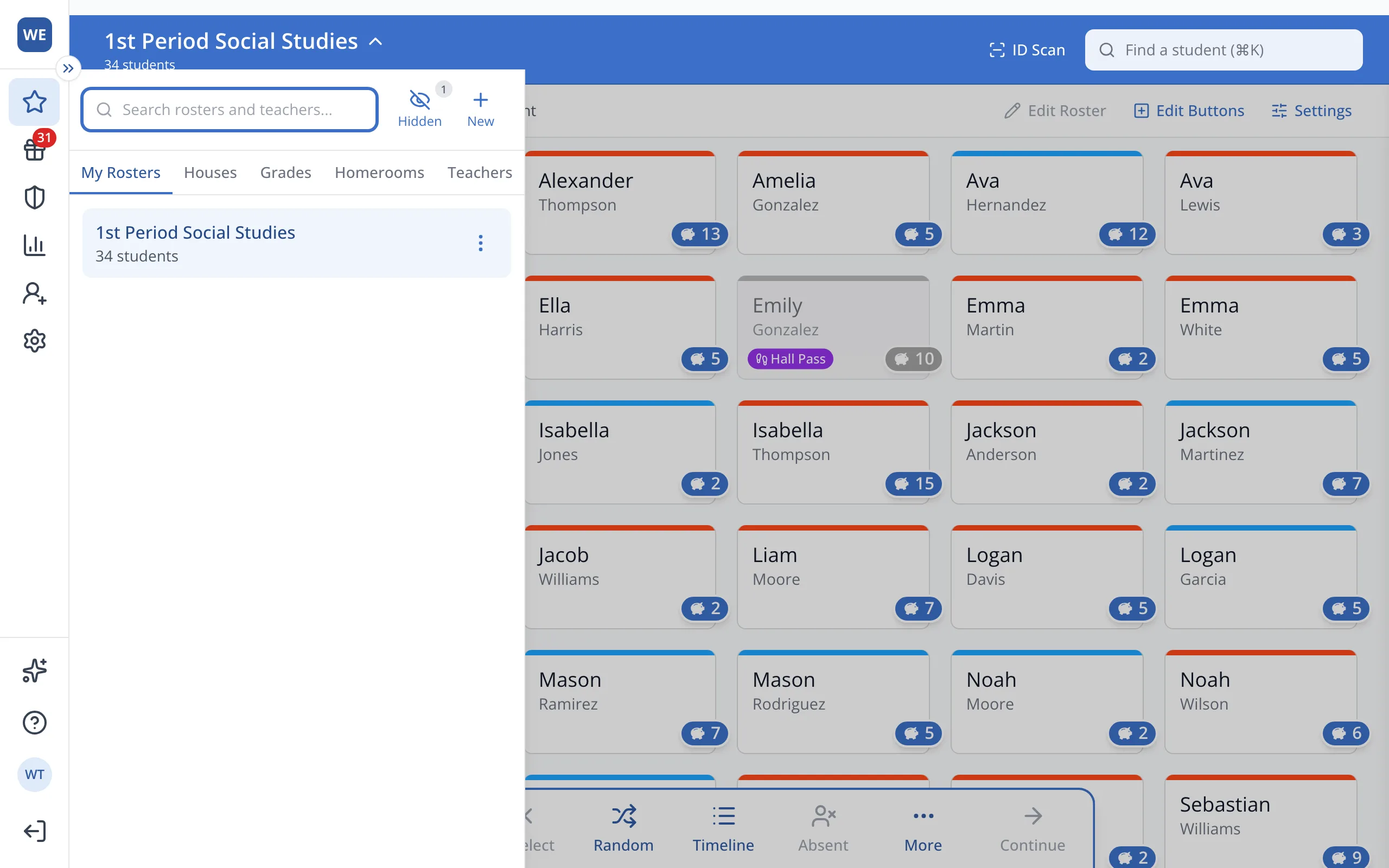
Tip: You can also type a teacher's name to see their rosters.
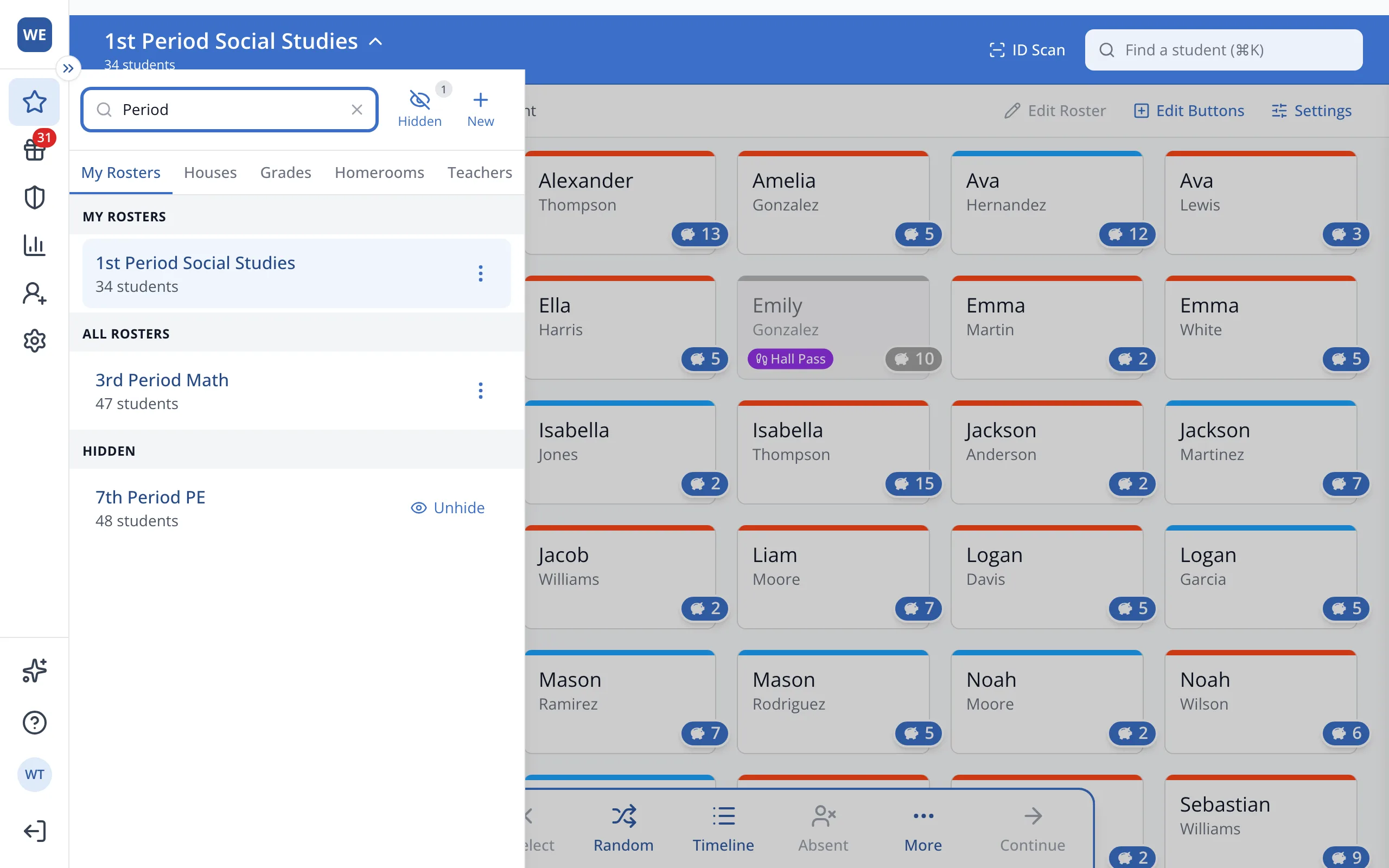
3.Under Hidden, click Unhide to bring it back. Under All Rosters, click the three dots, then Add to My Rosters.
Was this helpful?