
Give a substitute access to a class roster
Any staff member can open any teacher's rosters, so a substitute with their own staff account needs no sharing.
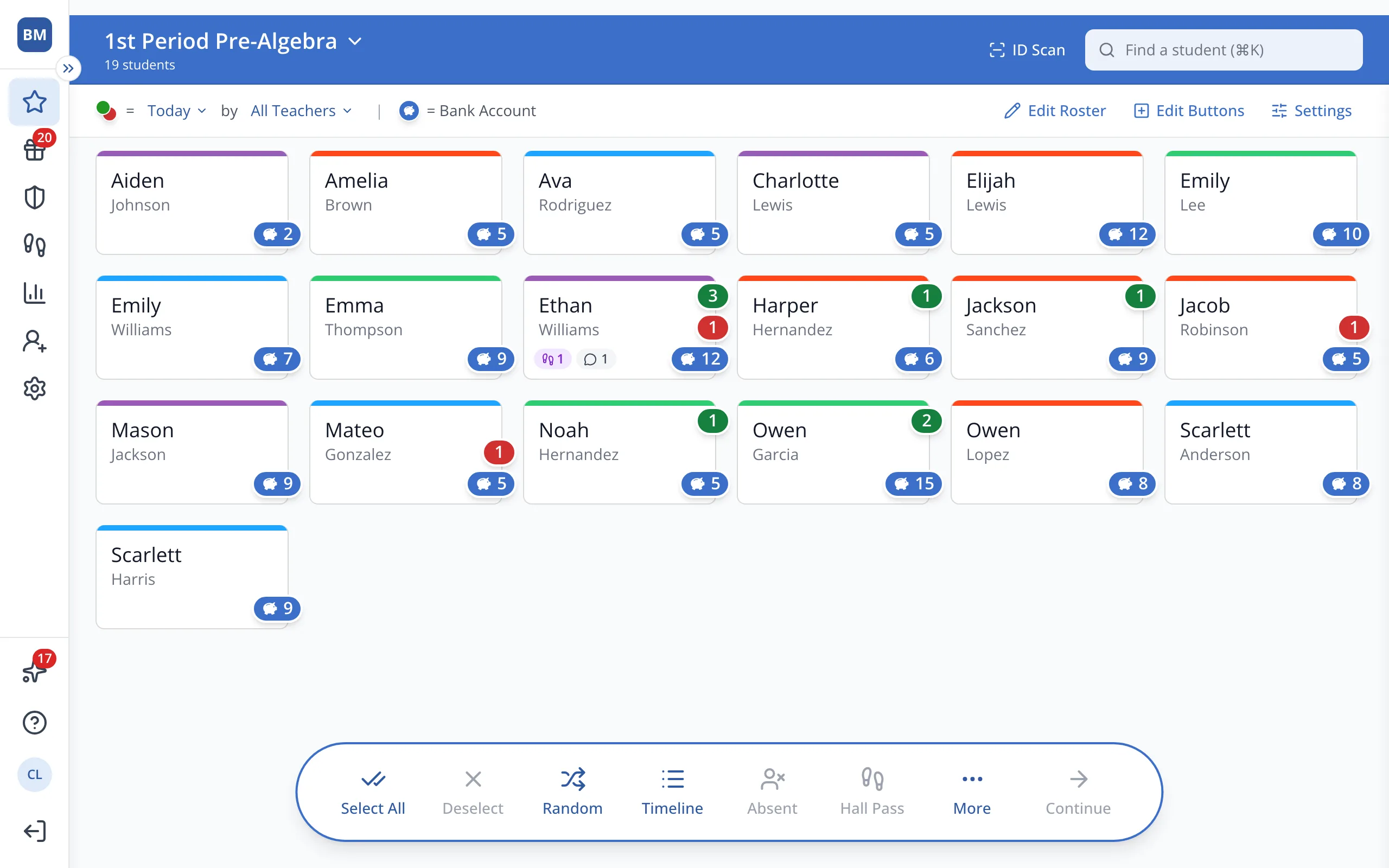
1 / 5Signed in as the substitute, click the roster name at the top of the Points page.
1.Signed in as the substitute, click the roster name at the top of the Points page.
2.Click the Teachers tab.
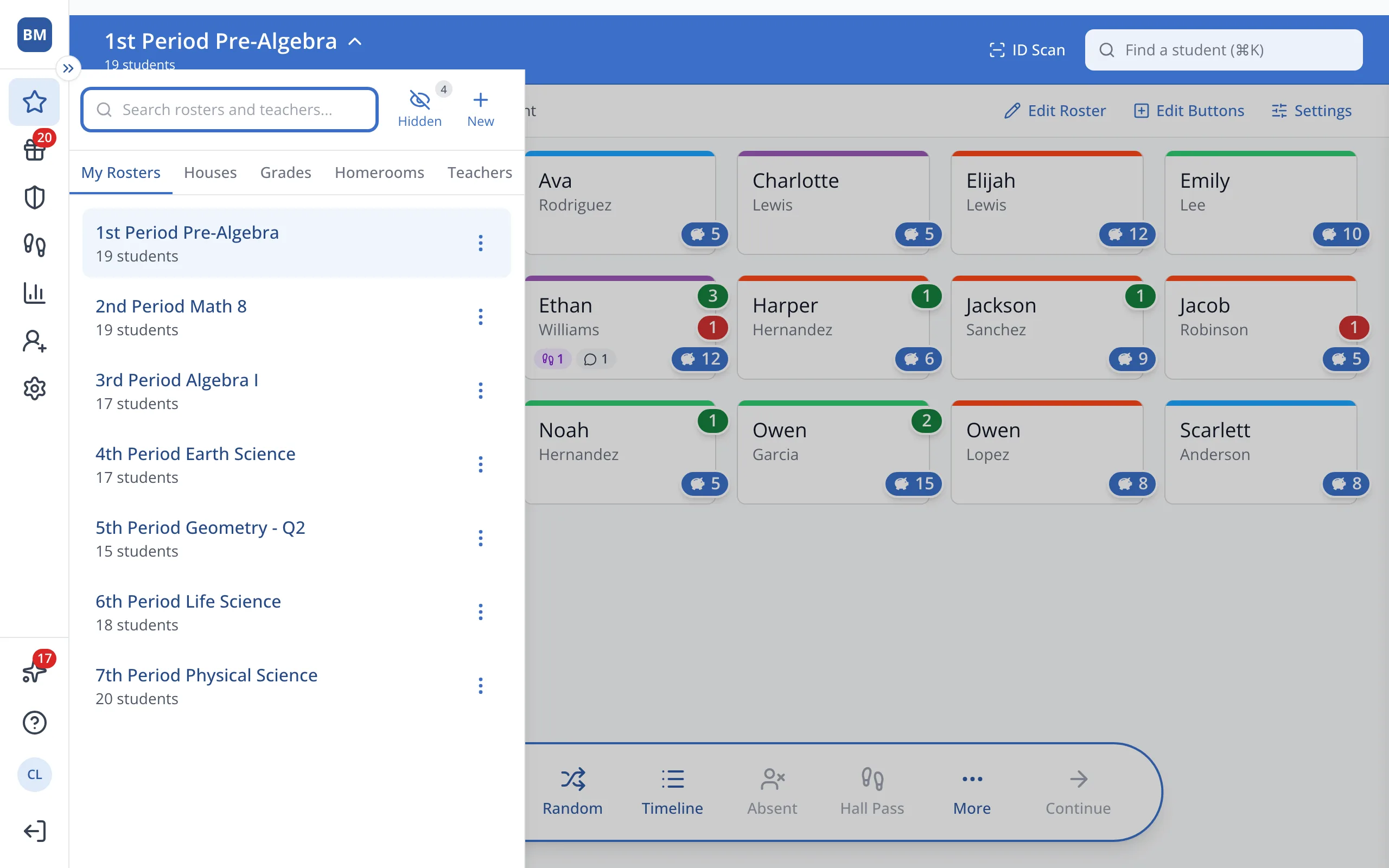
3.Click the teacher you're covering for.
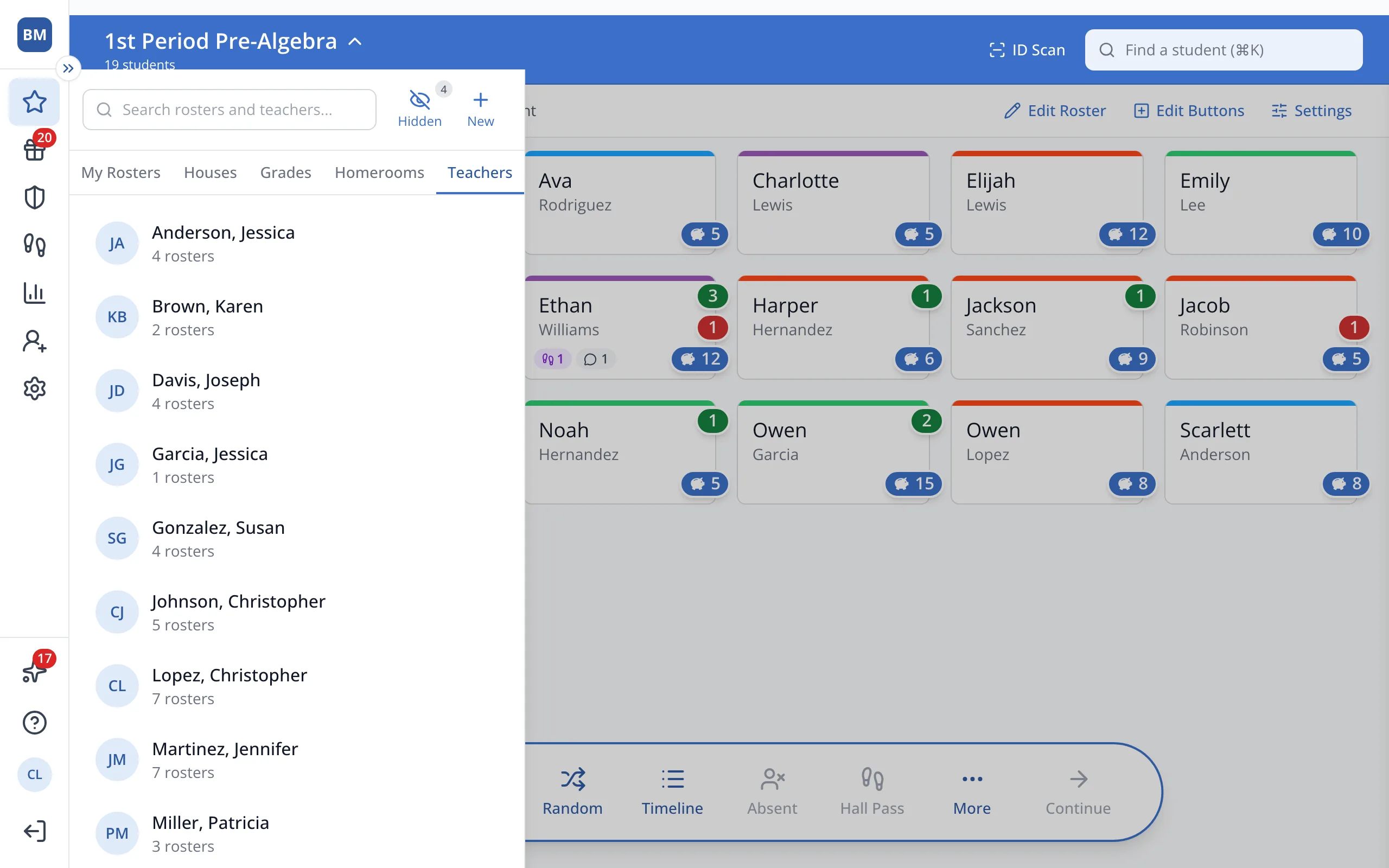
4.Click the class you're covering.
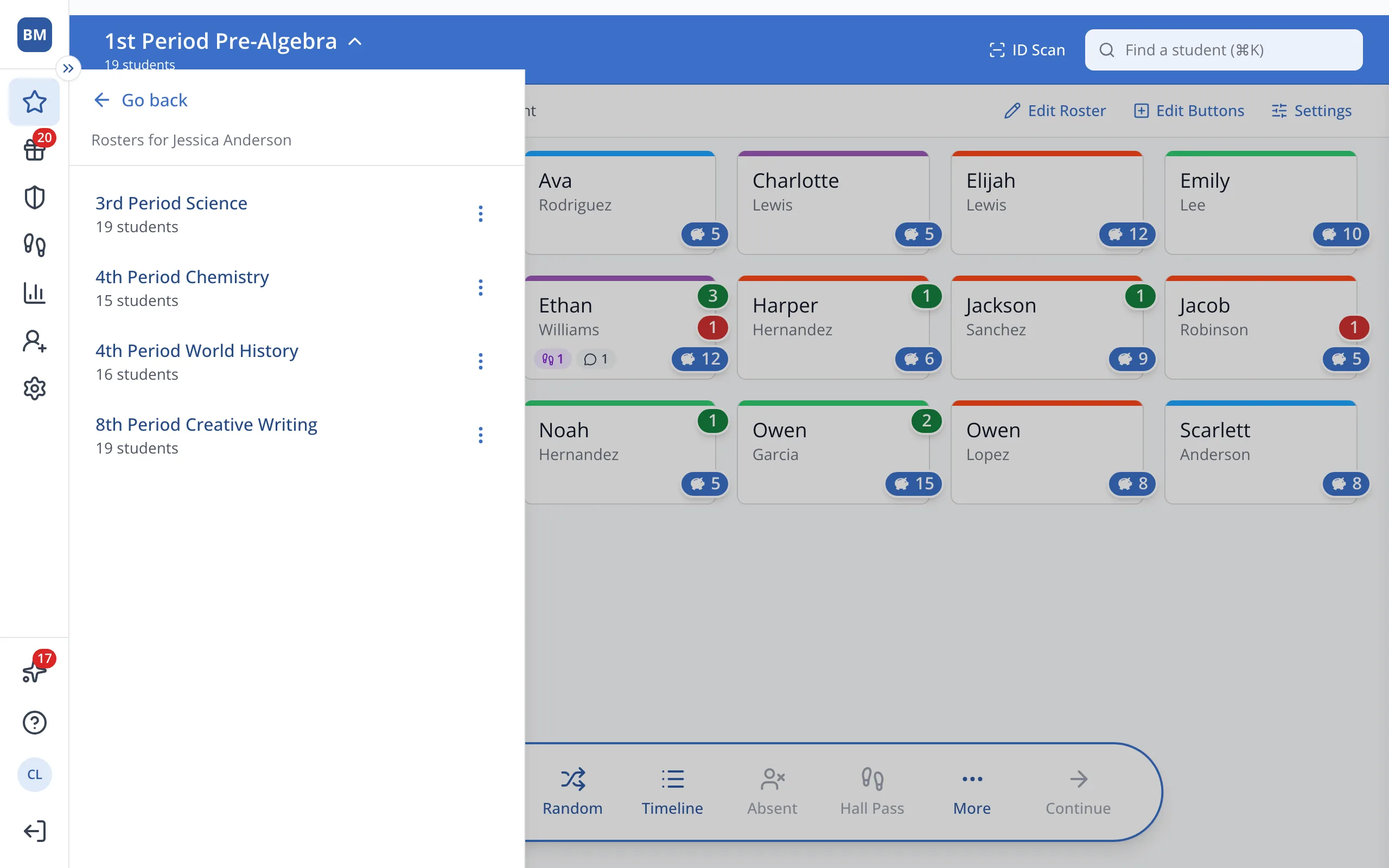
Tip: Click the three dots and Add to My Rosters to keep it in your own list.
Was this helpful?