
Delete a staff member you added manually
Delete a user who was added directly to LiveSchool. Those syncing from Clever or ClassLink can be disabled under the Manage Licenses option.
AdminSite Leader
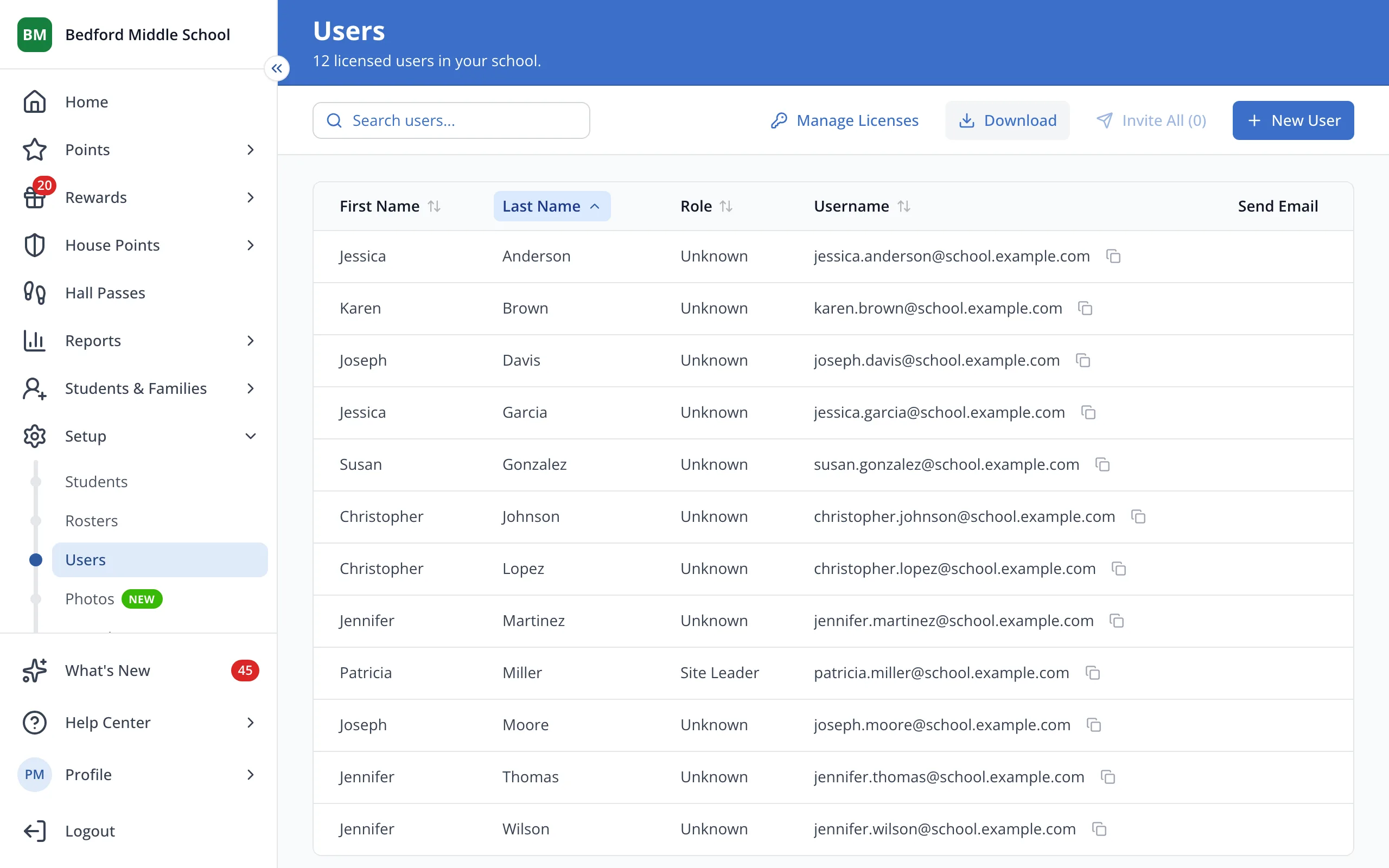
1 / 4On the Users page, click the staff member's first name.
1.On the Users page, click the staff member's first name.
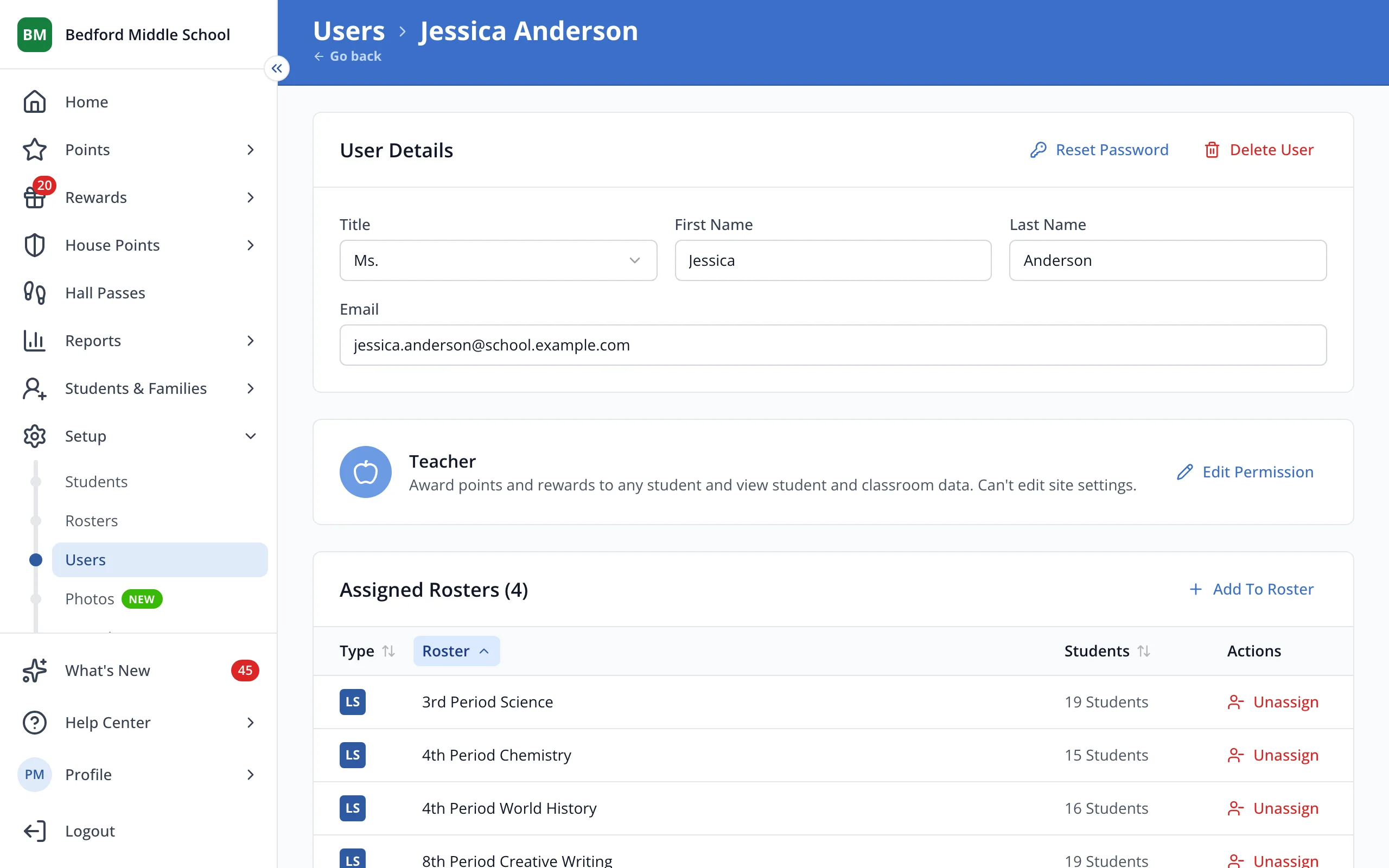
2.At the top right of User Details, click Delete User.
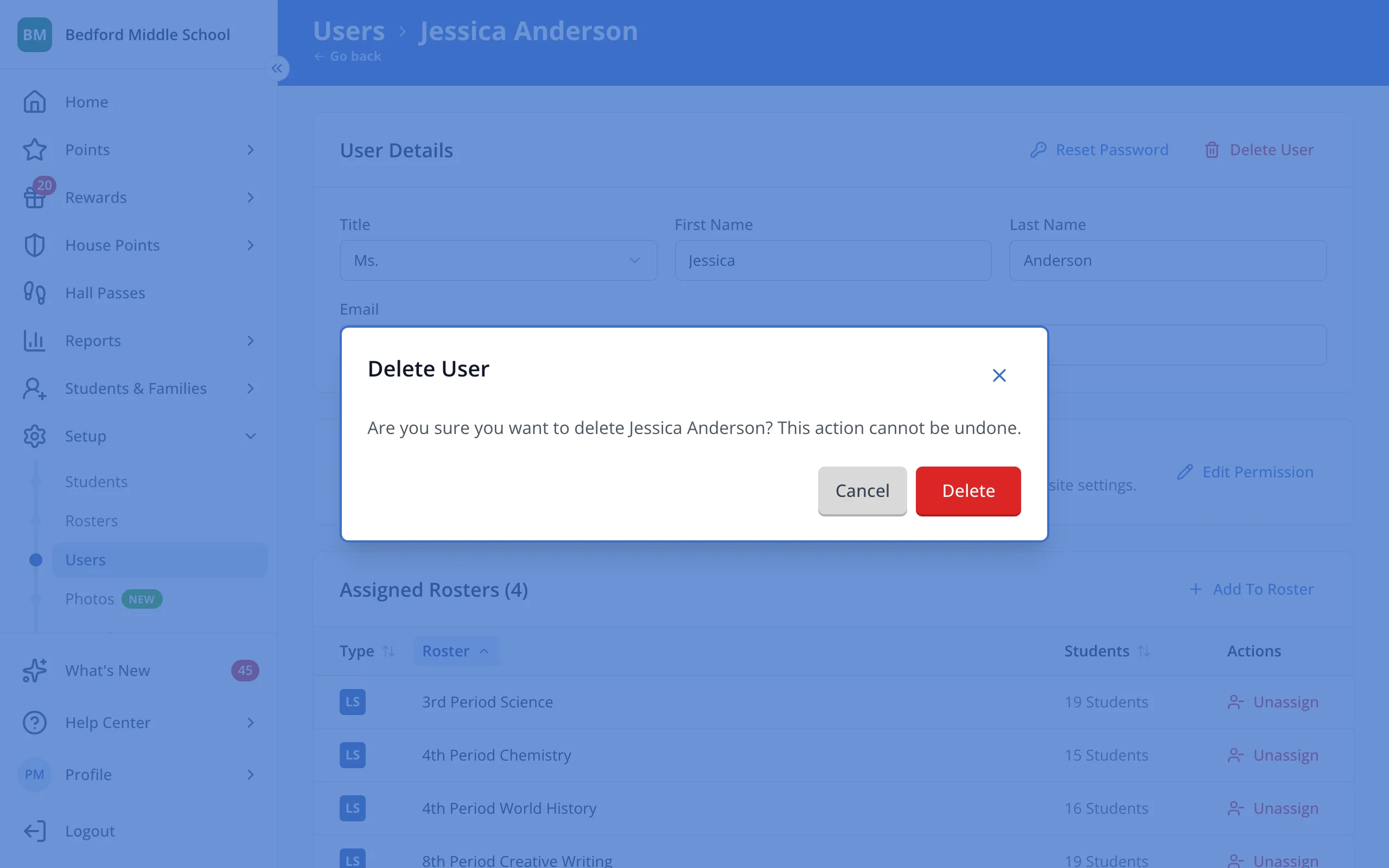
3.Click Delete to confirm.
Was this helpful?