
Remove a staff member's access by turning off their license
Free up a spot for another user by disabling their license. They can no longer sign in, but their account stays, so you can turn it back on later if needed.
AdminSite Leader
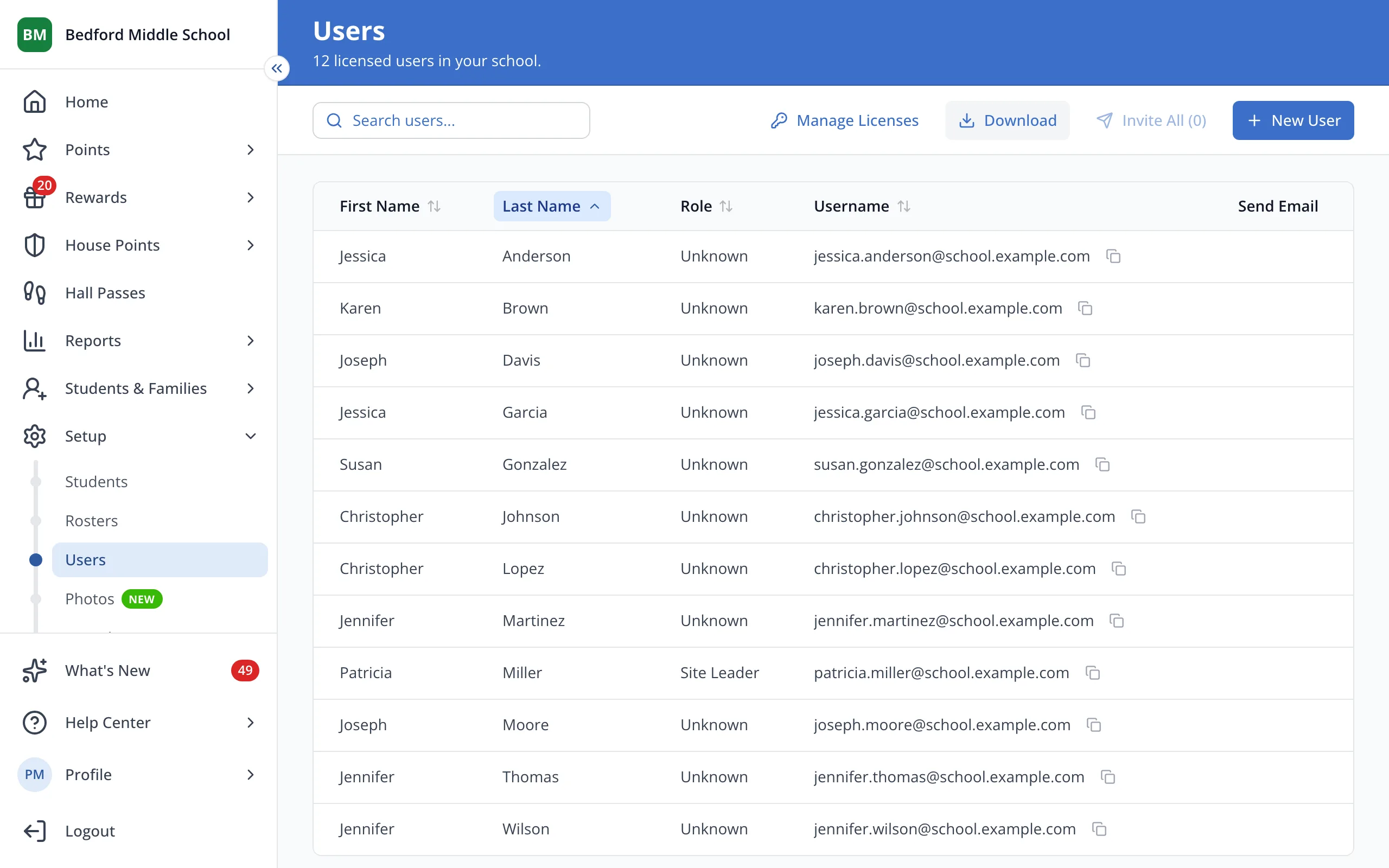
1 / 4At the top of the Users page, click Manage Licenses.
1.At the top of the Users page, click Manage Licenses.
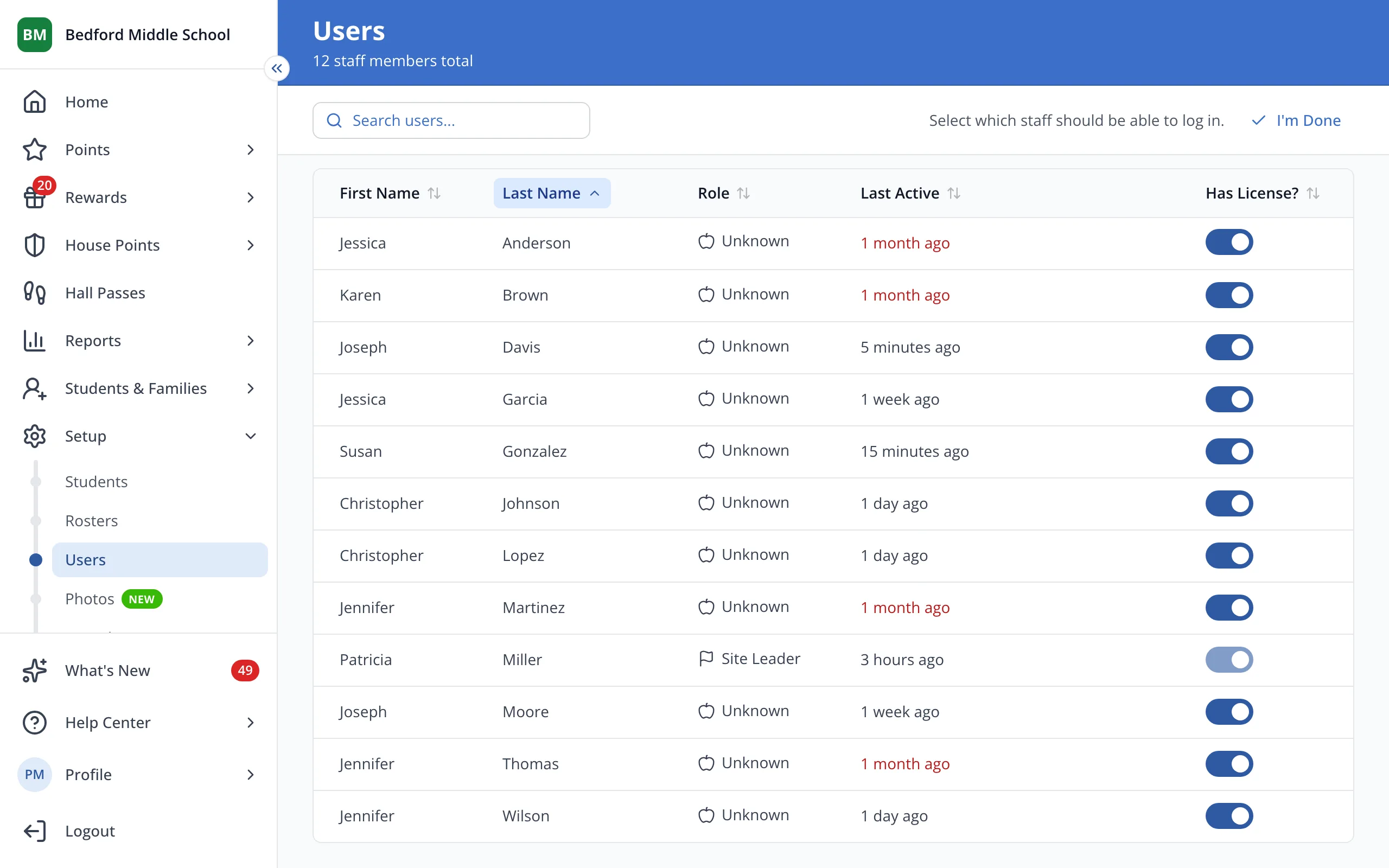
2.Click the switch next to the staff member to turn off their license.
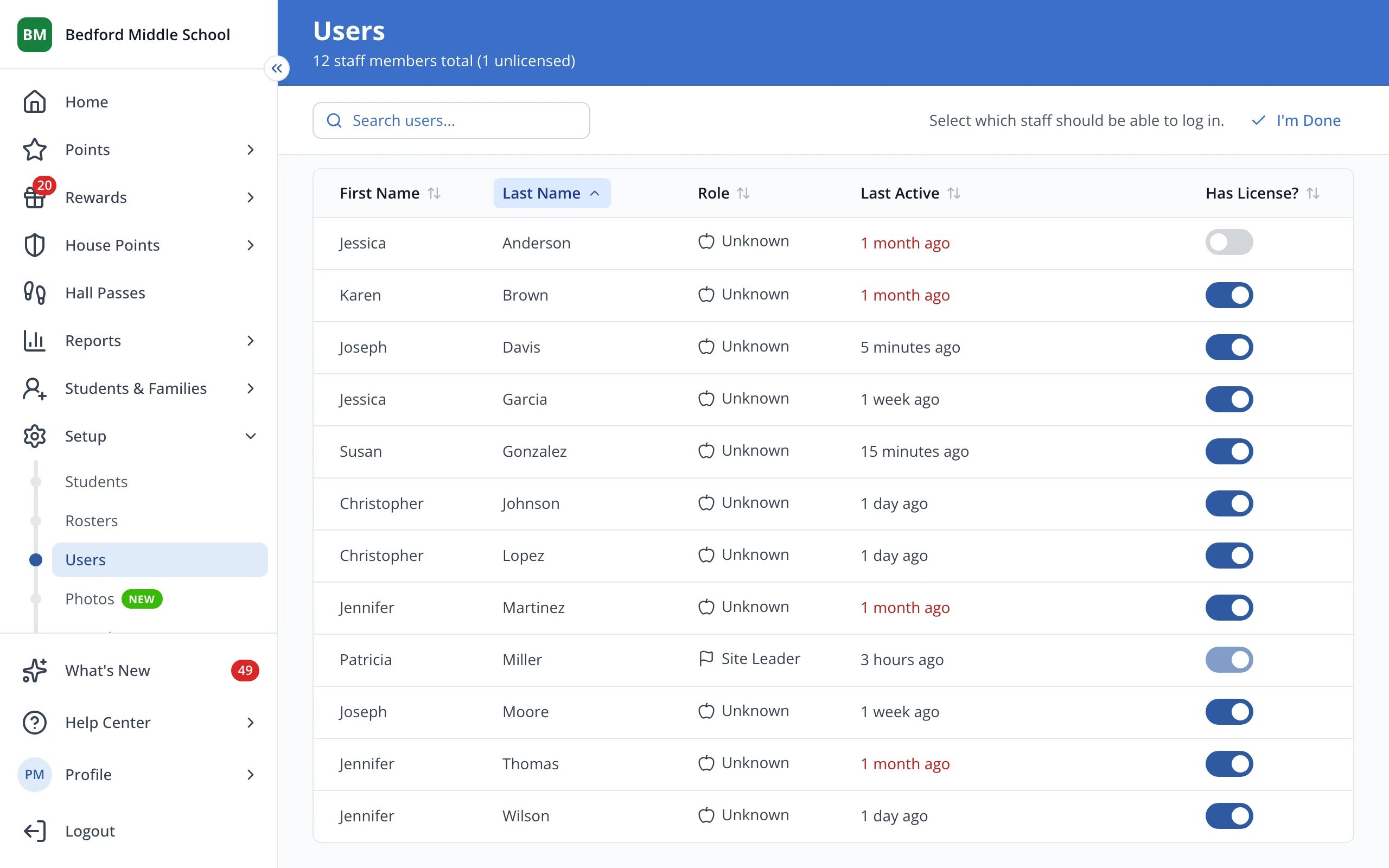
3.Click I'm Done.
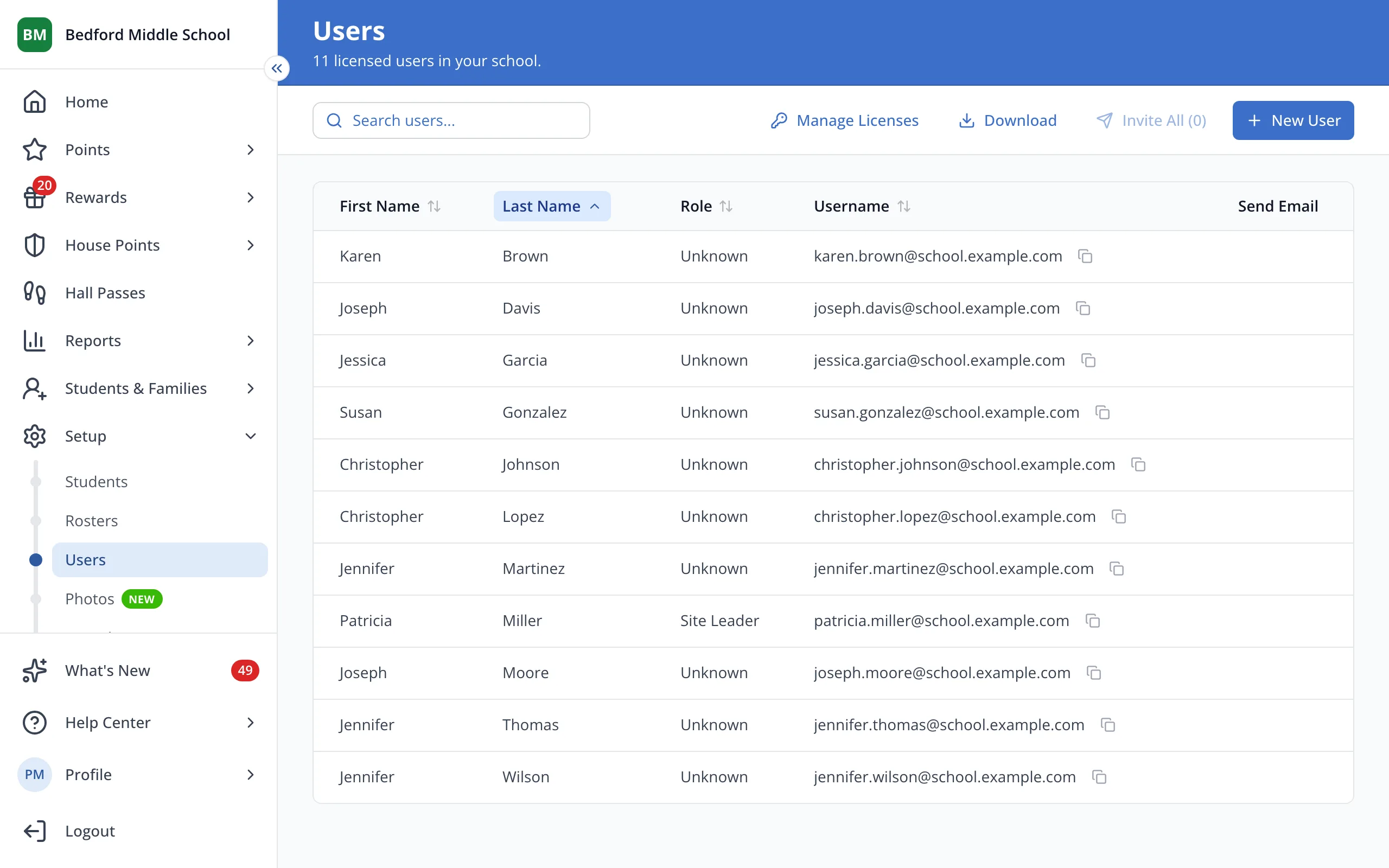
4.Unlicensed staff don't show on your Users list.
Was this helpful?