
Change a staff member who comes from Clever or ClassLink
Their name and email come from Clever or ClassLink, so change those there. Their role and rosters you can change here.
AdminSite Leader
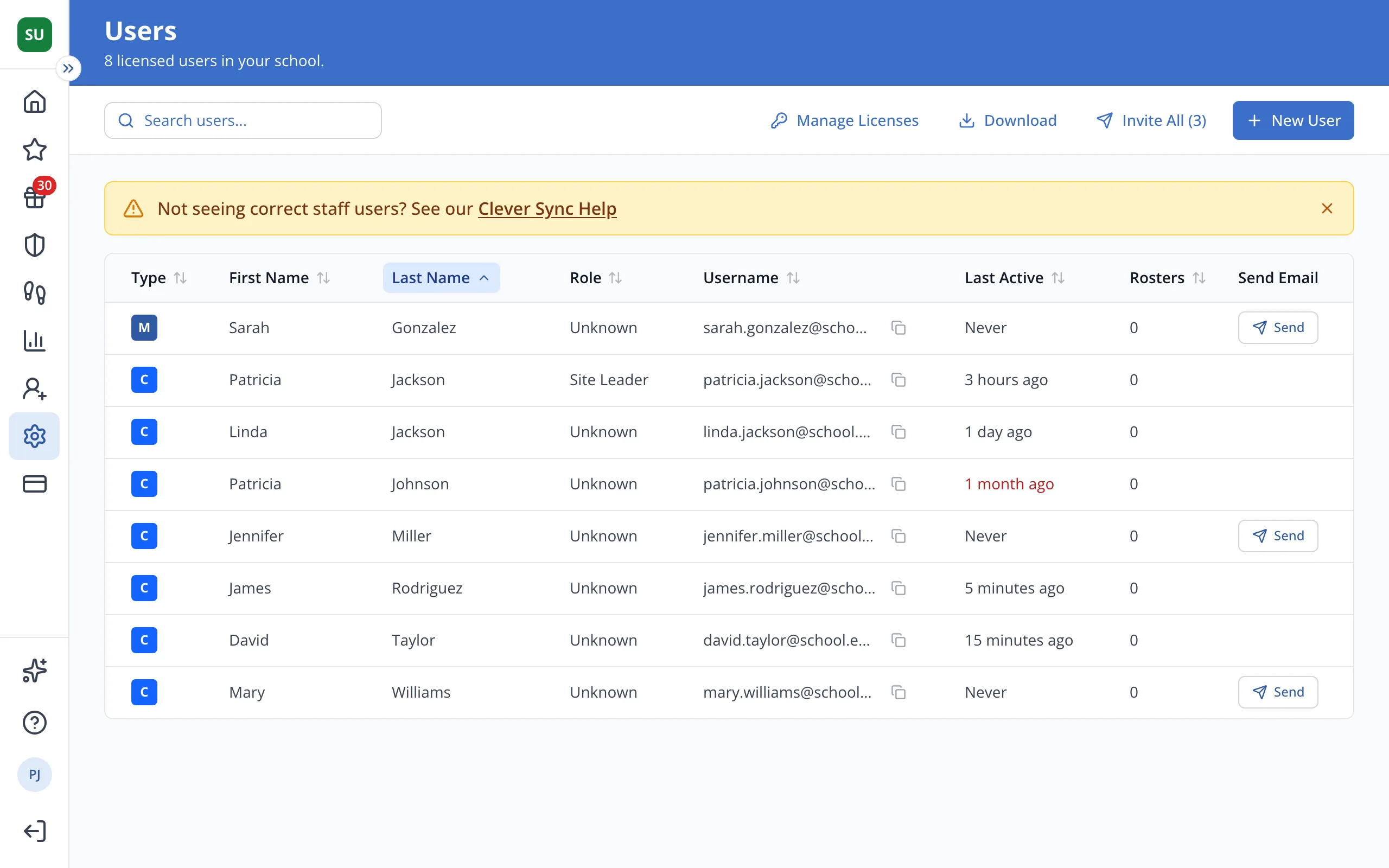
1 / 3On the Users page, click the staff member's first name.
1.On the Users page, click the staff member's first name.
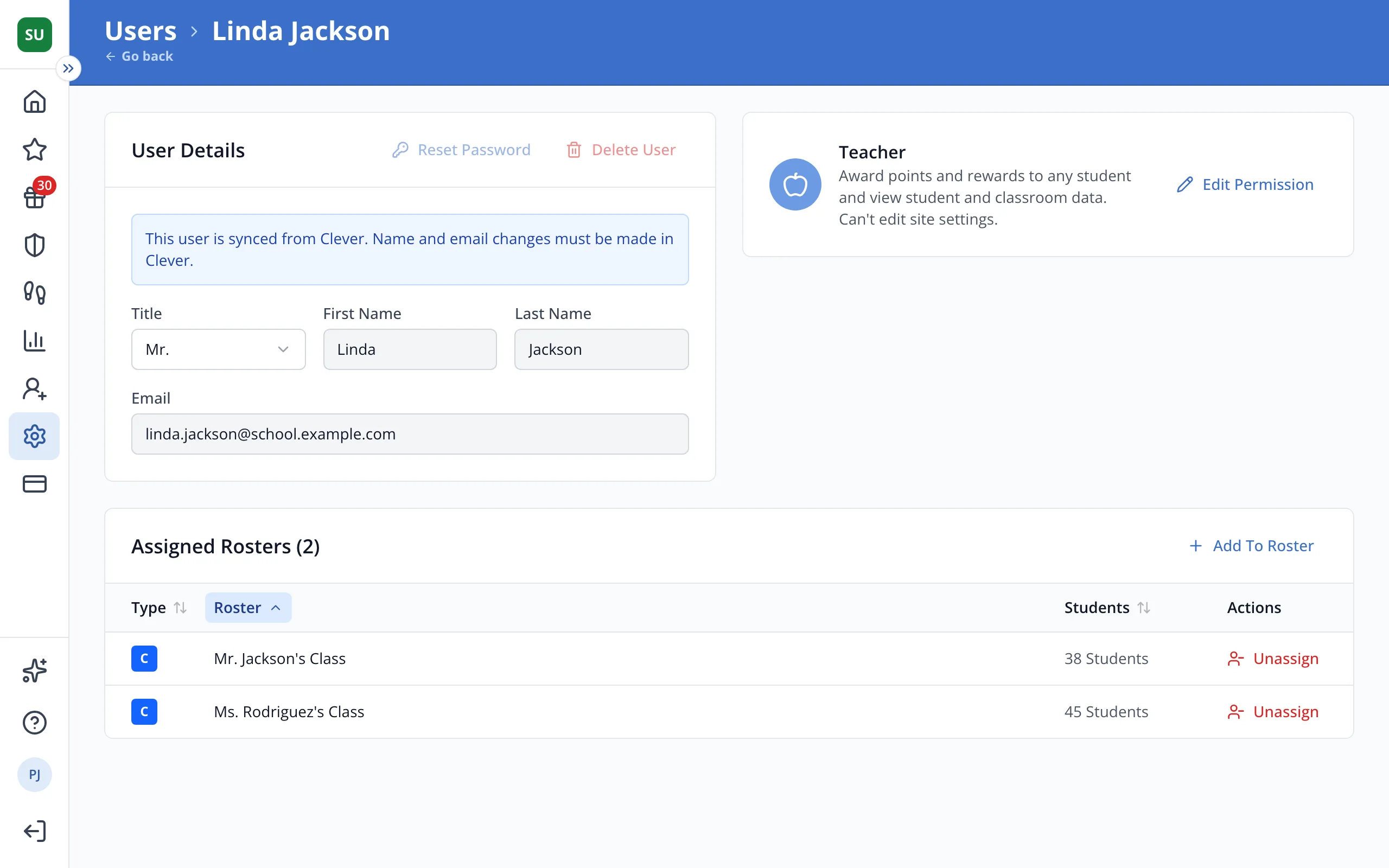
2.Their name and email are locked here. Change them in Clever or ClassLink, or ask whoever manages it for your district.
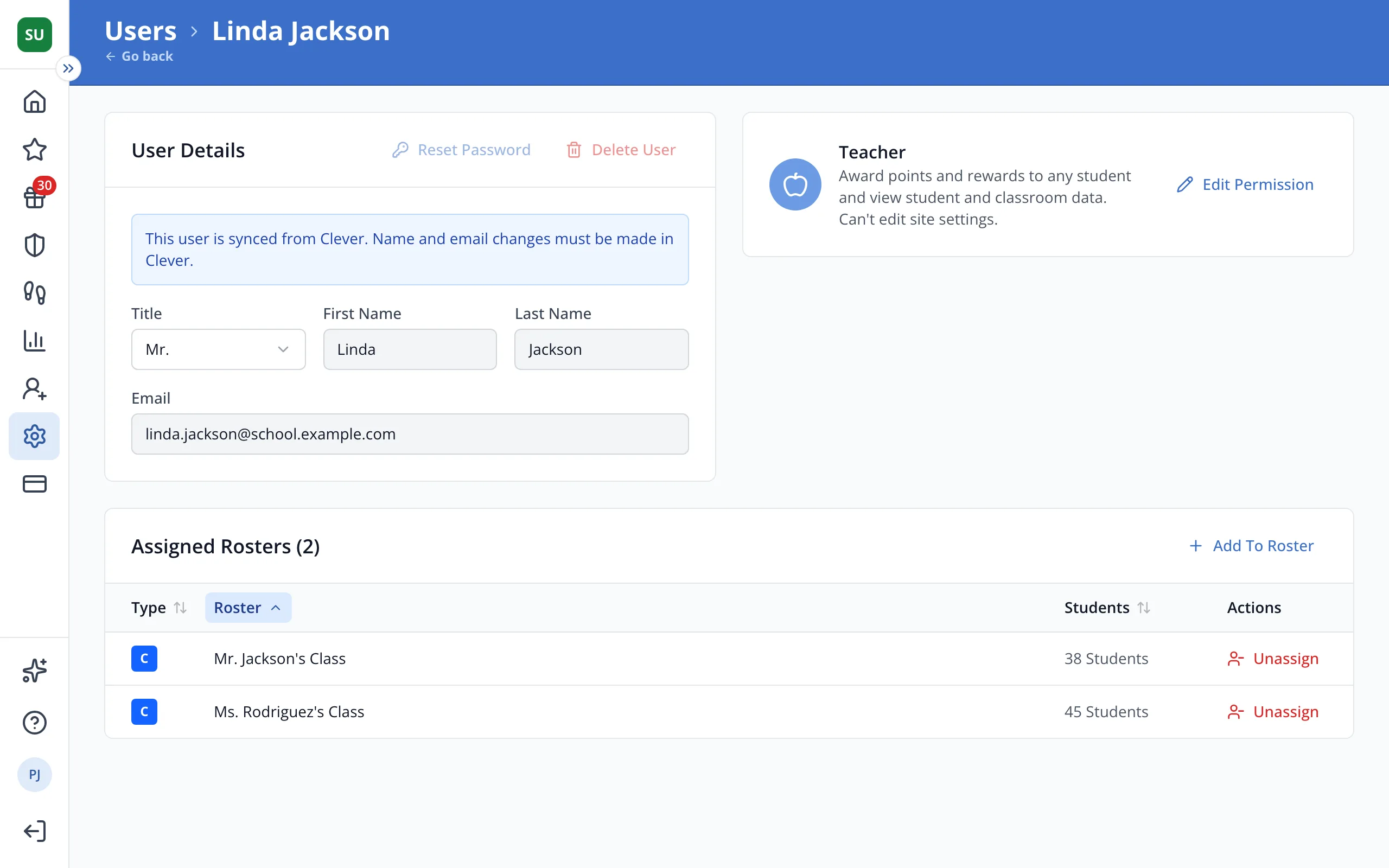
3.Click Edit Permission to change their role, or Add To Roster to give them more rosters.
Was this helpful?