
Turn a staff member's license back on
Bring back a teacher who returned, or whose license was turned off by mistake. Their account and rosters are still there.
AdminSite Leader
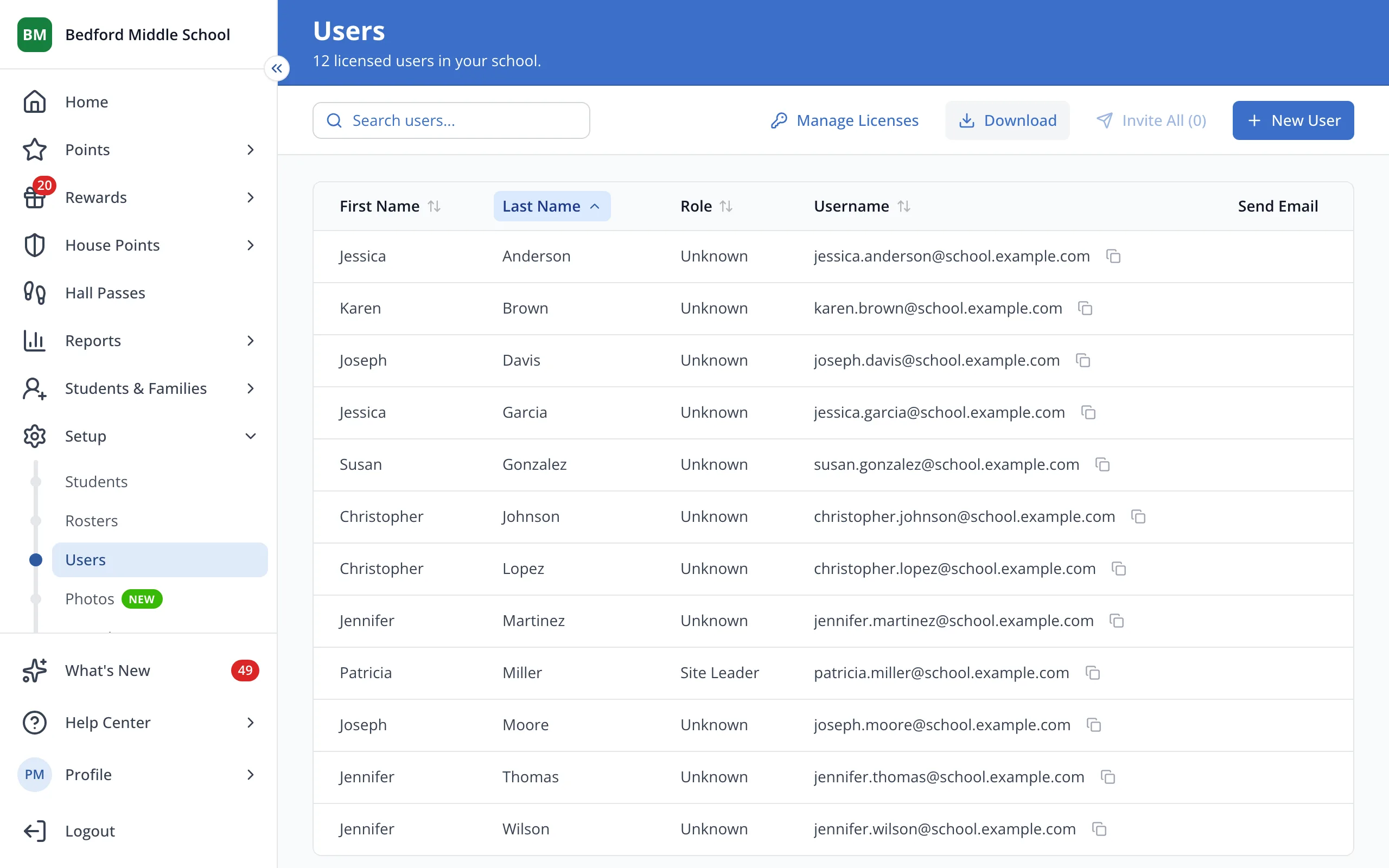
1 / 4At the top of the Users page, click Manage Licenses.
1.At the top of the Users page, click Manage Licenses.
2.Click the switch next to the staff member to turn their license on.
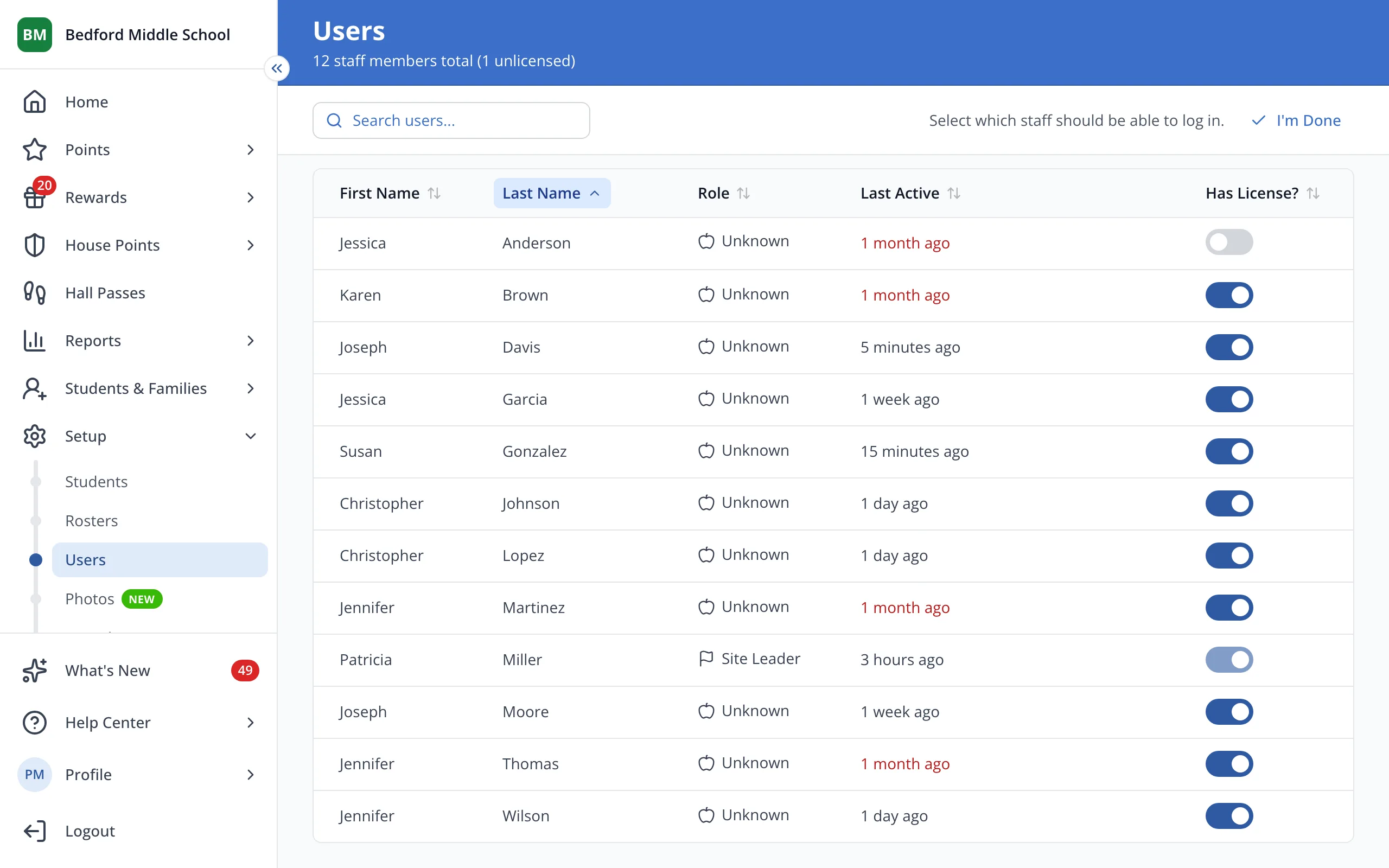
Tip: Each license you turn on uses one of your school's seats.
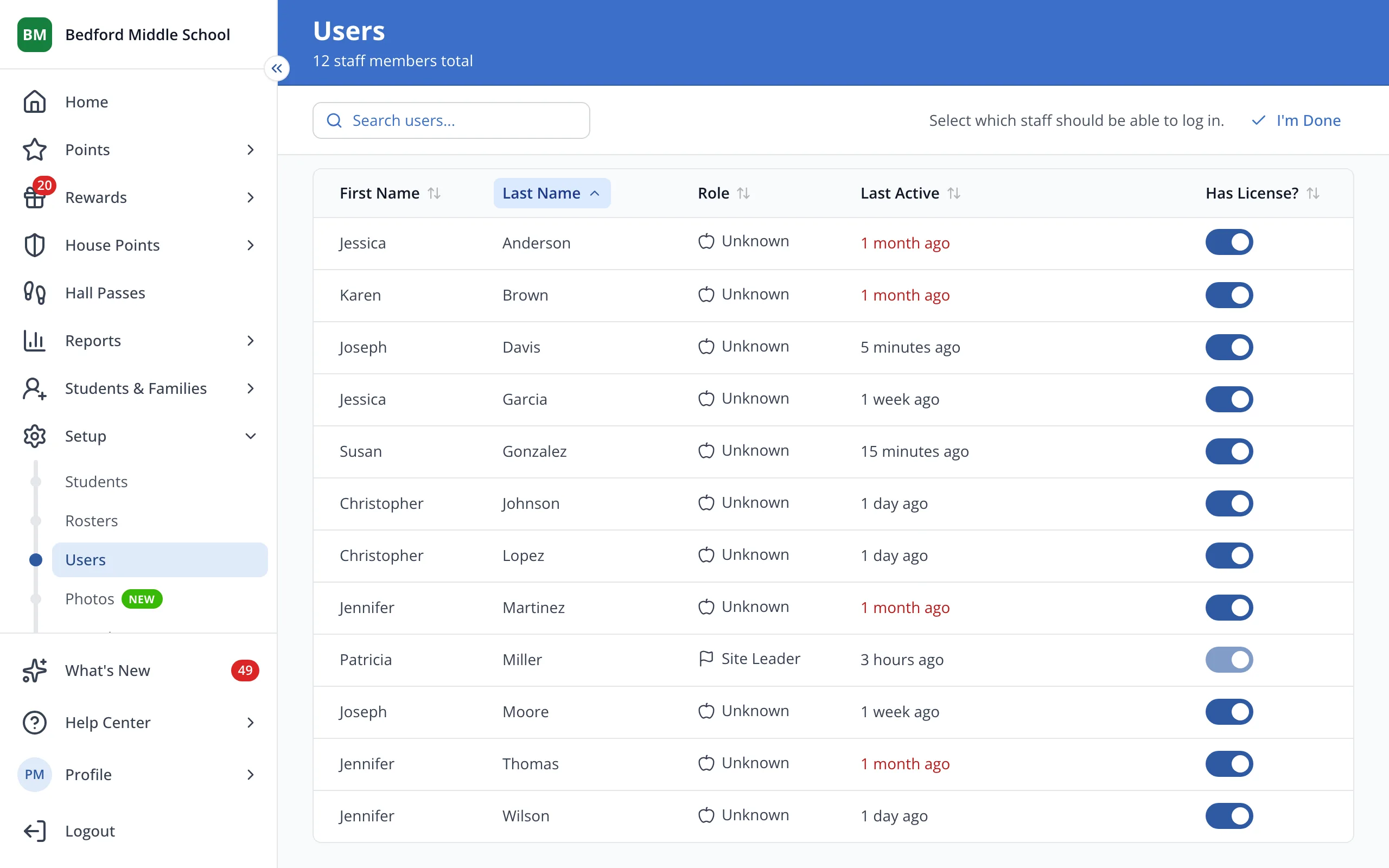
3.Click I'm Done.
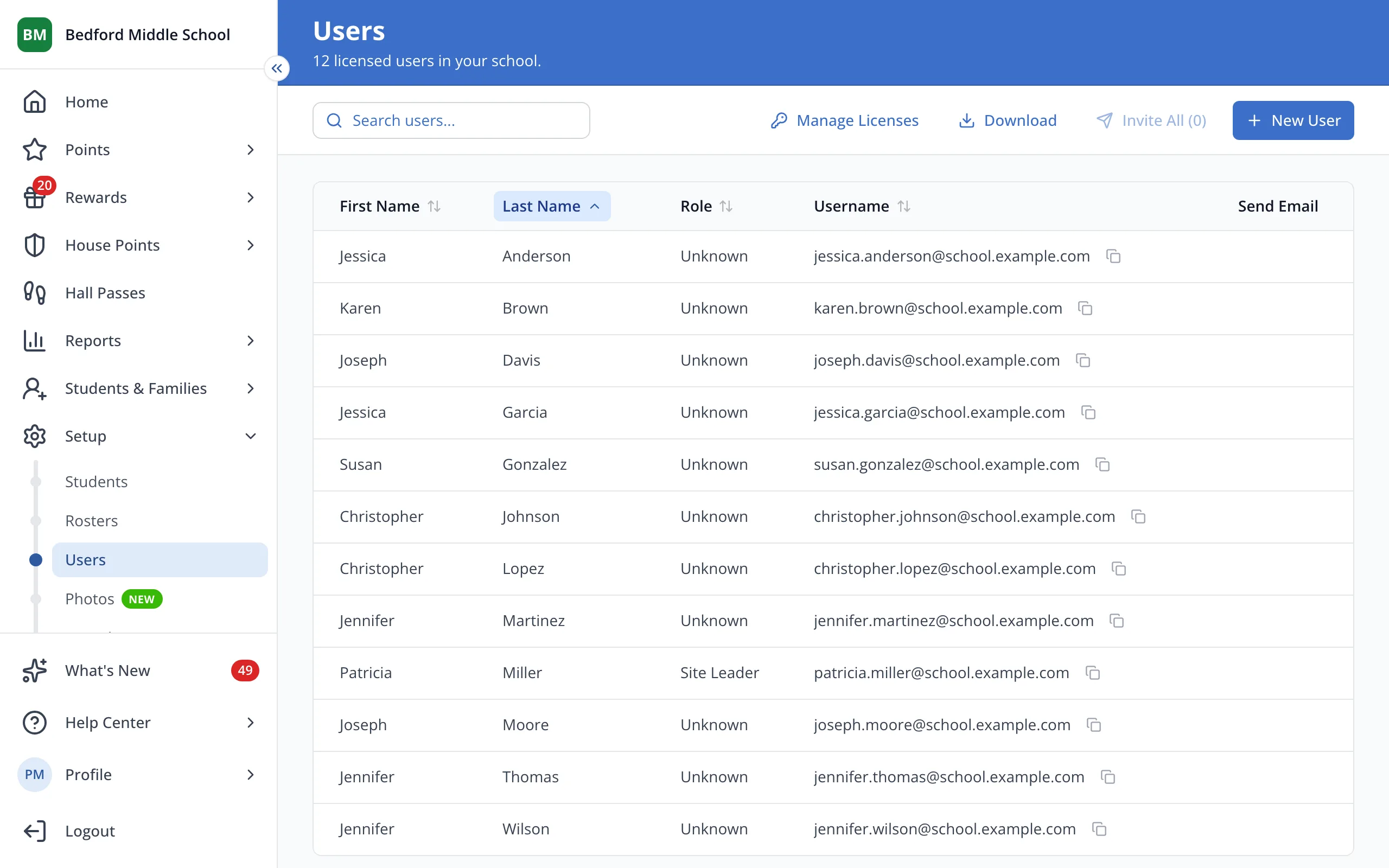
4.They're back on your Users list and can sign in again.
Was this helpful?