
See when staff were last active
Spot staff who never signed in or haven't been on in a while, so you can follow up or free their license.
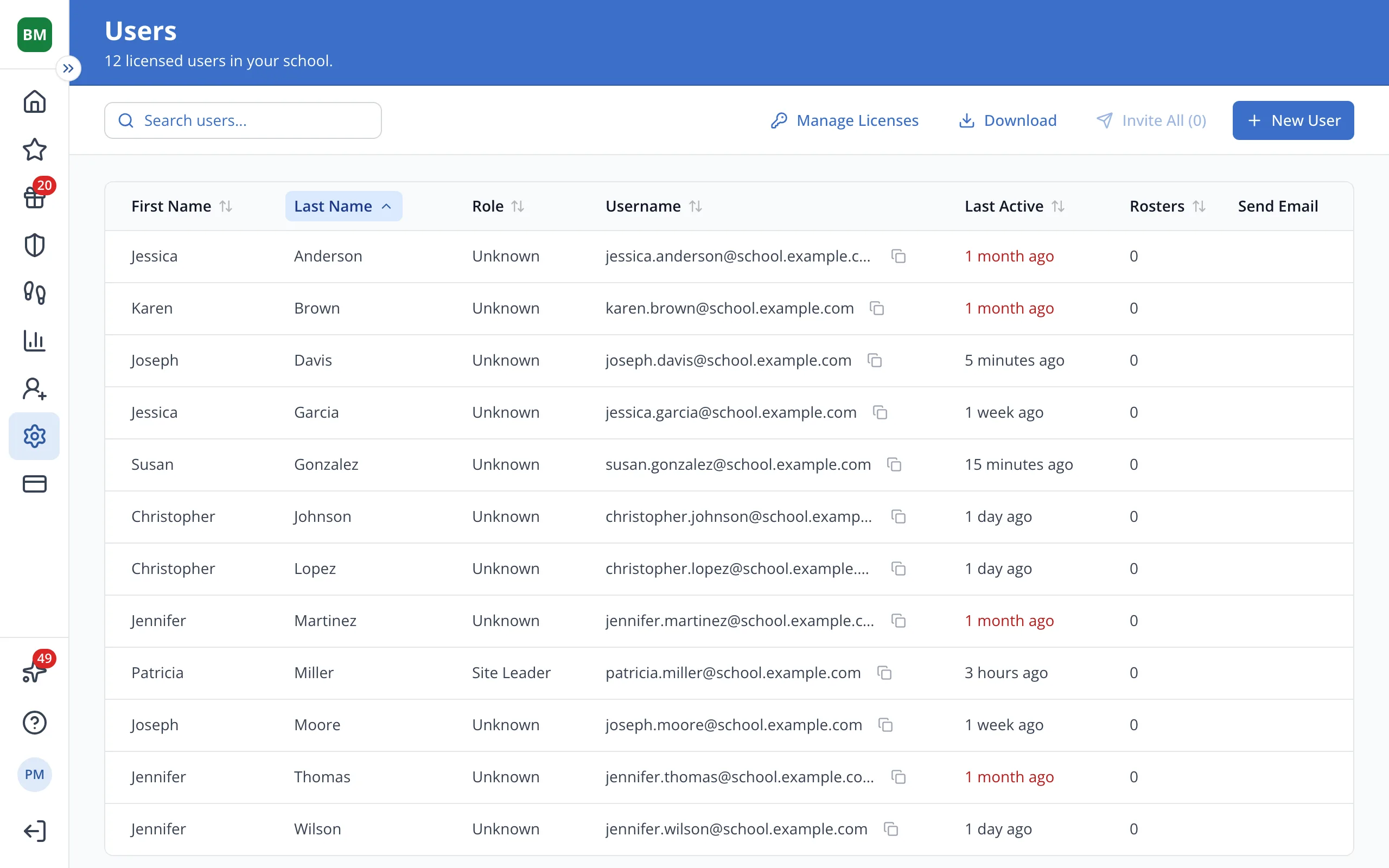
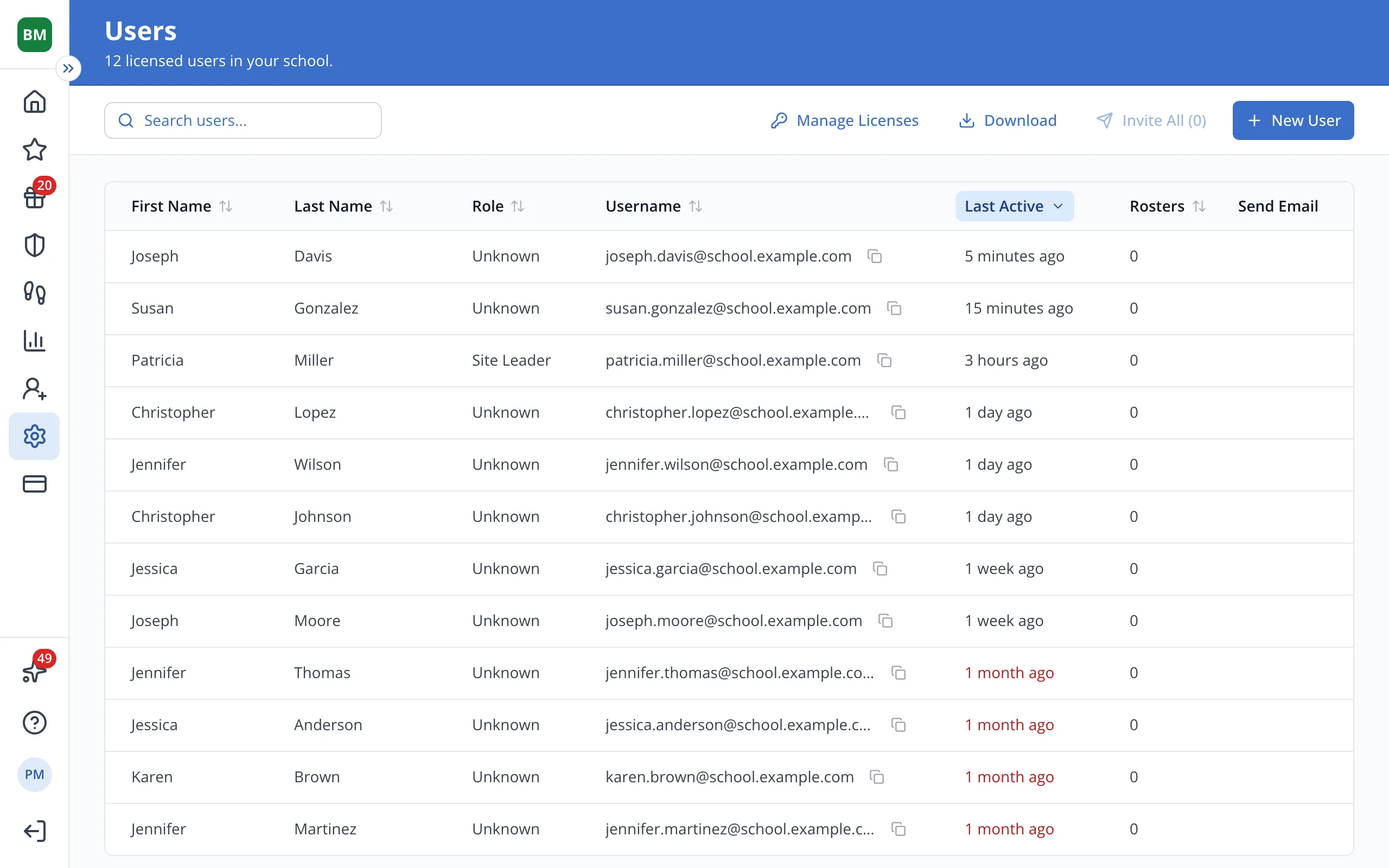
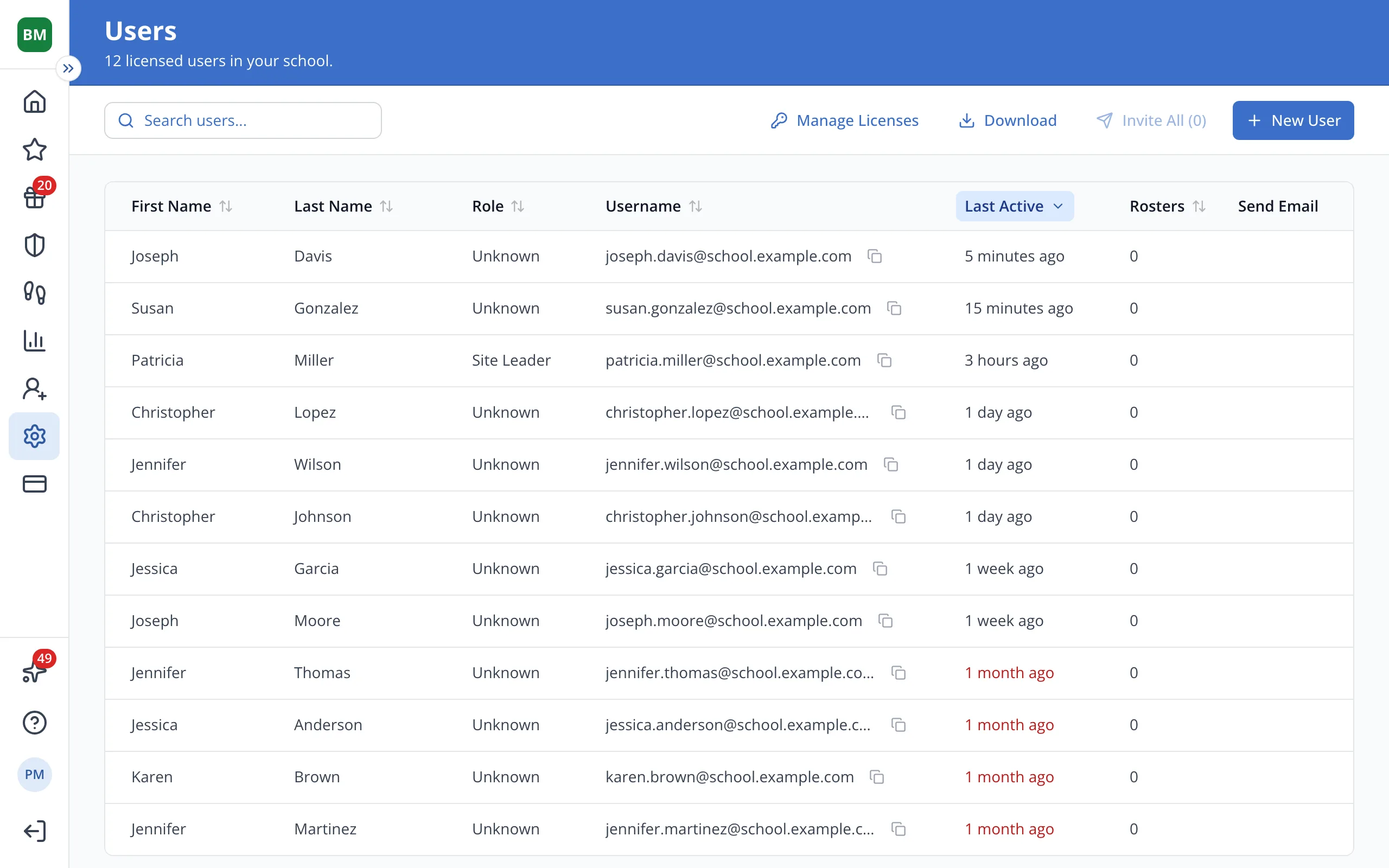
1 / 2On the Users page, click the Last Active column heading to sort staff by their most recent visit.
1.On the Users page, click the Last Active column heading to sort staff by their most recent visit.
Tip: Never means they haven't signed in yet.
2.A time in red means they haven't been active for 3 weeks or more.
Was this helpful?