
See which staff come from Clever or ClassLink
Staff who sync from Clever or ClassLink are changed there, while staff added in LiveSchool can be edited here.
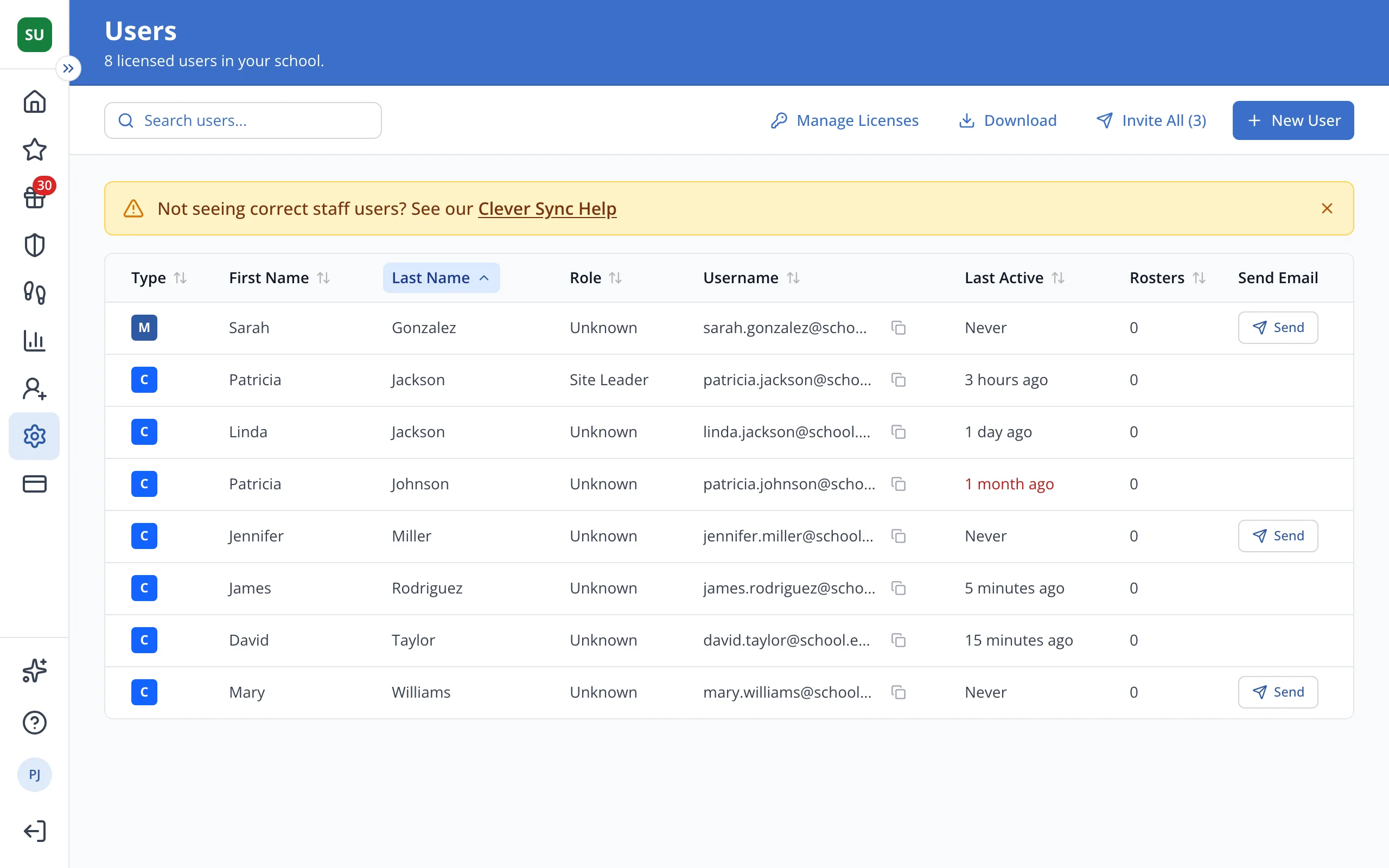
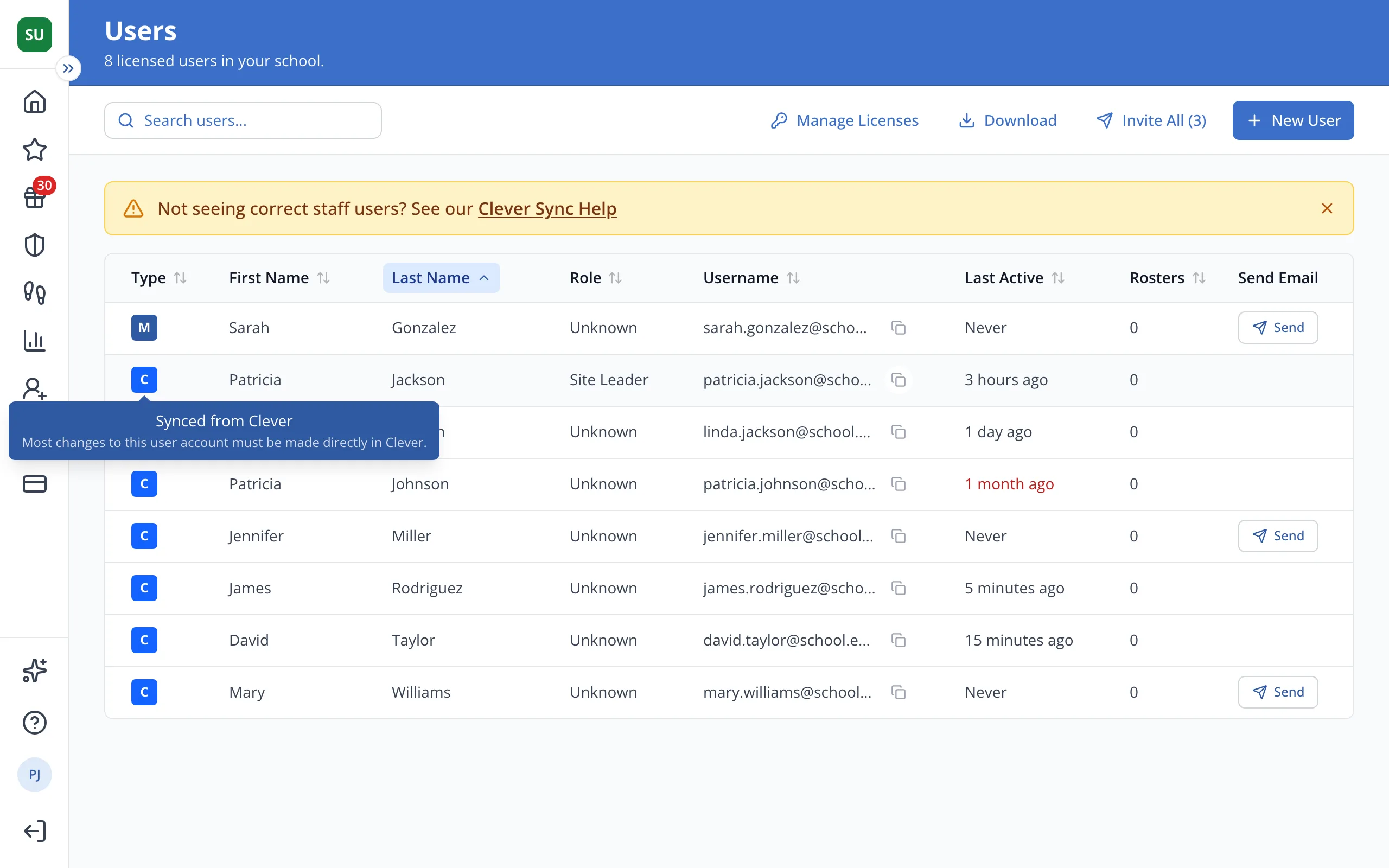
1 / 3In the Type column on the Users page, point to a staff member's badge.
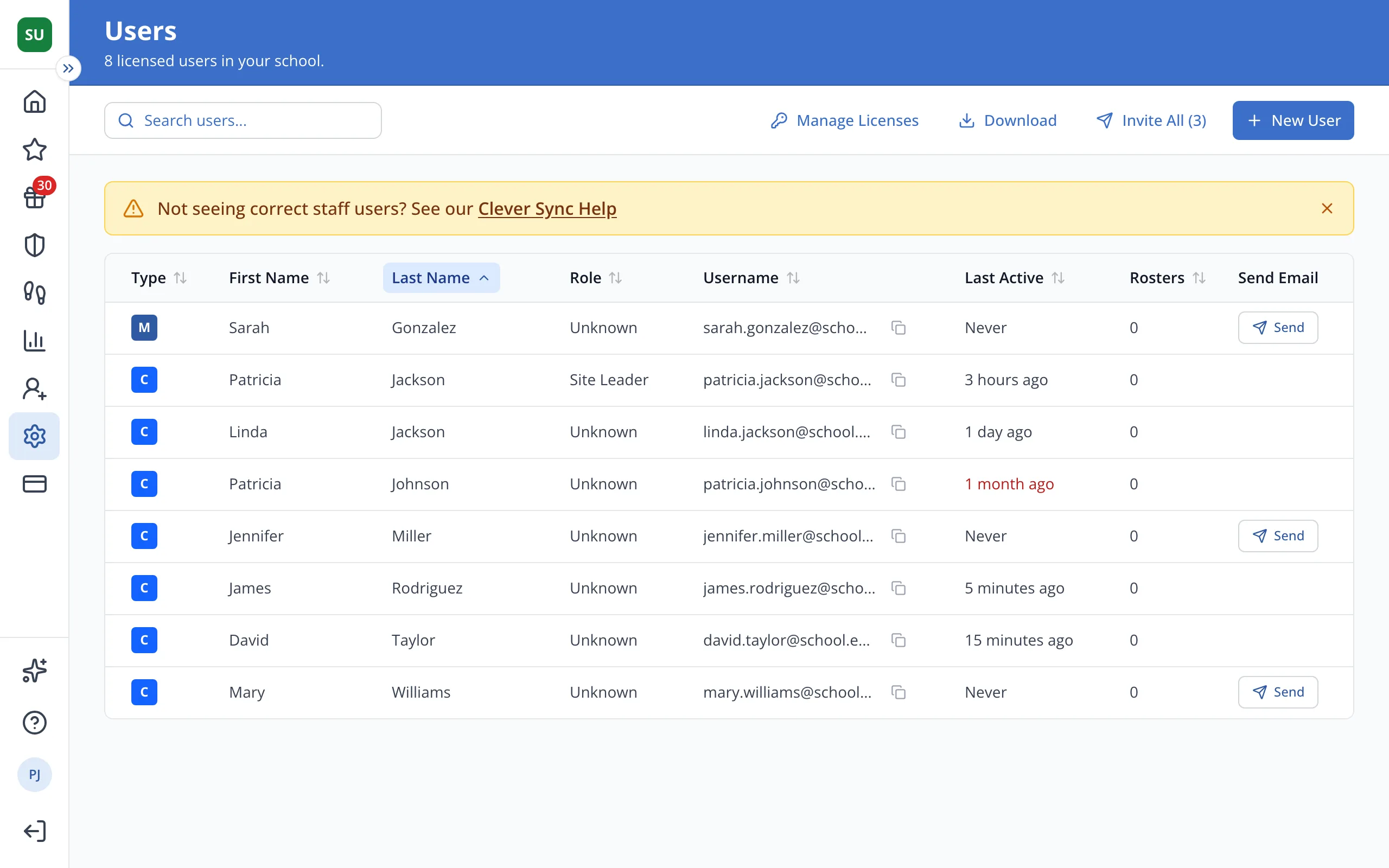
1.In the Type column on the Users page, point to a staff member's badge.
2.C means they sync from Clever, and CL means ClassLink. Most changes to them are made there.
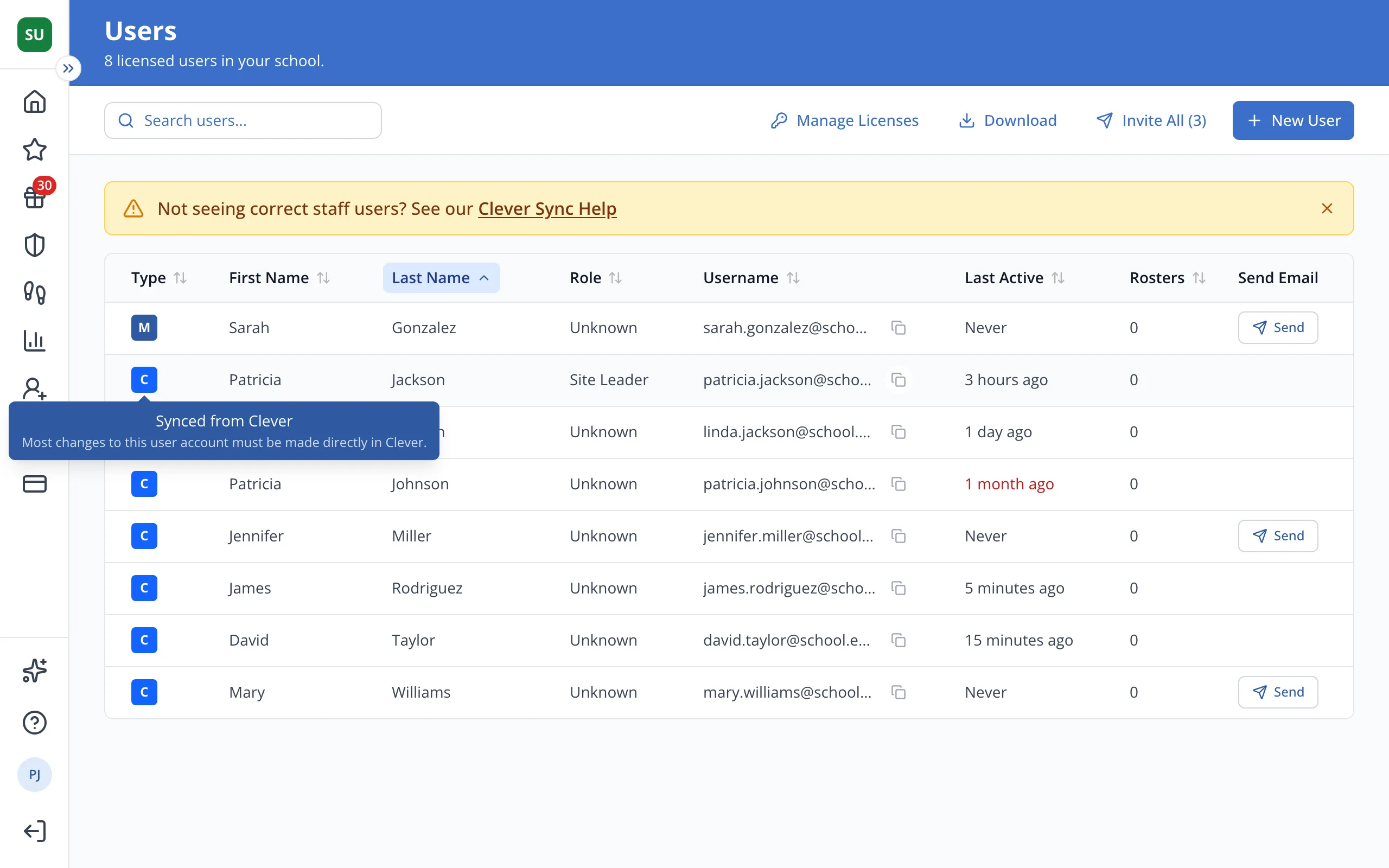
3.M means they were added in LiveSchool, so you can edit them here.
Was this helpful?