
Send a staff member a password reset email
For non-syncing users, you can prompt the password reset email, allowing staff to set a new password.
AdminSite Leader
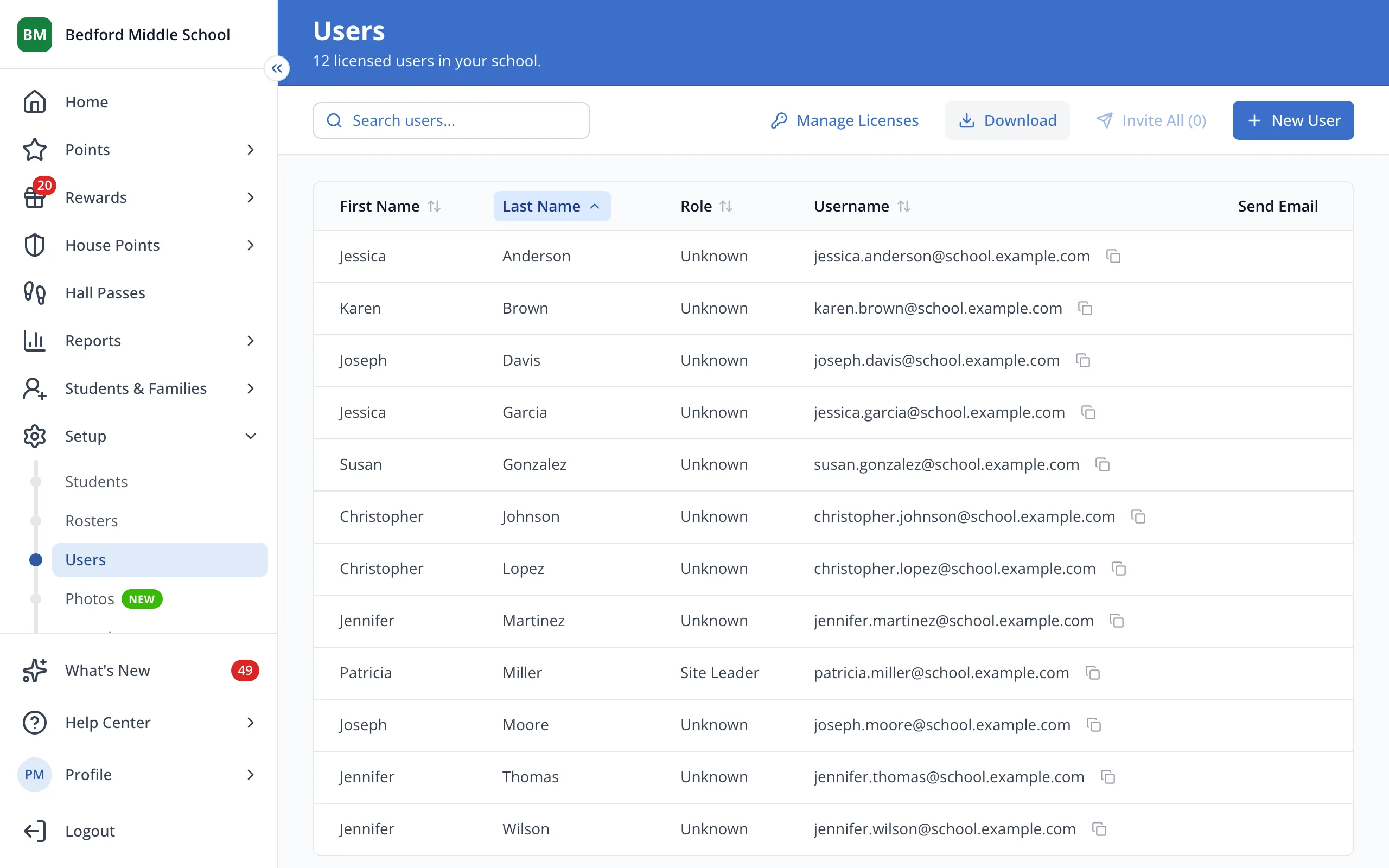
1 / 3On the Users page, click the staff member's first name.
1.On the Users page, click the staff member's first name.
2.At the top of User Details, click Reset Password.
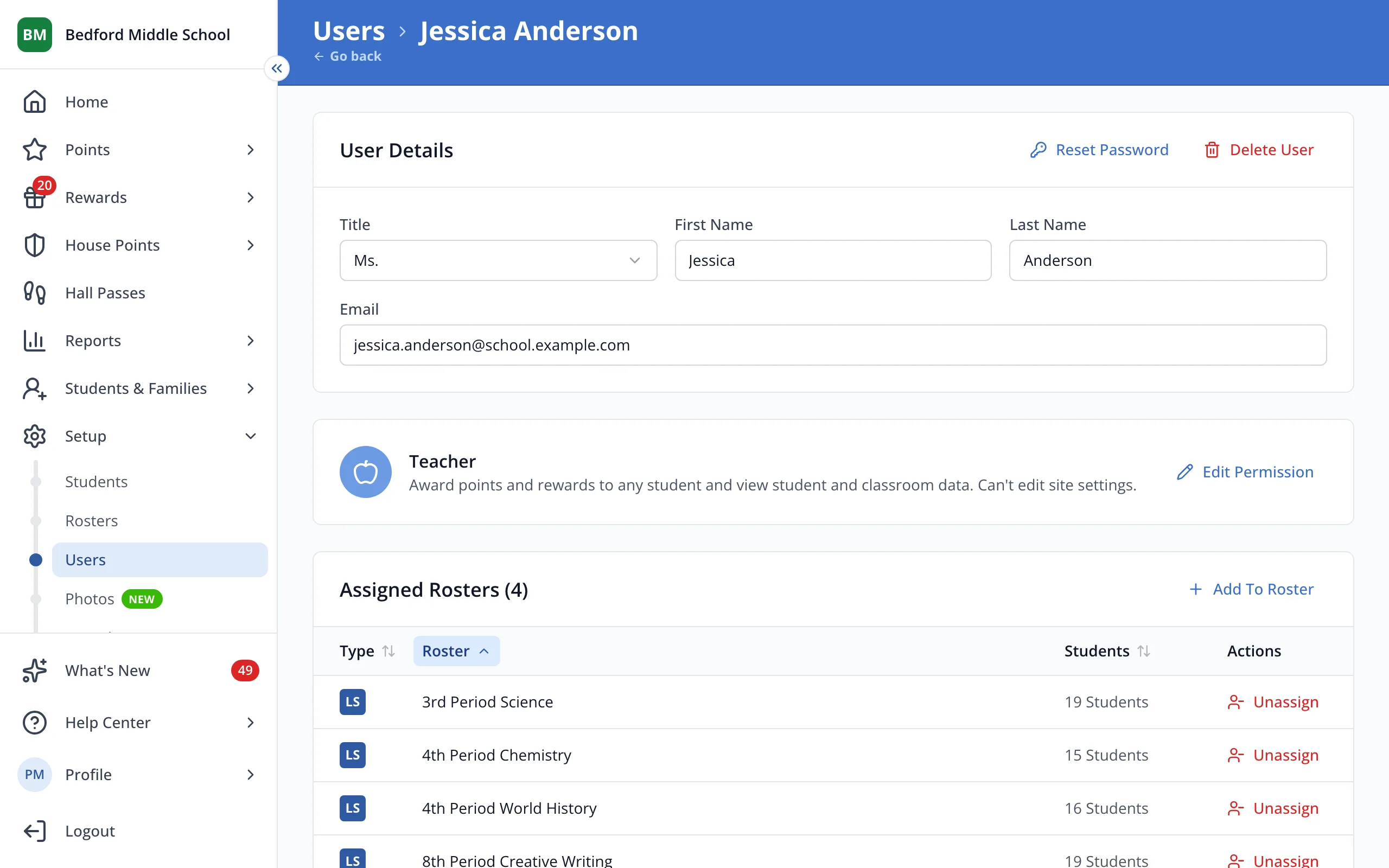
Tip: Reset Password only shows for staff who have signed in before. Send anyone else an invite instead.
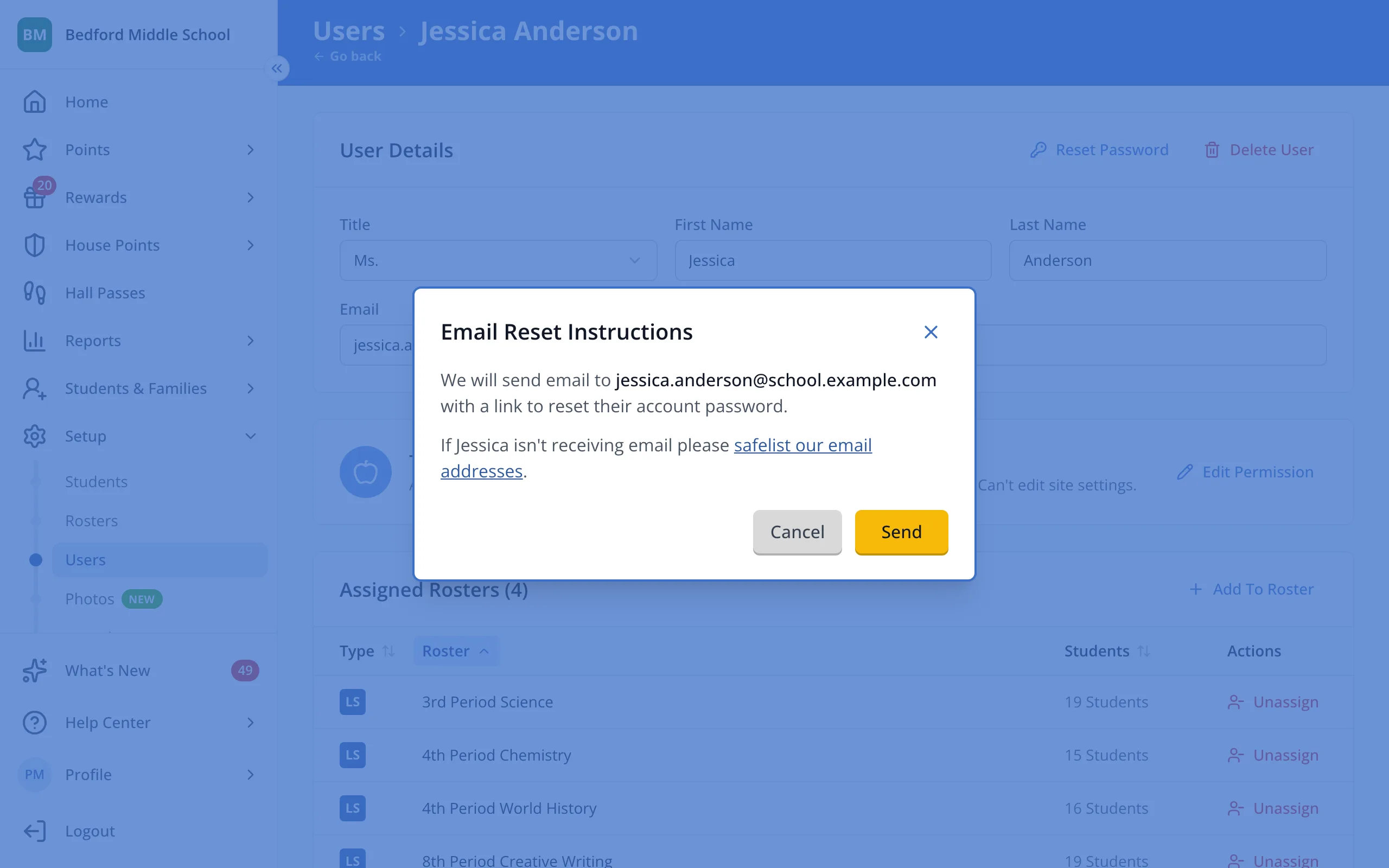
3.Click Send. They'll get an email with a link to reset their password.
Was this helpful?