Help a staff member who signs in with Clever or ClassLink get back in
Staff who sync from Clever or ClassLink can sign in through SSO or with a password set for their LiveSchool account.
AdminSite Leader
Open in LiveSchool
Already signed in? Open this guide inside LiveSchool.
Use the Left and Right arrow keys to move between steps, and Space to play or pause.
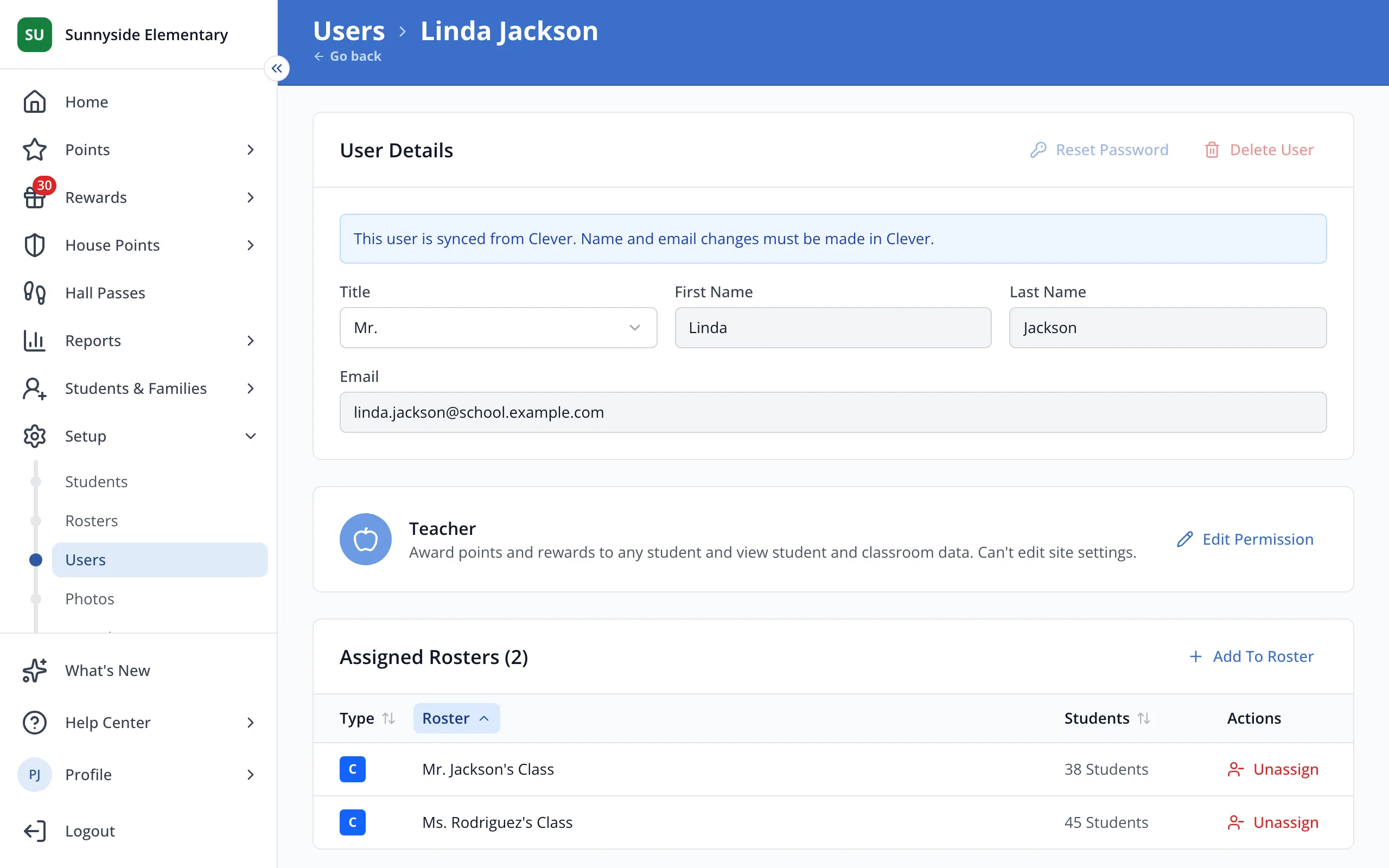
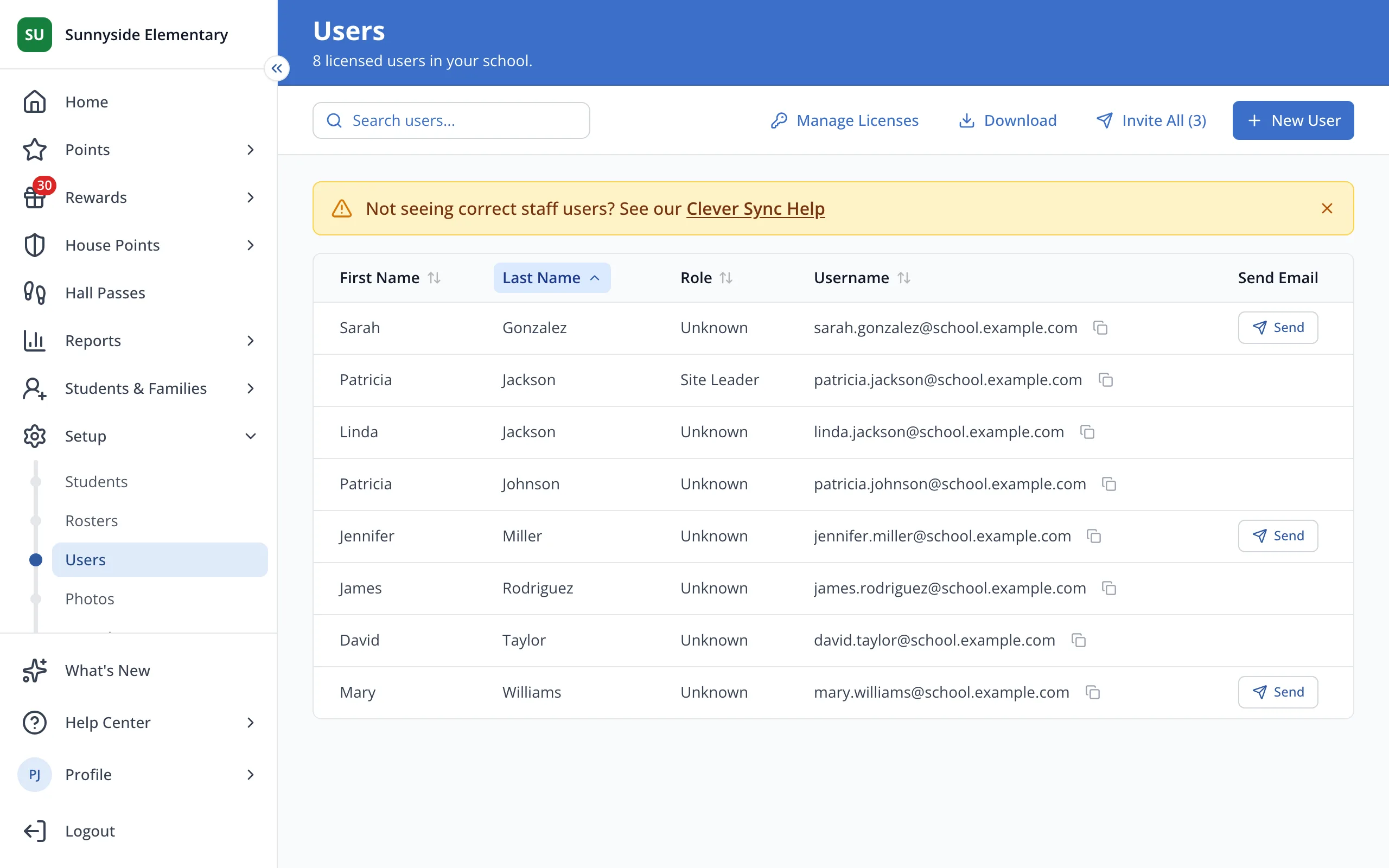
1.On the Users page, click the staff member's first name.
2.This note means they sync from Clever or ClassLink.
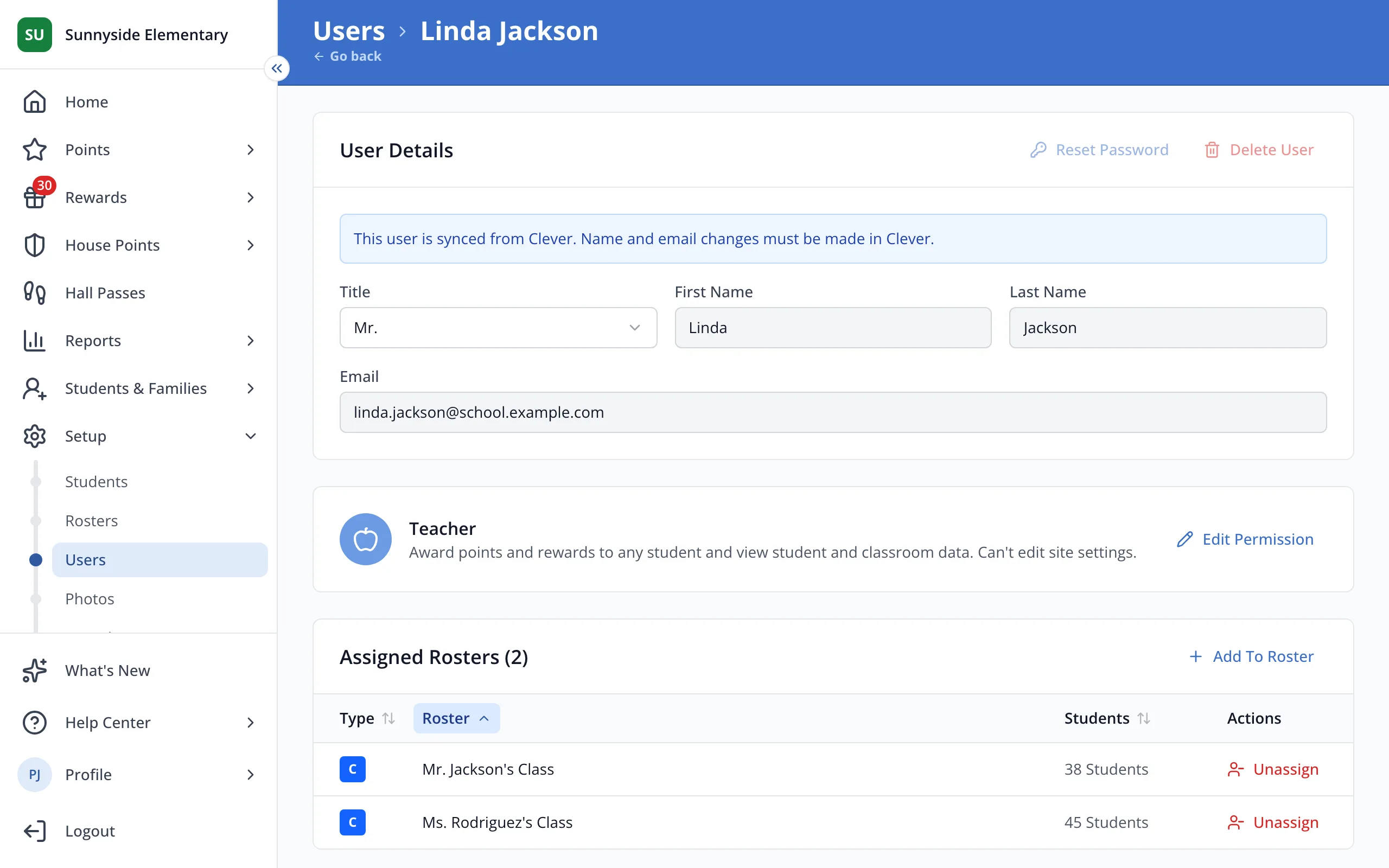
3.Reset Password is grayed out. If they'd like to sign in with a username and password instead of SSO, they can click Forgot password? on the sign-in page and set a password through the emailed link.