
Edit a staff member's roster assignments
Remove a roster from the "My Rosters" dropdown for a teacher.
AdminSite Leader
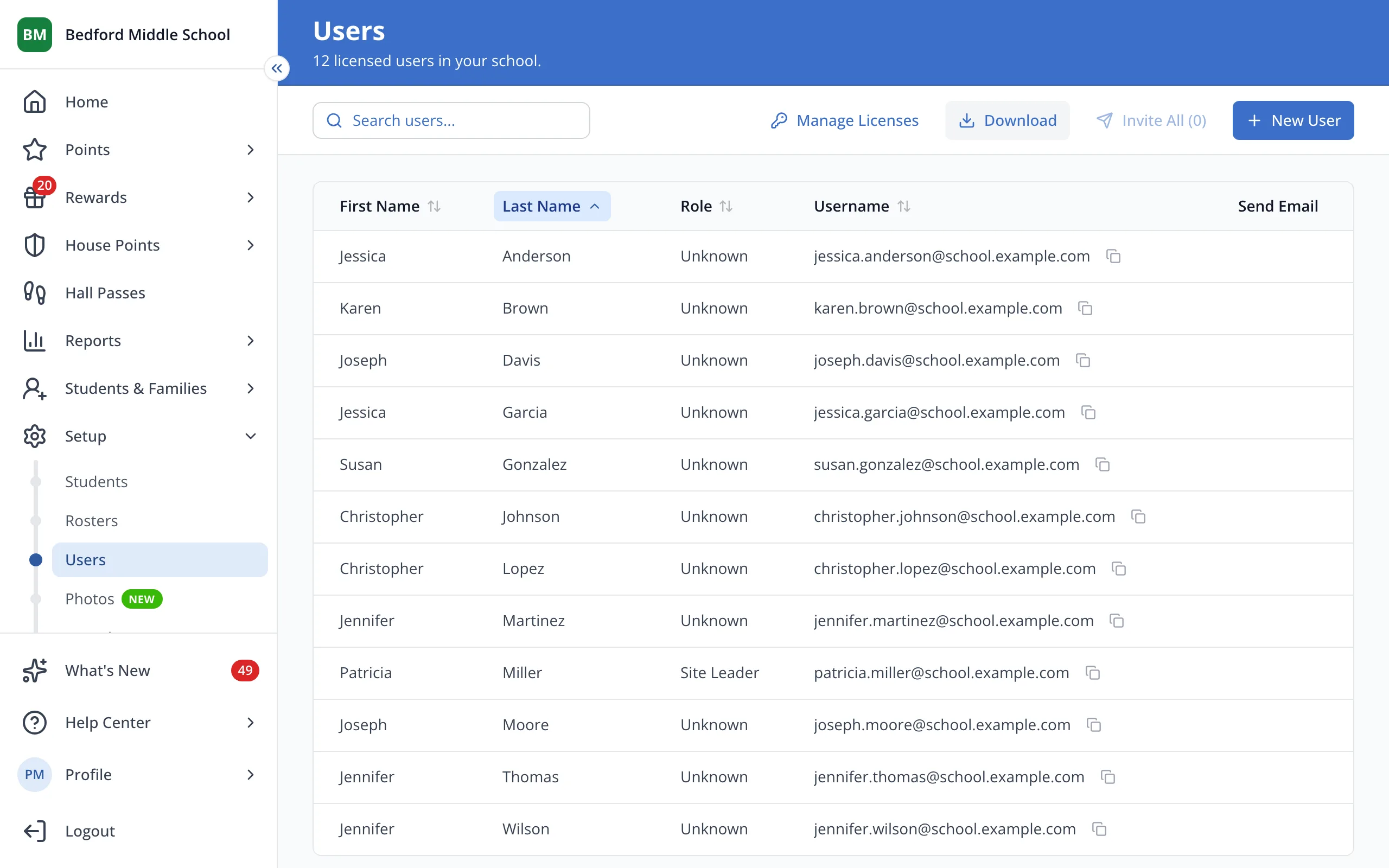
1 / 3On the Users page, click the staff member's first name.
1.On the Users page, click the staff member's first name.
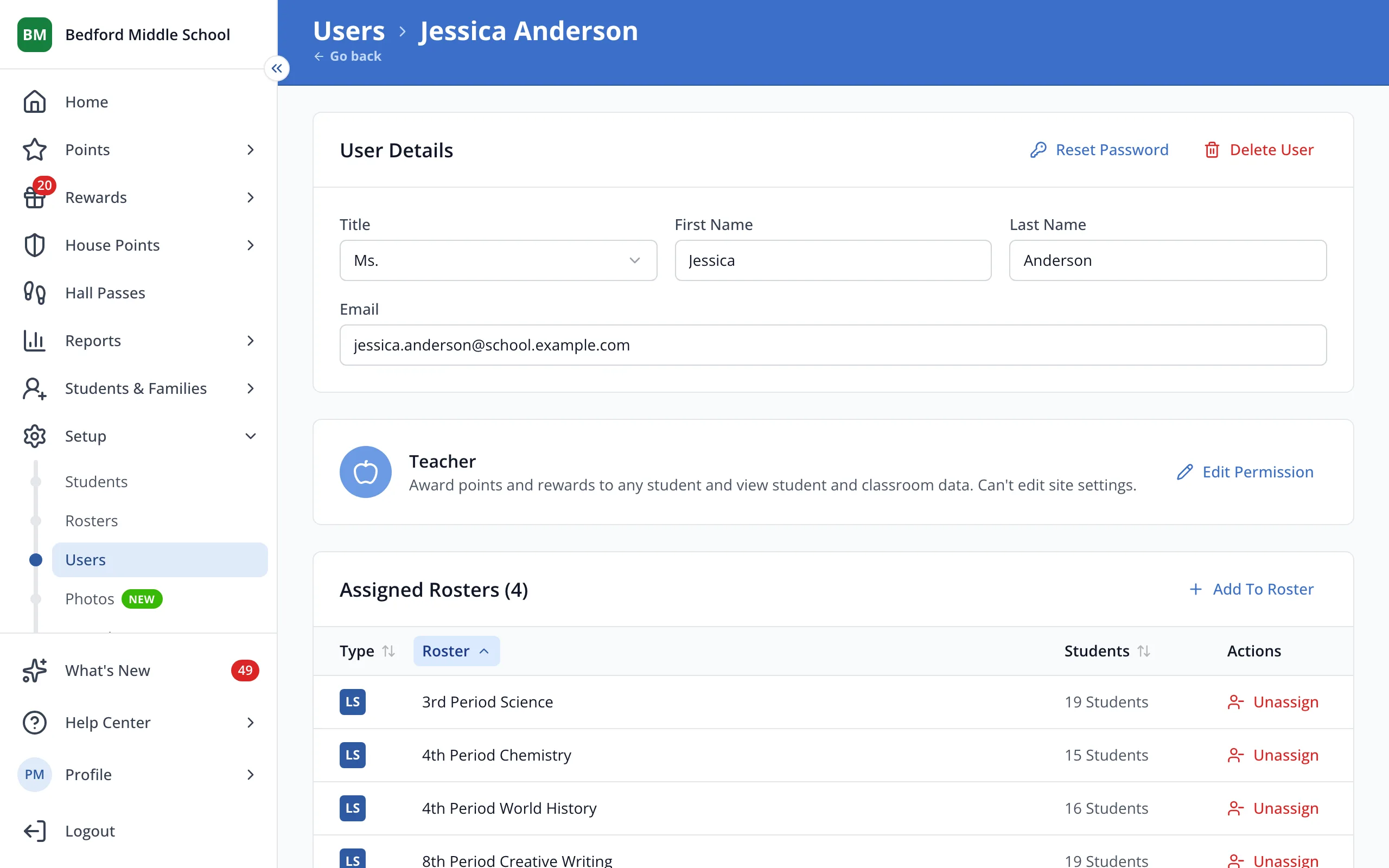
2.Under Assigned Rosters, click Unassign next to the roster. It's removed right away.
Was this helpful?