
Remove a student's photo
Remove a student's photo to display their initials again.
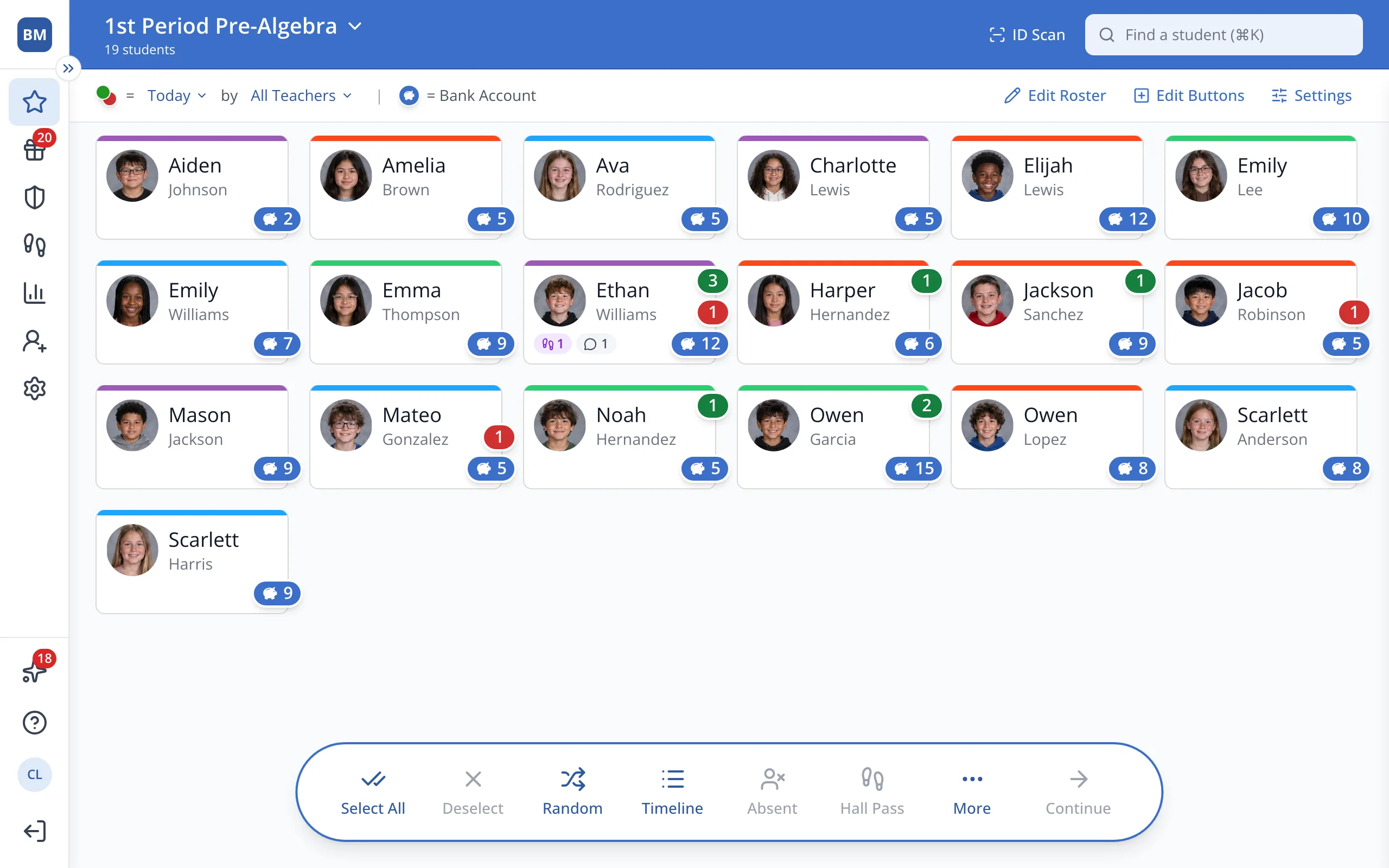
1 / 5On the Points page, point to the photo on the student button.
1.On the Points page, point to the photo on the student's button.
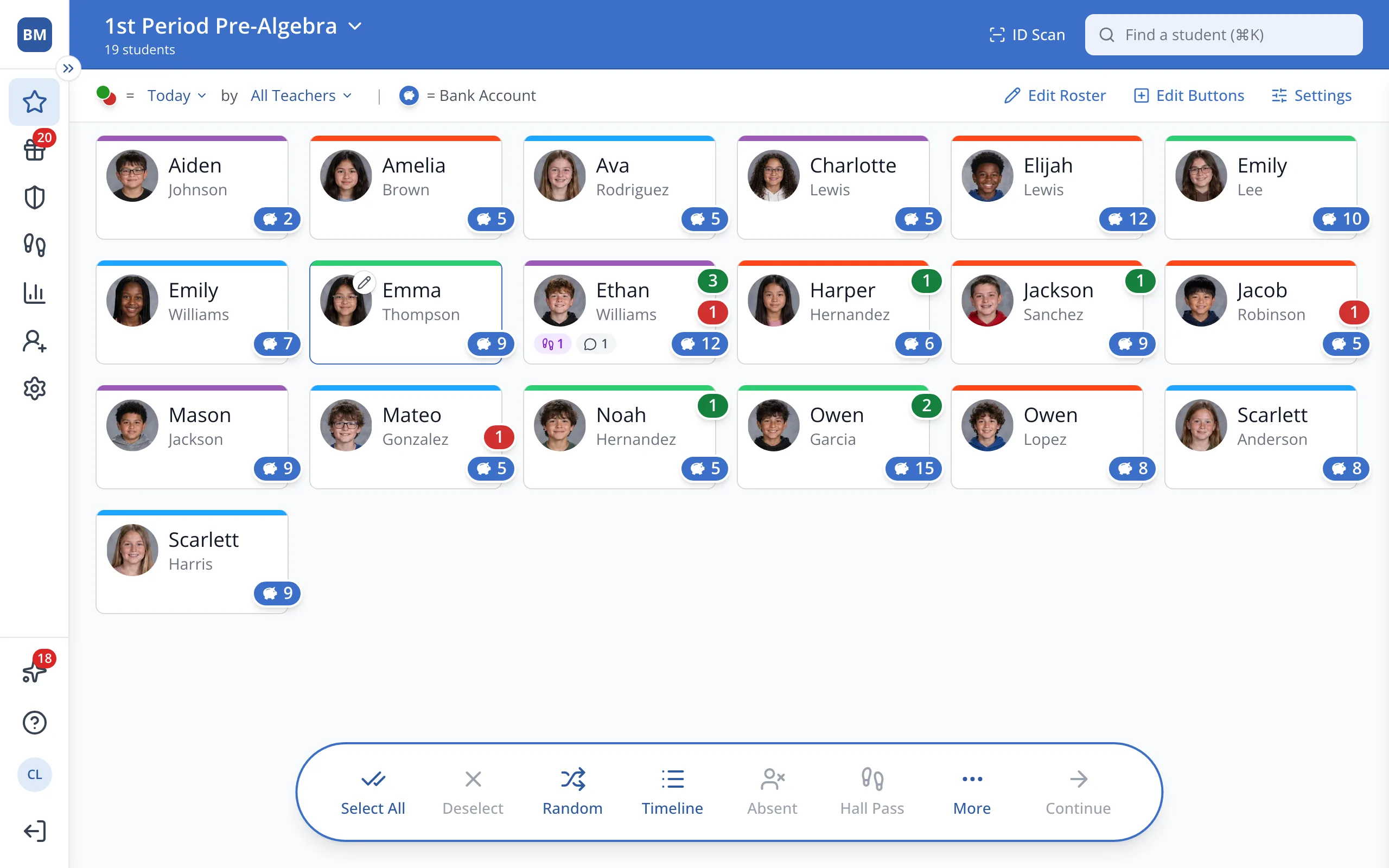
2.Click the pencil in the corner of the photo.
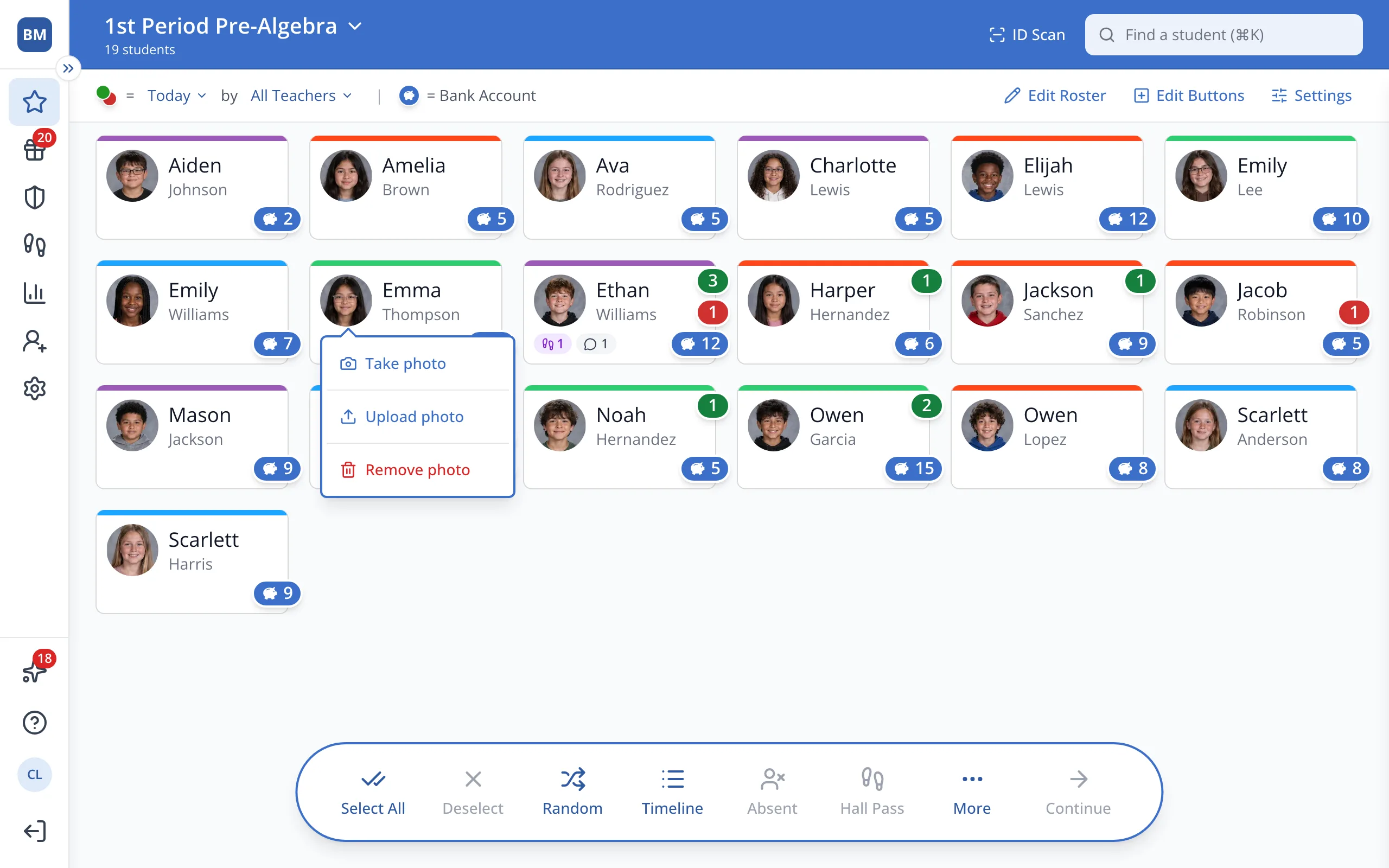
3.Click Remove photo.
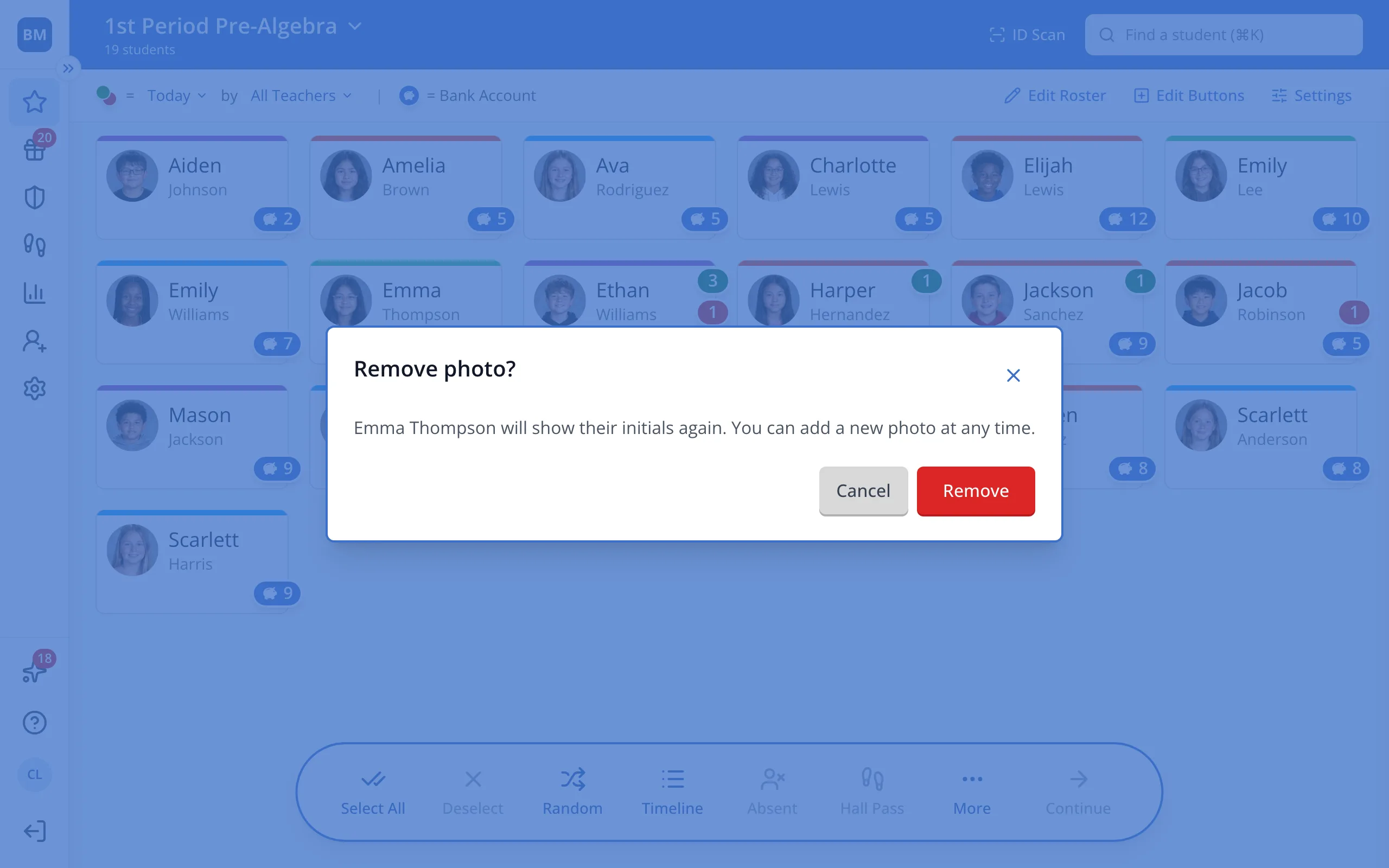
4.Click Remove to confirm.
Was this helpful?