
Import a LifeTouch photo zip
Photos are quickly matched to students by school ID, or by name and grade.
AdminSite Leader
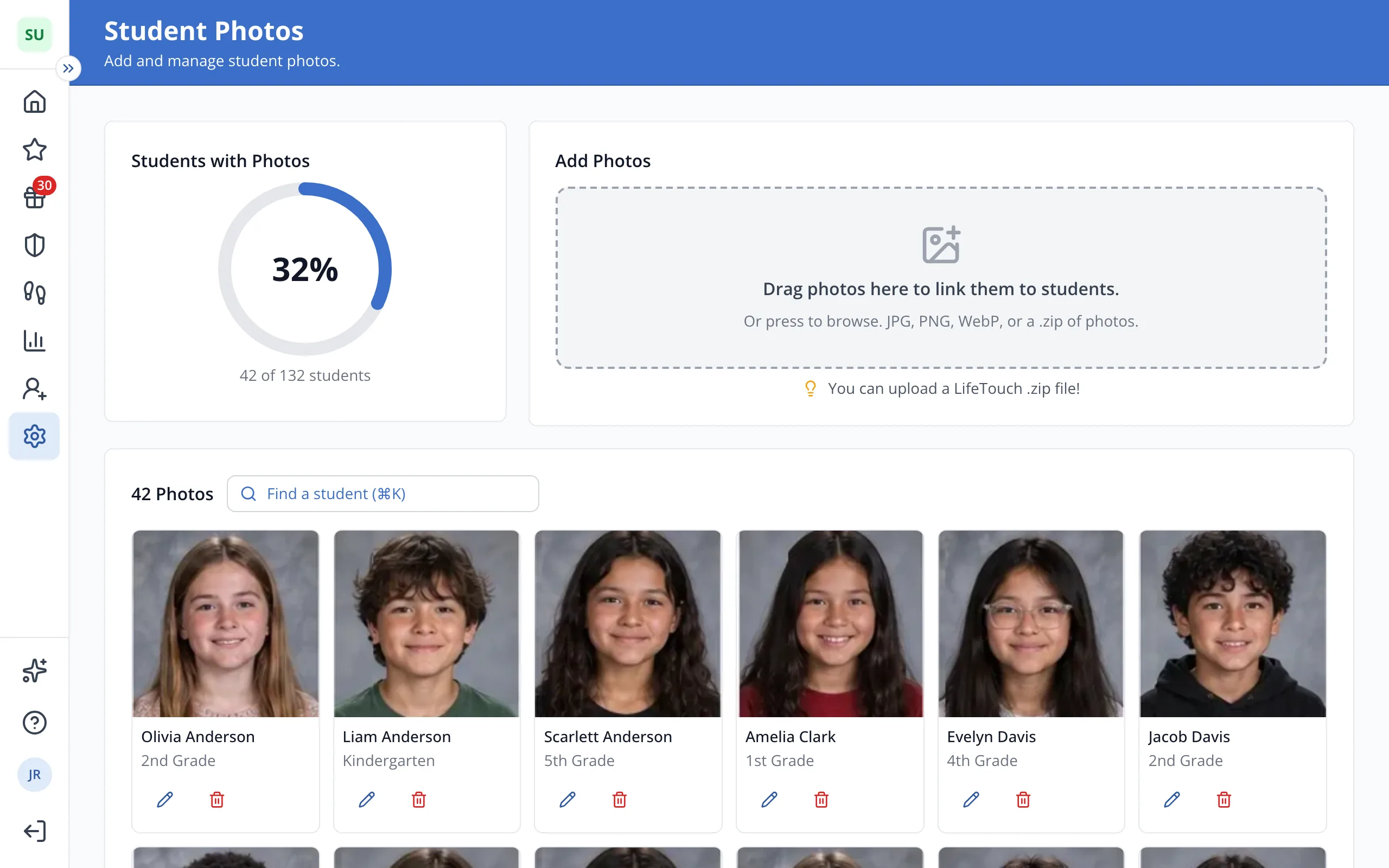
1 / 5Drag the .zip file from LifeTouch into Add Photos, as it came.
1.Drag the .zip file from LifeTouch into Add Photos, as it came.
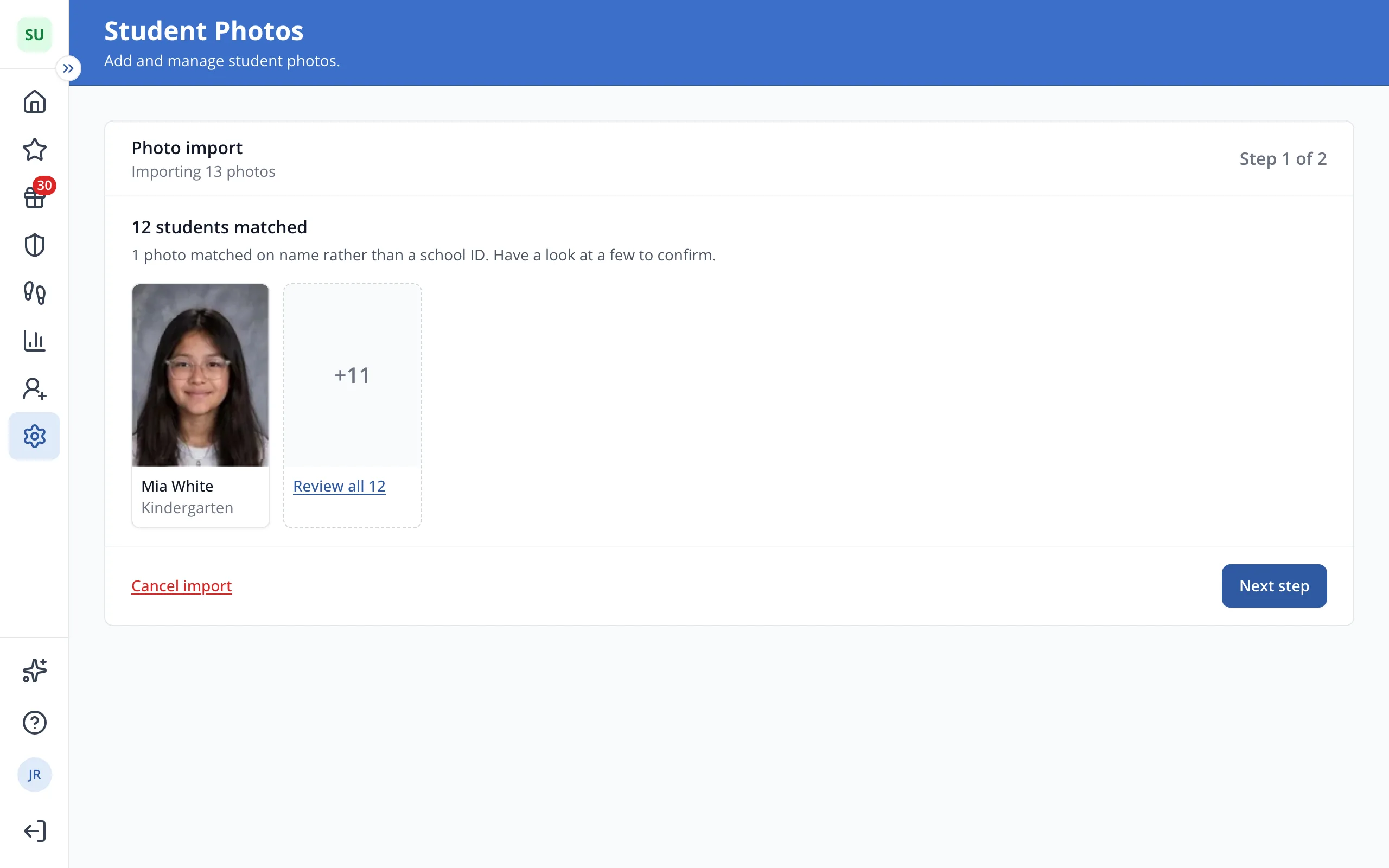
2.Check a few of the matched students, then click Next step.
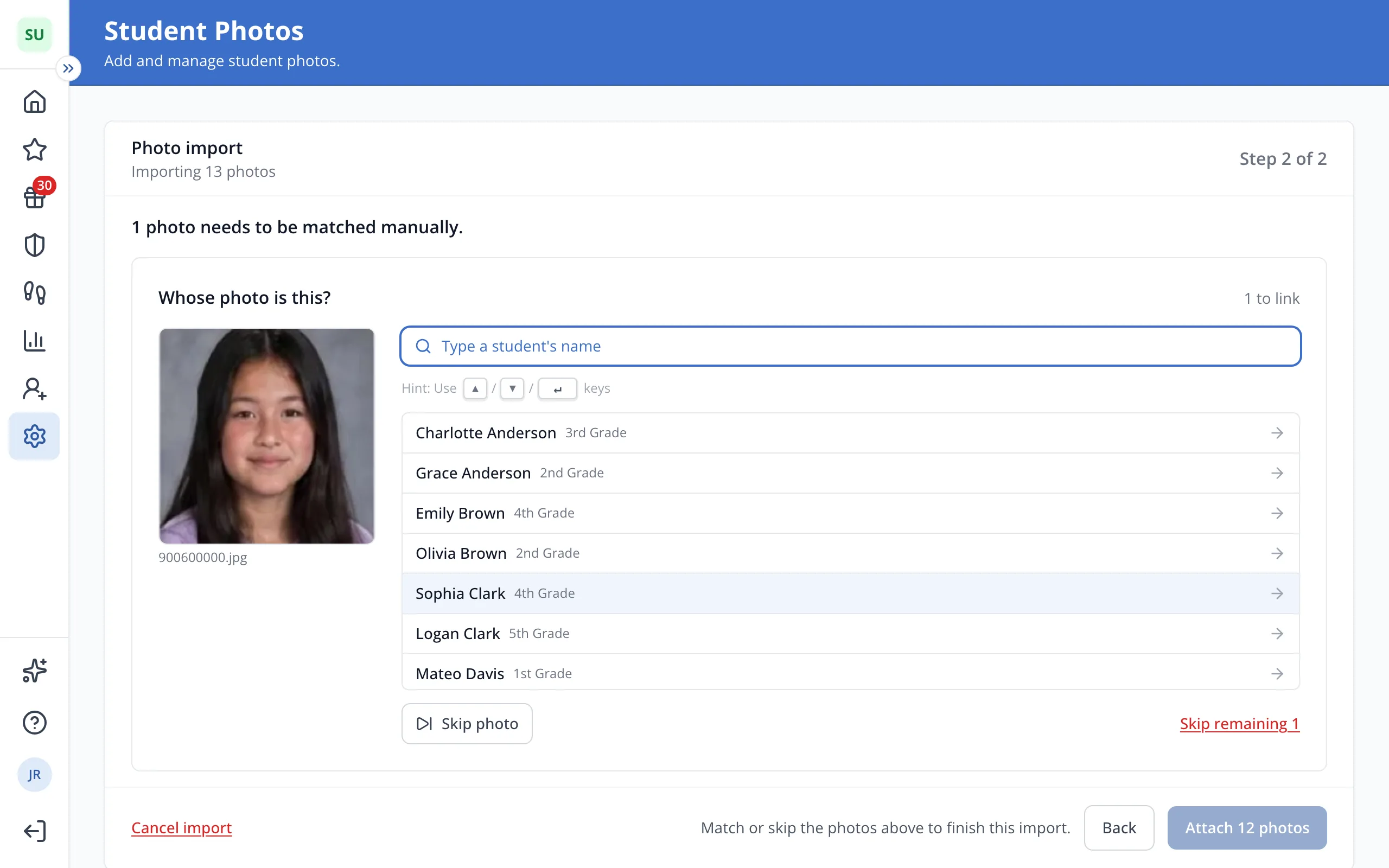
3.For each photo left, type the student's name and click them. Click Skip photo for anyone not at your school.
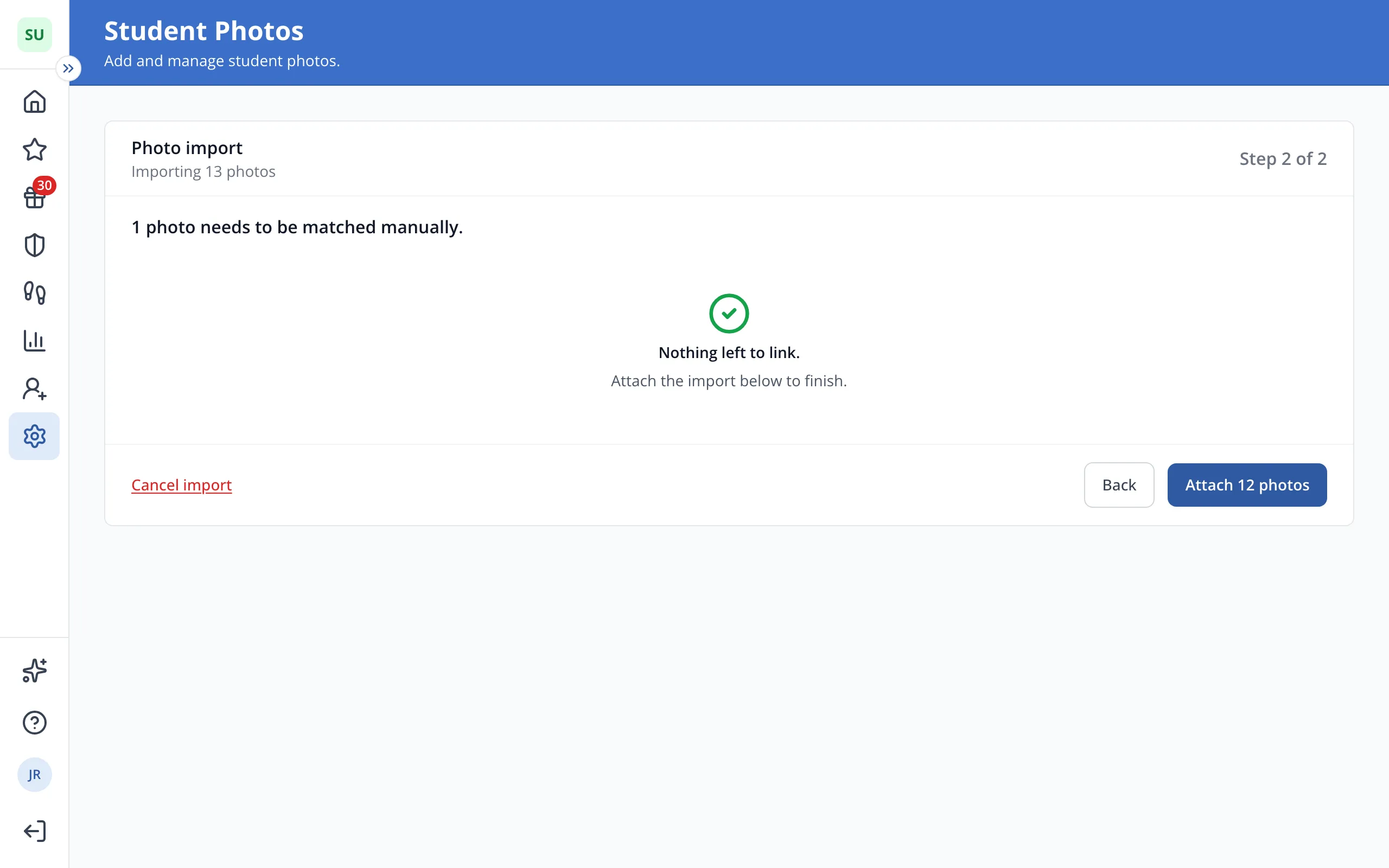
4.Click Attach to upload the photos.
Was this helpful?